Earlier this week there were a few new announcements related to Microsoft Flow. One of the important once for me is the option to find failed flows.
Successful flows
Table of Contents
When I build flows I often use my Try-Catch pattern. One problem with this however is that all my flows will always be successful.

Finding Failed flows
Can you recognise the failed flow? Well, I can’t! Opening each flow and then checking if something went wrong can be a painful process.
But not anymore!
Using Analytics to find your failed flows
Open your flow in Microsoft Flow and select the See analytics option:

Within the Error tab you will now see all errors that have occurred in any of your actions over the last 30, 14 or 7 days!

But that is not all!
It is time to zoom in on the Error details section:

Simply click on the last error detail link and you are straight into the Run history for that failed flow:
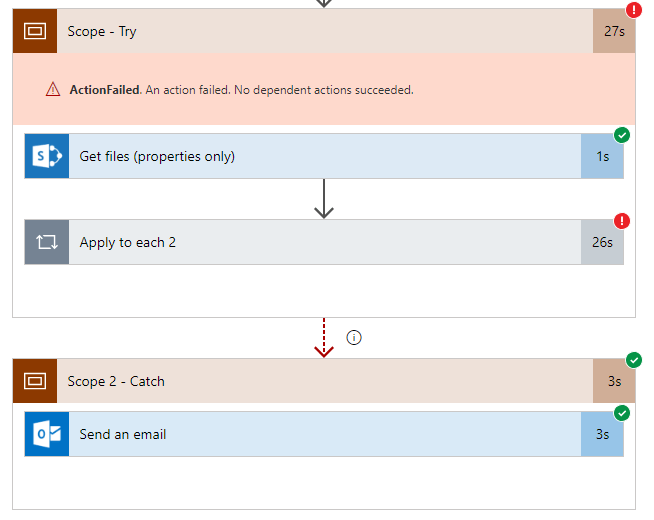
Wow, this is absolutely awesome! I can now fix all my issues in less than no time!
Discover more from SharePains
Subscribe to get the latest posts sent to your email.
It’s great – though it seems at the moment to be limited to only seeing the last error, not all of them. Still, it’s a leap forwards. Thanks for alerting me to this, and thanks all your other posts.
It is indeed limited to the last failure only. I found however that each of the failing actions only fails in one way. So going through the failures one at a time and fixing them makes this a great way to get your flow robust.