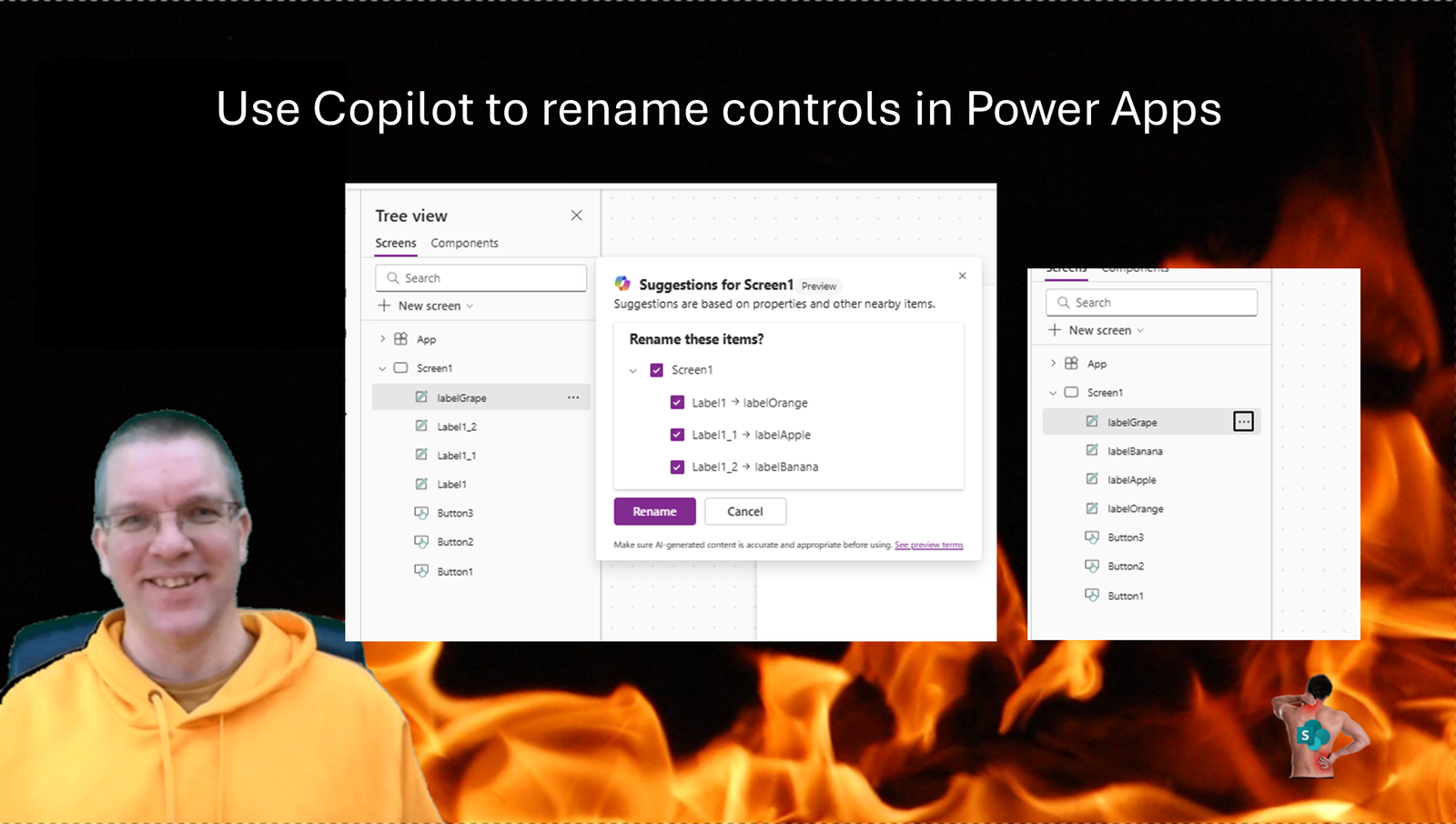
Do you rename controls in Power Apps? Well of course you do! What if you have an app with many controls and they all use the out of the box names? It can becomes quite a task to name your controls properly. In this post the quick trick to get all controls renamed with Copilot within seconds.
Copilot in Power Apps
Did anybody say that Copilot in Power Apps isn’t useful? I’m sure I’ve said this in the past. But it is the small little features that make Copilot really useful.
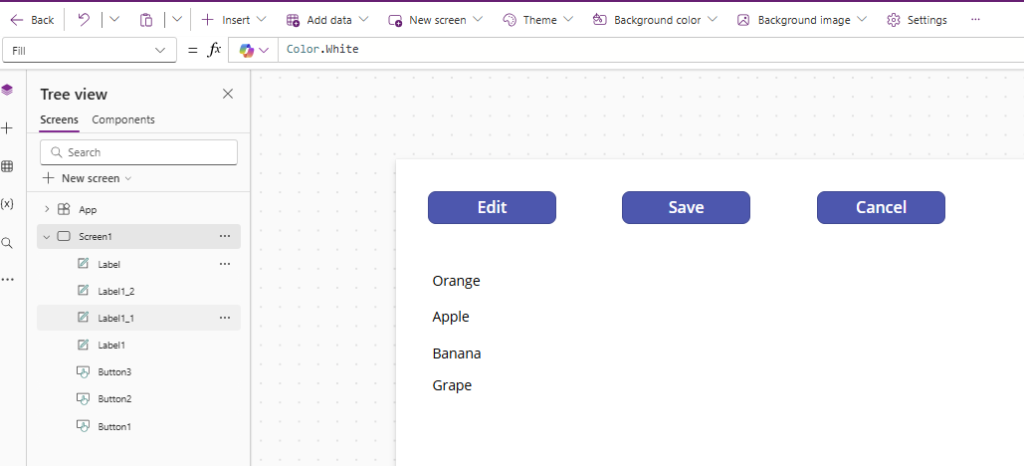
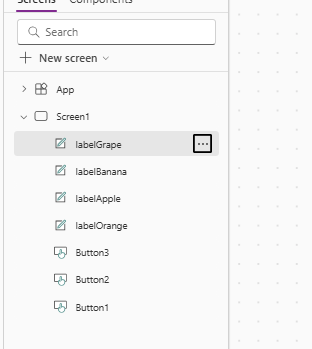
Just imagine you have the following app. 7 Controls on a single screen may still be manageable but you could also have many more controls. Now, we can use a nice little features in Power Apps to do all the renaming for us.
Enable Copilot’s Proactive control rename
First of all we need to make sure that we enable one of the Copilot features.
Go to you settings within the app and select the Updates option inn the menu. Then Scroll all the way down until you get to Proactive control rename
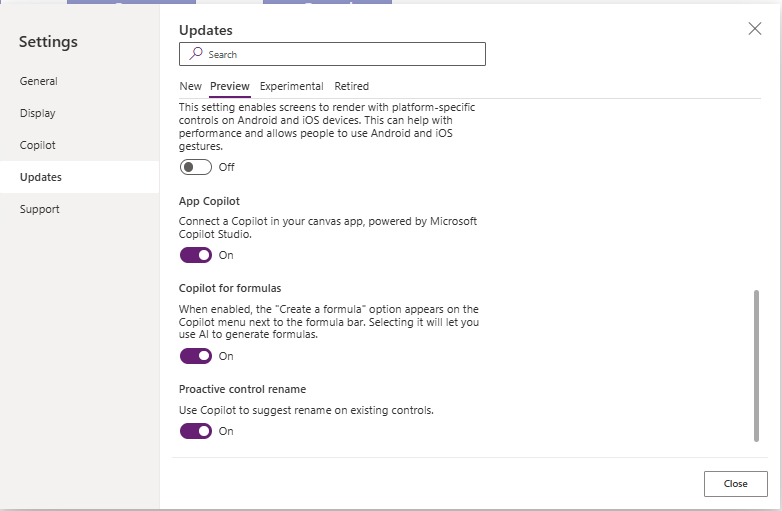
When you create a new app this feature will be enabled by default. Have you ever considered what Preview means? In my opinion preview features should not be used in production and should be disabled by default. I guess nobody would try this feature if it wasn’t enabled by default.
Rename Controls using the Proactive Control rename
Once you have made sure that the feature has been enabled, we can go back to our app. In our treeview we just select one of the controls.
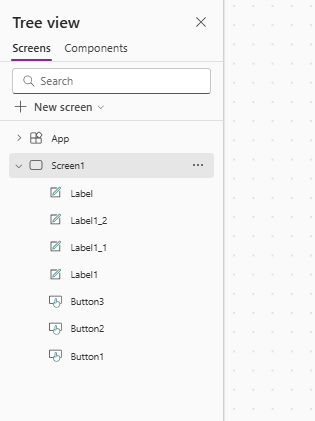
I’m going to select my text label that has been set to Grape and I’m going to rename it to lblGrape
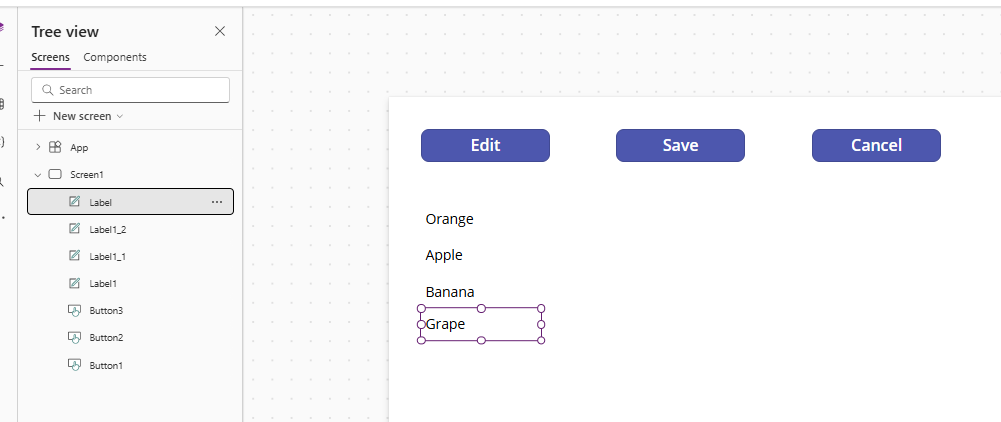
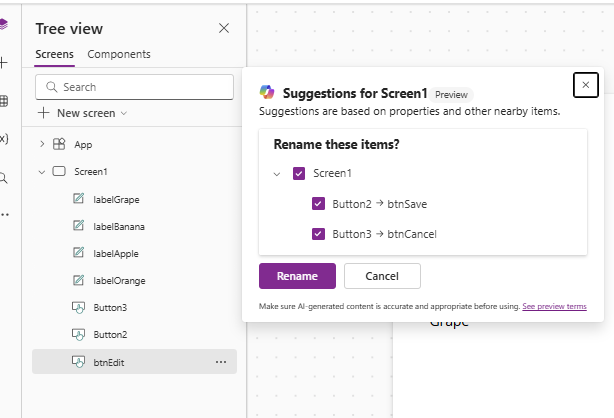
As soon as I have renamed it, the Copilot icon appears (just like Clippy used to do in the 90s)
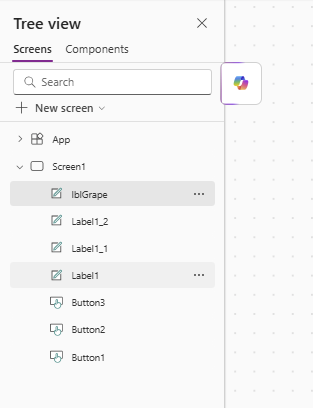
We can now click on the icon and the magic will happen. And even if my chosen prefix is different Copilot will pick up my standard really well.
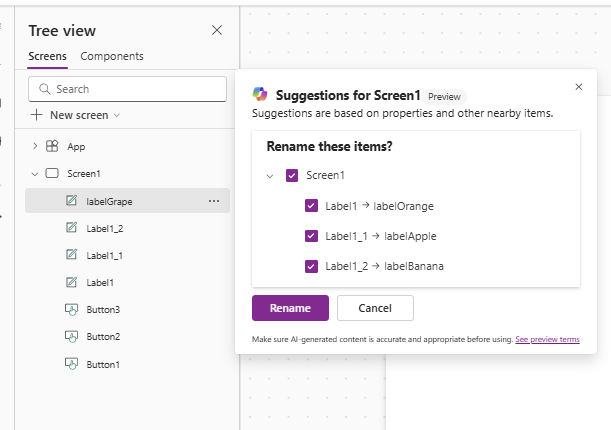
Now all my labels have been renamed.
I can do the same thing for my buttons and all my controls have been renamed without it taking a lot of your time
So as you develop your app, should you still rename each control as you add it?
Pieter Veenstra

Is your business still running on paper trails, sprawling Excel files, or ageing Access databases? There's a better way — and I can show you exactly what it looks like. I'm the Technical Director of Vantage 365, a Microsoft solutions consultancy working with clients across the UK, the Netherlands, and worldwide. For over 30 years I've been turning messy, manual business processes into clean, automated systems that save time, reduce errors, and give teams the visibility they need to make better decisions. SharePains is not just any blog run by a Microsoft MVP. Have you ever used Try-Catch in Power Automate? The original post about Try-Catch in Power Automate can still be found on this site, https://sharepains.com/2018/02/07/try-catch-finally-in-power-automate-flow/ Or have you ever used the Pieter’s method to avoid variables and speed up your flows? https://sharepains.com/2020/03/11/pieters-method-for-advanced-in-flows/ You can contact me using contact@sharepains.com