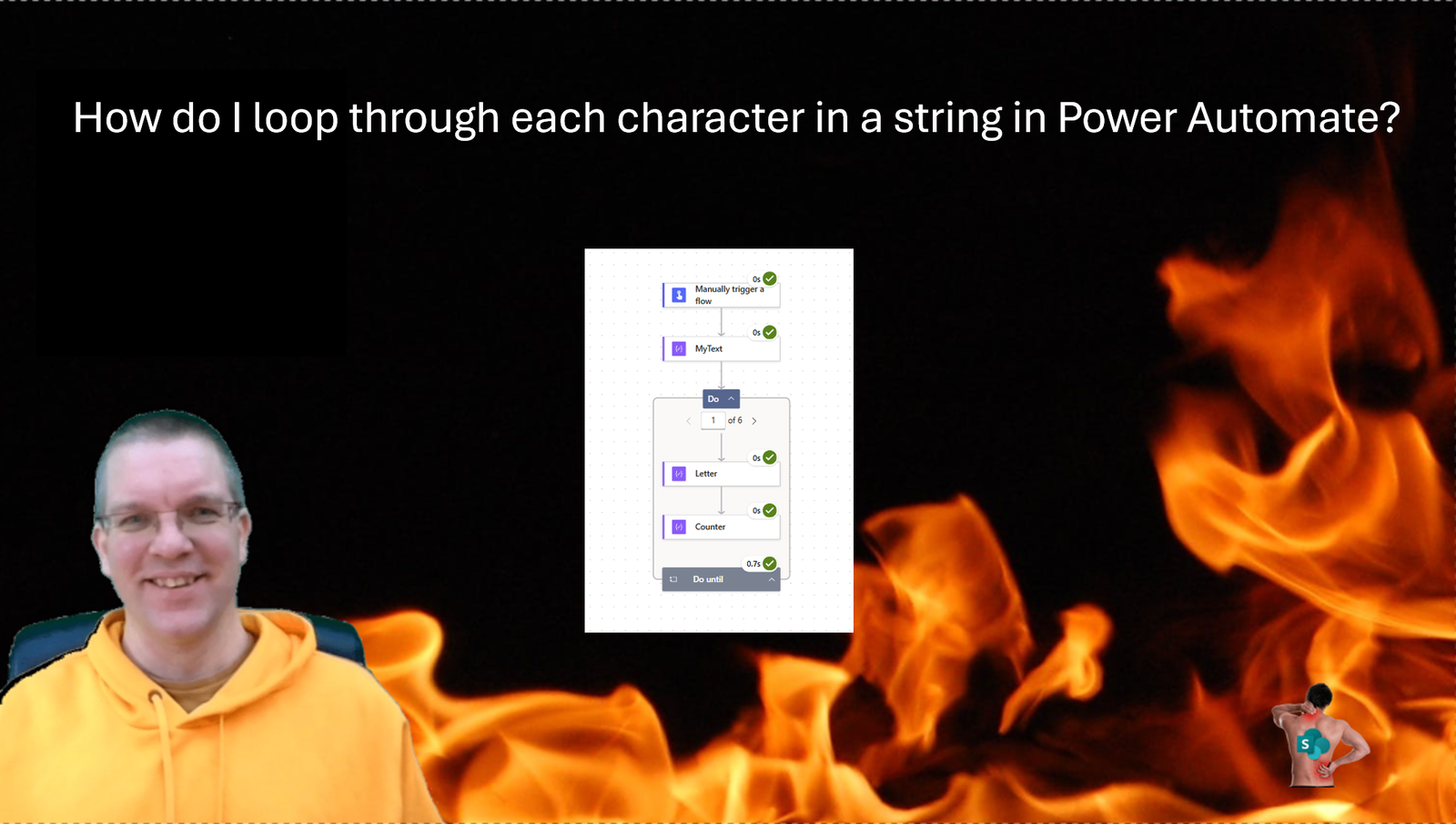
This morning on Reddit someone asked in the Power Automate community “How do I loop through each character in a string?”. Well this isn’t too complicated, although you would hope that a single action could do the job for you. The solution is slightly more complicated than that.
Create your flow
I’m going to start with the setup of a manual trigger and a compose action that gives me a text of 6 characters.
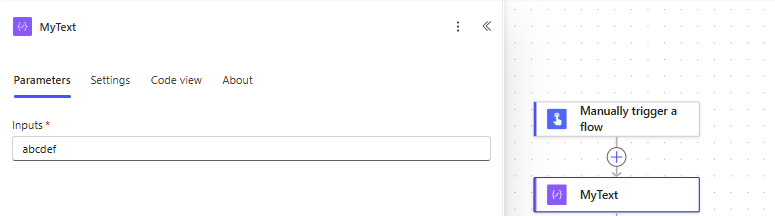
This solution can of course handle longer texts as well. But for this example 6 characters is fine. Then I’m adding a Do until step into my flow this Do until will process each character.
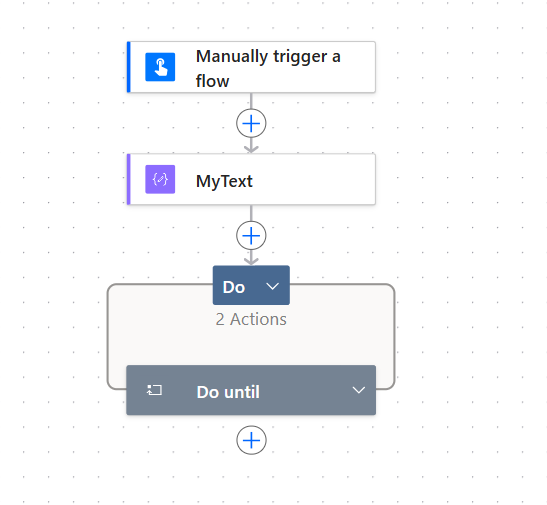
Loop through each character in my string
To get the character that we want for each iteration of our loop, we will need to write an expression. I’m adding another Compose action with a substring expression.
substring(outputs('MyText'),iterationIndexes('Do_until'),1)The substring expression will use the iterationIndexes function to figure out which character we need to get. Whatever action you need to use that character with, can now take the output from the Letter (Compose) action.
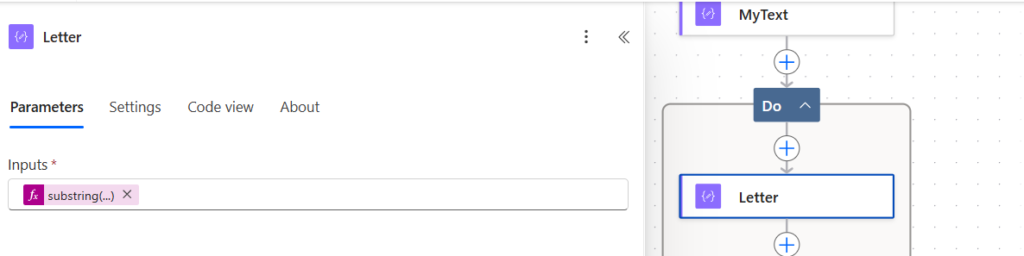
Now comes the tricky part. How do we tell the Do_until to stop.
End the Do until
Ideally you want to set the Do_until condition to something like this:
add(iterationIndexes('Do_until'), 1)However I needed to use an additional compose action inside my Do Until step as the iterationIndexes action is not allowed in the condition of a Do Until. Adding the above expression to a Compose action isn’t that much extra effort anyway.
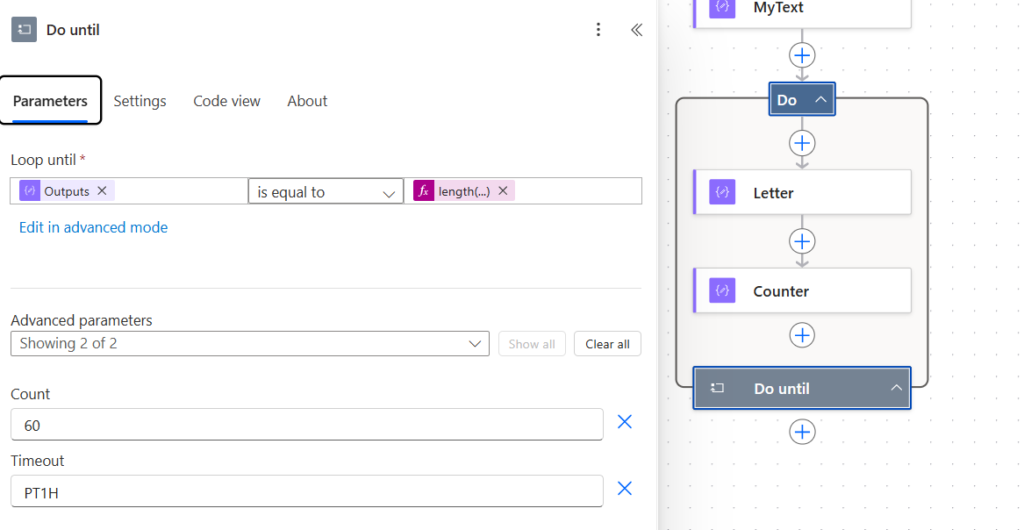
The right hand side of the consition in the Do unitl is set to
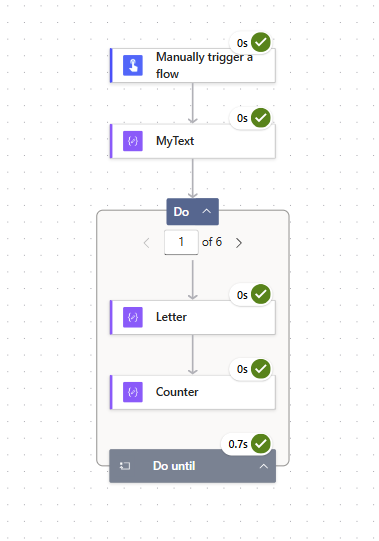
length(outputs('MyText'))Now when we run pour flow the Do until will look through each character of my text. If you need more than 60 characters then you can of course increase the Count limitation within the Do Until action.
Pieter Veenstra

Is your business still running on paper trails, sprawling Excel files, or ageing Access databases? There's a better way — and I can show you exactly what it looks like. I'm the Technical Director of Vantage 365, a Microsoft solutions consultancy working with clients across the UK, the Netherlands, and worldwide. For over 30 years I've been turning messy, manual business processes into clean, automated systems that save time, reduce errors, and give teams the visibility they need to make better decisions. SharePains is not just any blog run by a Microsoft MVP. Have you ever used Try-Catch in Power Automate? The original post about Try-Catch in Power Automate can still be found on this site, https://sharepains.com/2018/02/07/try-catch-finally-in-power-automate-flow/ Or have you ever used the Pieter’s method to avoid variables and speed up your flows? https://sharepains.com/2020/03/11/pieters-method-for-advanced-in-flows/ You can contact me using contact@sharepains.com