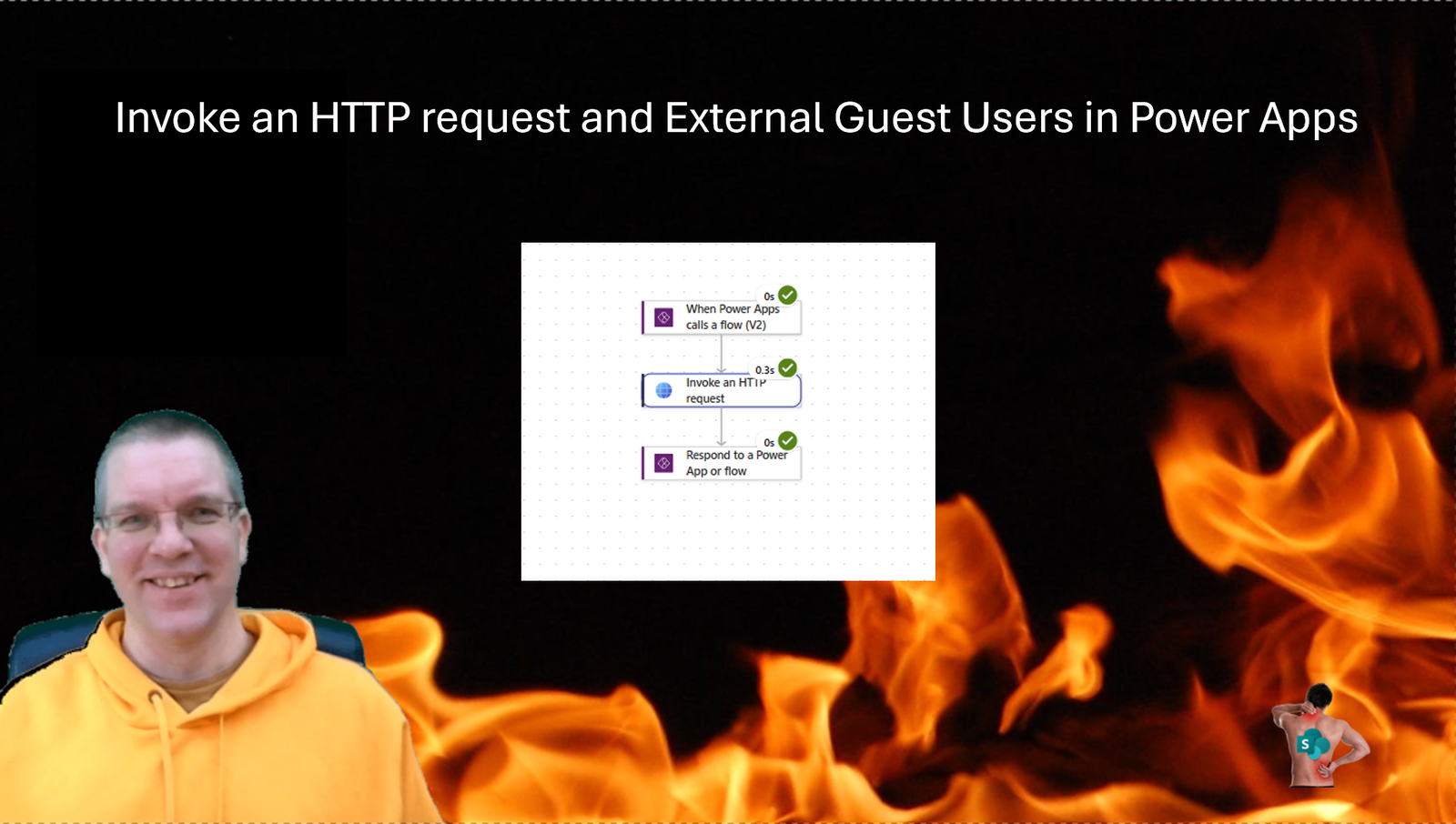
This morning I had a look at an app and more specifically the security details of a user. The user runs my Canvas app and then a flow is triggered that makes an Invoke an HTTP request call. Thus is to collect the groups that the user is part of. But how does this work if you have external users?
Internal users
First I’m going to have a look at internal users. So users that are part of your domain. My app will run the following flow and the Invoke an HTTP request is calling the following end point, where the user ID is retrieved from the app as a parameter in my flow.
https://graph.microsoft.com/v1.0/users/@{triggerBody()['text']}/memberOf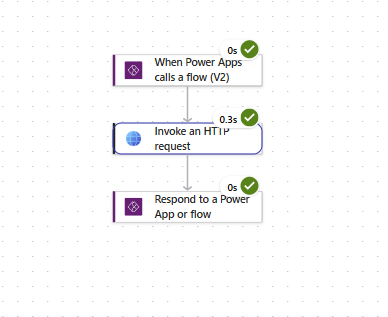
External users
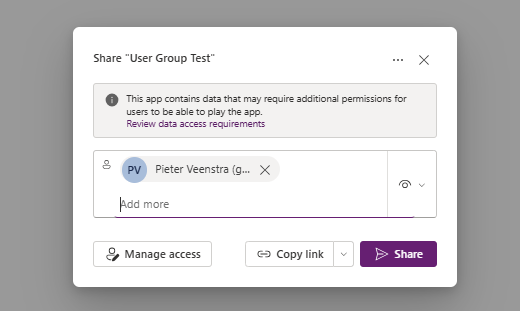
Now I’m going to share my app with an external user. My Vantage 365 account is a guest user within my development tenant.
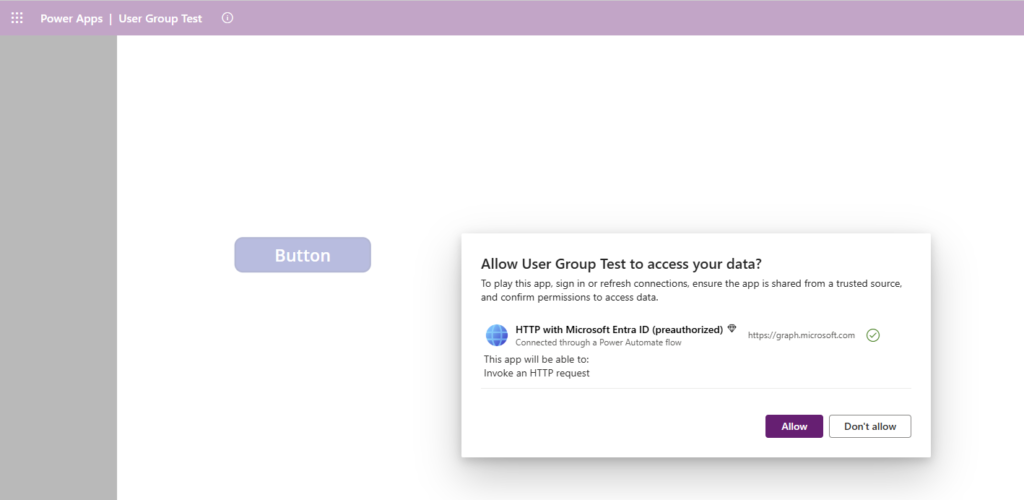
Now the next step is to run the app as my external user account. When I run my app I will first have to allow my the app to use my account to run the HTTP with Microsoft Entra ID connector.
When I press my button to trigger the flow I’m getting the following error.

The mentioned article helps a bit to get past this first hurdle. To configure guest access within the Power Platform there are a few limitations and restrictions that you have to consider.
In the Power Platform Admin Center you can find within the Security area the Identity and access section that will help you enable guest access on an environment by environment basis.
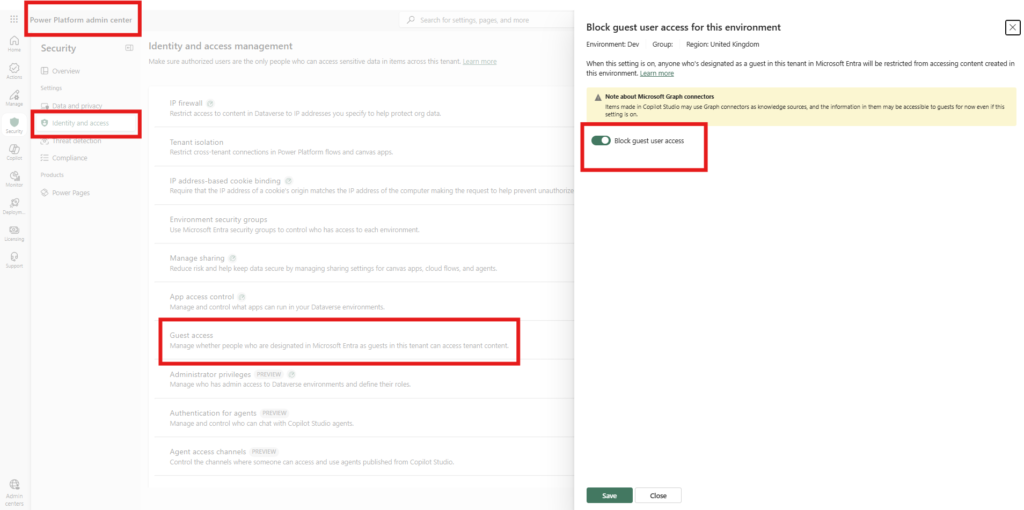
Simply unblock the guest access and the app should work for your guest users. That is until you hit the next hurdle of course.
Running workflows
The next error may now complain about user access. External users , like internal users will need to be given security roles to run our flows.
Flow.Run failed: {“error”:{“code”:”0x80042f09″,”message”:”ThrowCrmSecurityException: The user with id 267e66ac-b538-f111-88b5-000d3a86a22b has not been assigned any roles. They need a role with the prvReadWorkflow privilege.”}}
So within the Power Platform Admin Center I’m now giving the external user account Basic User permissions. This will result in a slightly different error. I’m trying to collect as many as possible errors that could happen in this post. When you implement access for external users you might just want to create a custom security role anyway.
Access to the flow
Flow.Run failed: {“error”:{“code”:”0x80048306″,”message”:”user with id 267e66ac-b538-f111-88b5-000d3a86a22b does not have ReadAccess right(s) for record with id 3738b39c-ecb0-f111-aaac-0022481b33b5 of entity Process. Consider assigning a role with the level BusinessUnitLevel to the user or team. For further troubleshooting, please work with a system administrator to use the Access Checker tool on this record: https://org84fddba3.crm11.dynamics….
External users and account names
Now what else could possibly go wrong? Yes you are visiting SharePains.com, so expect pains.
First, I’m going to have a look at the endpoint that we are using:
https://graph.microsoft.com/v1.0/users/@{triggerBody()['text']}/memberOfThe graph API offers multiple options to select the user that we are interested in. The memberOf endpoint documentation, shows us that we can supply an id of the user. But what is the id of a user. We could user the email that we can retrieve inside the Canvas app.
User().EmailAnd this will work unless you are an external user. Remember email addresses are not user accounts! For Internal users they only look the same.
The better option, that will work for both internal and external users is to supply the user ID as returned by the following line of code
User().EntraObjectIdIf you use email addresses instead then you are likely to see an error like this:
Flow.Run failed: {“error”:{“code”:502,”source”:”b0624544-19ce-ecc3-97b8-c071827860ac.02.common.uk.azure-apihub.net”,”clientRequestId”:”87e52d3f-bb48-4168-b15a-f93e84b69105″,”message”:”BadGateway”,”innerError”:{“error”:{“code”:”NoResponse”,”message”:”The server did not receive a response from an upstream server. Request tracking id \u002708584121353754675444407598340CU18\u0027.”,”messageTemplate”:”The server did not receive a response from an up…
Pieter Veenstra

Is your business still running on paper trails, sprawling Excel files, or ageing Access databases? There's a better way — and I can show you exactly what it looks like. I'm the Technical Director of Vantage 365, a Microsoft solutions consultancy working with clients across the UK, the Netherlands, and worldwide. For over 30 years I've been turning messy, manual business processes into clean, automated systems that save time, reduce errors, and give teams the visibility they need to make better decisions. SharePains is not just any blog run by a Microsoft MVP. Have you ever used Try-Catch in Power Automate? The original post about Try-Catch in Power Automate can still be found on this site, https://sharepains.com/2018/02/07/try-catch-finally-in-power-automate-flow/ Or have you ever used the Pieter’s method to avoid variables and speed up your flows? https://sharepains.com/2020/03/11/pieters-method-for-advanced-in-flows/ You can contact me using contact@sharepains.com