On a Power Platform project with multiple developers Connections and Connection references can be tricky. You have some connection references added to a solution by a colleague, now you want to use these connection references and this is where the troubles start.
Connection references access
Depending on your security roles you may or may not be able to see someone else’s connection references.
One of my colleagues was given Environment Maker access and all development work could be completed until the point where connection references didn’t appear in a solution, even though they were there. The Test and Production environment had these connection references already. But on export of the solution the following error appeared.

Solution “XYZ” failed to export: user with id ce979700-fcf1-f021-8406-7ced8d76ef48 does not have ReadAccess right(s) for record with id df65a08f-3916-f211-8342-7ced8d76ef48 of entity Connection Reference. Consider assigning a role with the level BusinessUnitLevel to the user or team. For further troubleshooting, please work with a system administrator to use the Access Checker tool on this record: https://org12345678.crm4.dynamics.com/main.aspx?forceUCI=1&pagetype=entityrecord&etn=connectionrefe… More details: {“CallerPrincipal”:{“PrincipalId”:”ce979700-fcf1-f021-8406-7ced8d76ef48″,”Type”:8,”IsUserPrincipal”:true},”OwnerPrincipal”:{“PrincipalId”:”c2e7bb78-af10-f211-8407-7ced8d76ef48″,”Type”:8,”IsUserPrincipal”:true},”ObjectId”:”df65a08f-3916-f211-8342-7ced8d76ef48″,”ObjectTypeCode”:10150,”EntityName”:”connectionreference”,”ObjectBusinessUnitId”:”b8d8d141-93ed-f021-8406-7c1e527709c5″,”RightsToCheck”:”ReadAccess”,”RoleAccessRights”:”None”,”PoaAccessRights”:”None”,”HsmAccessRights”:”None”,”GrantedAccessRights”:”None”,”MinimumDepth”:1,”Messages”:[“UserLevelMinimumPrivilegeDepthRequired = None”,”EntityUserGroupRights = None”,”BusinessUnitLevelMinimumPrivilegeDepthRequiredRights = ReadAccess”,”SecLib::AccessCheckEx2 failed. Owner Data: User principal c2e7bb78-af10-f111-8407-7ced8d76ef48 is not loaded in UserDataCache yet; Principal Data: roleCount=3, privilegeCount=1615, accessMode=’0 Read-Write’, AADObjectId=’2eee4881-abdc-424b-9306-185ee4fbad51′, MetadataCachePrivilegesCount=5963, businessUnitId=b8d8d141-93ed-f021-8406-7c1e527709c5″],”EntityOwnershipTypeMask”:1,”CallerInfo”:{“IsSystemUser”:false,”IsSupportUser”:false,”IsAdministrator”:false,”IsCustomizer”:false,”IsDisabled”:false,”IsIntegrationUser”:false,”Teams”:null,”Roles”:null},”ReadOnlyState”:”UserAndOrgFullAccess”,”IsHsmEnabled”:false,”HsmInfo”:null,”AccessOrigin”:null}
So what is going on? It looks like there is an issue accessing the Connection References.
Security Roles
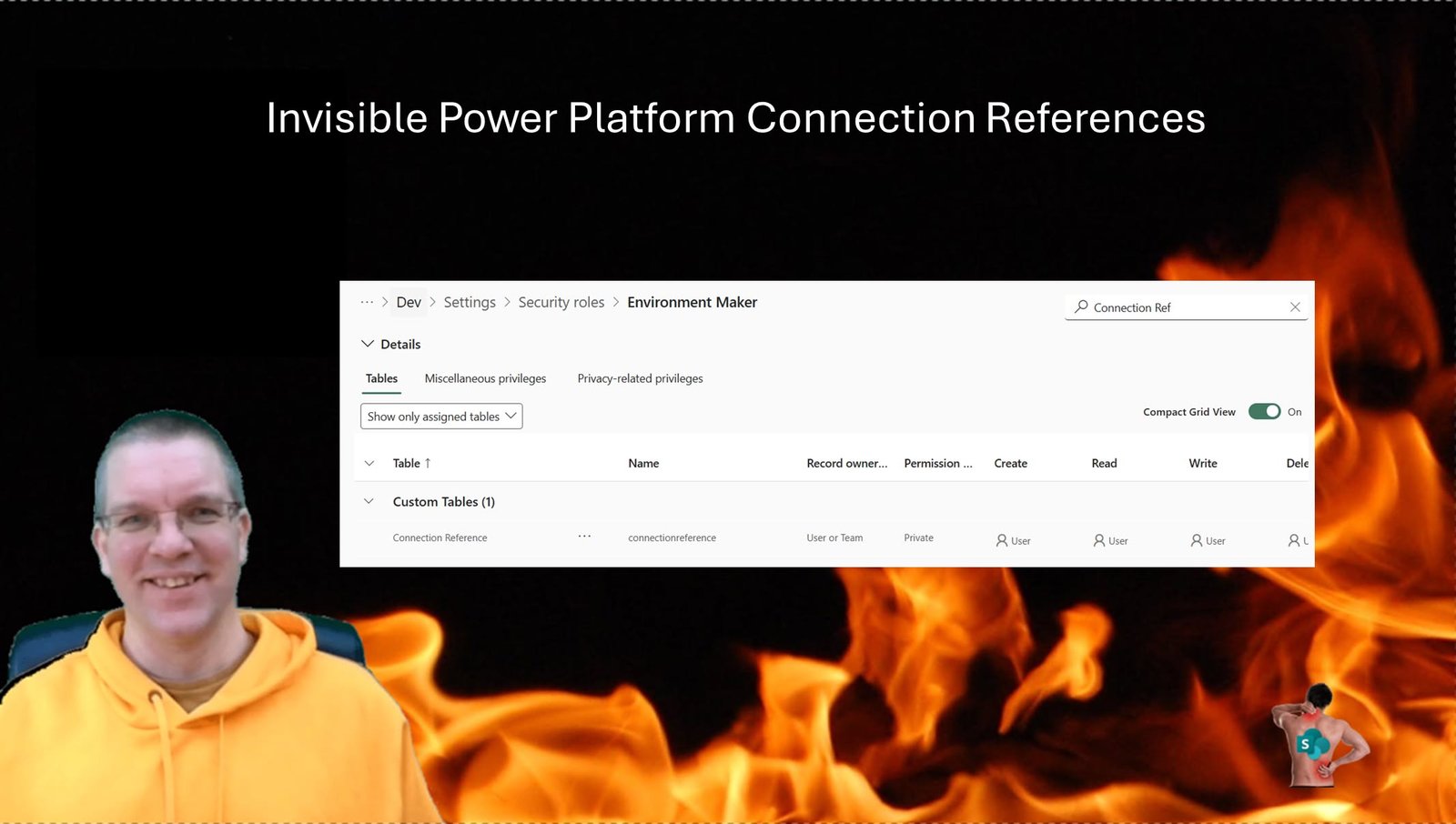
When comparing the security roles, Environment Maker only gets given User or Team level access.
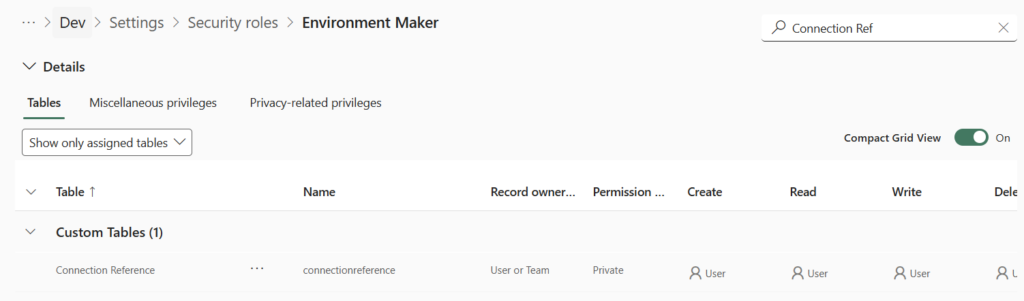
Where when we look at the System Customizer role, Full Access is given to the Connection Reference table.
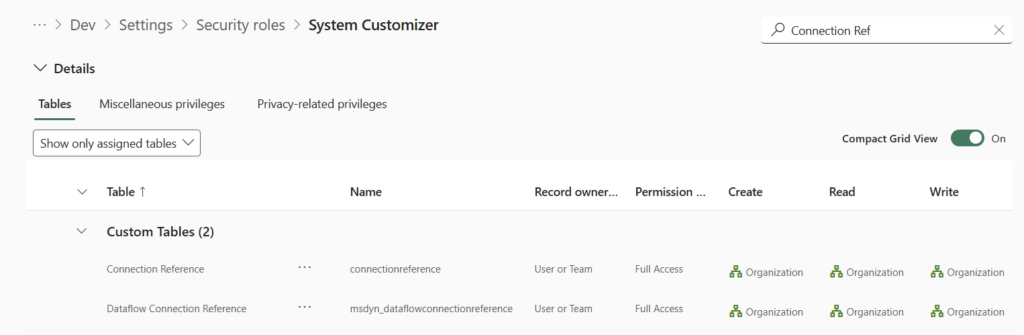
Switching security roles resolved the solution export problem. As there is quite a big difference between Environment Maker and System Customizer, you could of course also consider creating a custom role that increases the access to the Connection References only.
Pieter Veenstra

Is your business still running on paper trails, sprawling Excel files, or ageing Access databases? There's a better way — and I can show you exactly what it looks like. I'm the Technical Director of Vantage 365, a Microsoft solutions consultancy working with clients across the UK, the Netherlands, and worldwide. For over 30 years I've been turning messy, manual business processes into clean, automated systems that save time, reduce errors, and give teams the visibility they need to make better decisions. SharePains is not just any blog run by a Microsoft MVP. Have you ever used Try-Catch in Power Automate? The original post about Try-Catch in Power Automate can still be found on this site, https://sharepains.com/2018/02/07/try-catch-finally-in-power-automate-flow/ Or have you ever used the Pieter’s method to avoid variables and speed up your flows? https://sharepains.com/2020/03/11/pieters-method-for-advanced-in-flows/ You can contact me using contact@sharepains.com