
For many years I’ve been saying, don’t use variables in Power Automate as it hurts the flow’s performance. Recently it was pointed out to me that variables don’t lock Apply to Each loops. But is it safe to use variables in loops?
My Variables inside Apply to each Test flow
I created a flow that will process an array of 100 items, using an Apply to each step. The following expression is creating 100 items for me:
range(1,100)Then I’m setting a variable to the current item being processed before I wait a couple of seconds and then set a Compose action to the value of my variable.
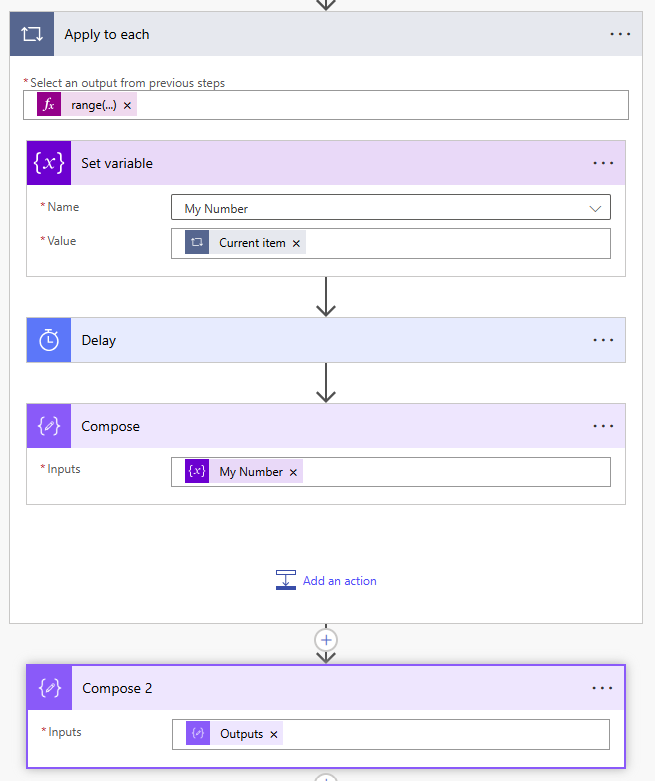
Then finally I collect all the values of my Compose action in a second Compose actions.
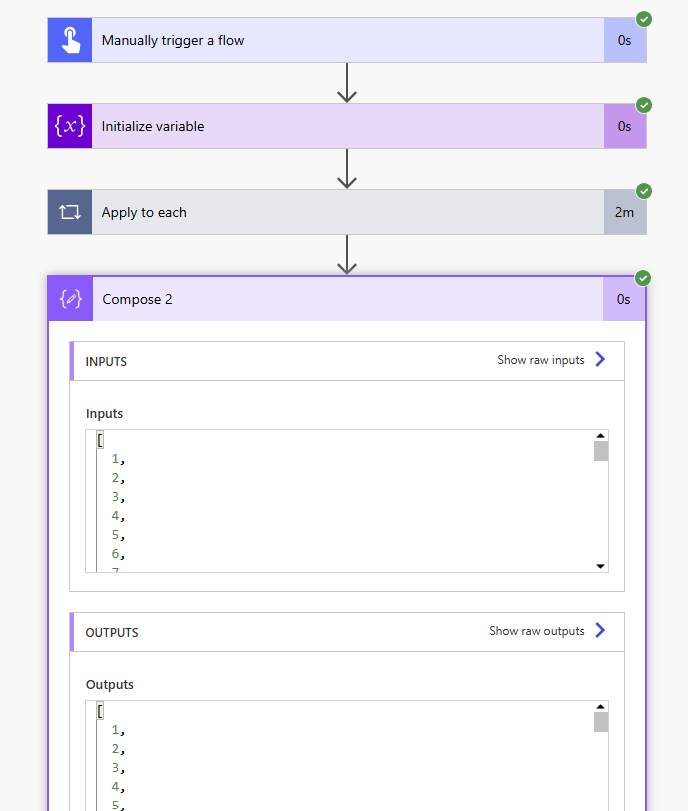
When I run this flow without setting the concurrency on the Apply to each, I will get the expected result back
[
  1,
  2,
  3,
  ...
  99,
  100
]
However if I switch the concurrency on and set this to 50, I’m getting my performance improvement however I get the unexpected result for free as well.
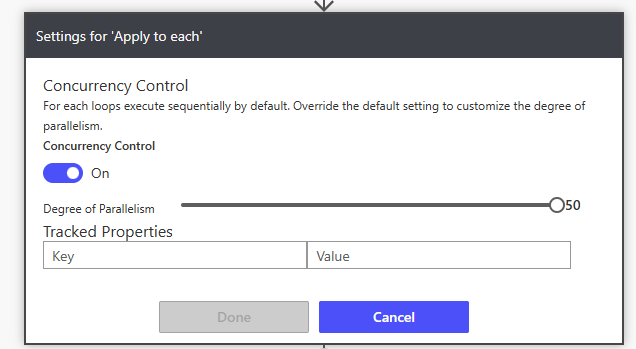
The below screenshot shows the result.
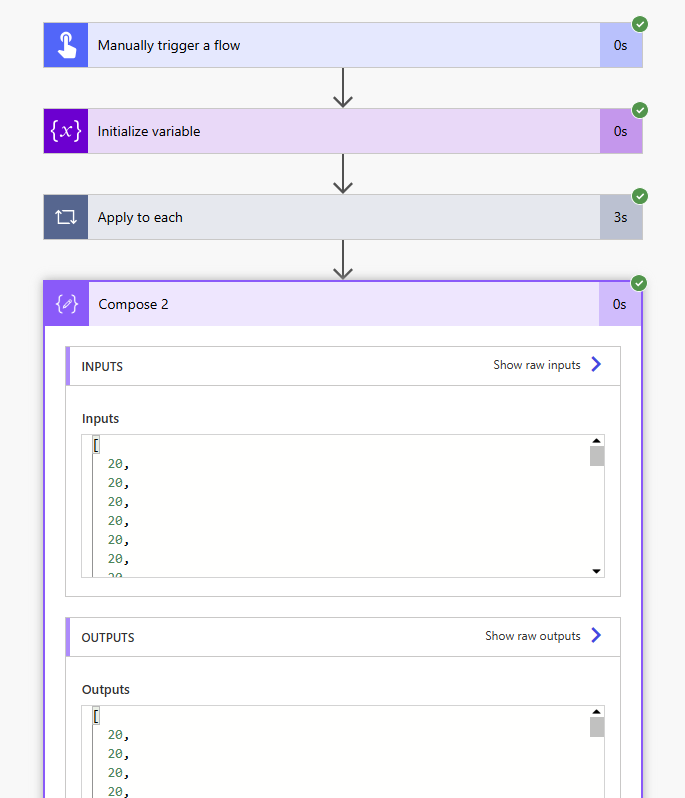
Ok, so what is happening here?
When I run with a concurrency set to 50, my variable is being set 50 times as the first 50 iterations are running. Then the flow is waiting 1 second in each iteration. During this 1 second my variable will be set 50 times. Then my Compose action inside the apply to each is set 50 times to the then current value of my variable.
[
  20,  20,  20,  20,  20,  20,  20,  20,  20,  20,
  20,  100,  100,  20,  20,  20,  20,  20,  20,  20,
  20,  20,  20,  20,  20,  20,  20,  20,  20,  20,
  20,  20,  20,  20,  20,  100,  20,  20,  20,  20,
  20,  20,  20,  20,  20,  20,  20,  20,  80,  20,
  79,  79,  79,  79,  79,  79,  79,  79,  79,  79,
  79,  79,  79,  79,  79,  79,  79,  79,  79,  79,
  79,  79,  79,  79,  79,  79,  79,  79,  79,  79,
  79,  79,  79,  79,  79,  79,  79,  79,  79,  79,
  79,  79,  79,  79,  79,  79,  79,  79,  79,  79
]
So this is a pretty random result.
Append to array
Now there is a second action that I find commonly used inside apply to each steps. When I ran a similar set with the append to array action instead of the set Variable action I got other unexpected behaviours. I kept my delay in between my append to array variable action and my Compose action to 1 second.
[
  [
    50,    29,    2,    8,    27,    5,    37,    17,    79,    100,    58,    44,    10, ...
  ],
  [
    50,    29,    2,    8,    27,    5,    37,    17
  ],
  ...
]
As I collected the results I found that the arrays would contain a random number of elements during each iteration. As you can see the numbers are added to the array, but inside the apply to each we don’t know what the value of the array is. However, if your aim is to build an array you could use this approach, as long as you don’t use the array inside the apply to each. The earlier mentioned method of collecting arrays using Compose actions is however a lot faster.
My Thoughts
Where in the past I said don’t use variables because it hurts performance. I’m now saying absolutely don’t use variables as you get unexpected results as you might end up with a lot of data corruptions if anybody was to enable concurrency on your apply to each steps.
Should you use compose or variable actions, for me it is still 100% Compose. Have you ever come across a situation where you can’t use compose then please comment on this post. I would be interested to see any situation where you had to use a variable.
Pieter Veenstra

Is your business still running on paper trails, sprawling Excel files, or ageing Access databases? There's a better way — and I can show you exactly what it looks like. I'm the Technical Director of Vantage 365, a Microsoft solutions consultancy working with clients across the UK, the Netherlands, and worldwide. For over 30 years I've been turning messy, manual business processes into clean, automated systems that save time, reduce errors, and give teams the visibility they need to make better decisions. SharePains is not just any blog run by a Microsoft MVP. Have you ever used Try-Catch in Power Automate? The original post about Try-Catch in Power Automate can still be found on this site, https://sharepains.com/2018/02/07/try-catch-finally-in-power-automate-flow/ Or have you ever used the Pieter’s method to avoid variables and speed up your flows? https://sharepains.com/2020/03/11/pieters-method-for-advanced-in-flows/ You can contact me using contact@sharepains.com