Recently I worked on a project using Microsoft Fabric where I needed to create a connection to an API that used Bearer tokens to access the data. In this post some of the challenges that I hit.
General setup
In Fabric I created the various workspaces, Lake houses and dataflows that I need to created the import from my API. Following the medallion approach I’m importing the data from my API into my Lakehouse database.
The queries that I’m then creating within my dataflows will handle all of the data imports. In total I’ve got about 10 queries to get the data into my database. Each of the queries will use the bearer token and this is where the issues started.
But first things first, I’ve created a number of parameters to support the queries.
The wrong approach
I will start with describing the wrong approach, where you will find that the REST API sometimes works and sometimes it fails.
Create Parameters
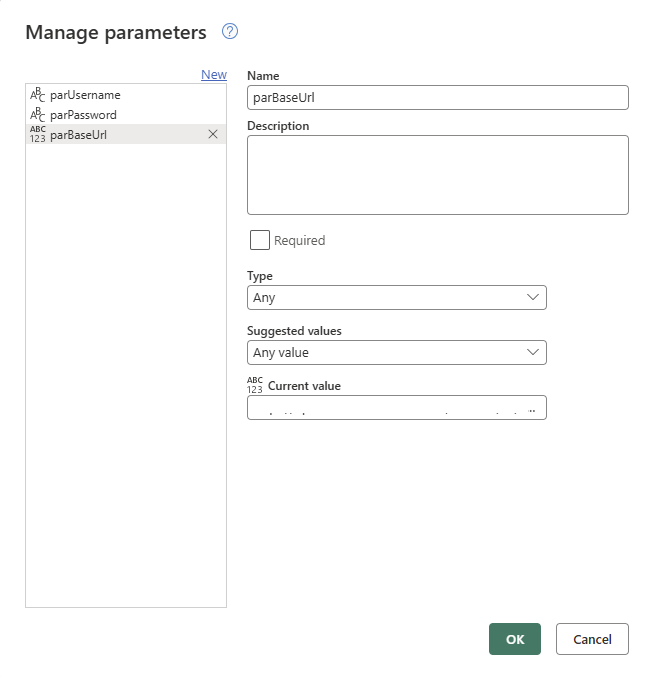
My API works on a username and password basis. So for this solution I’m creating a three parameters. The Base URL of the API I’m storing in a parameter, parBaseUrl. You can of course store you username and password somewhere els, but for the purpose of this post this is the easiest option.
Get the Bearer Token
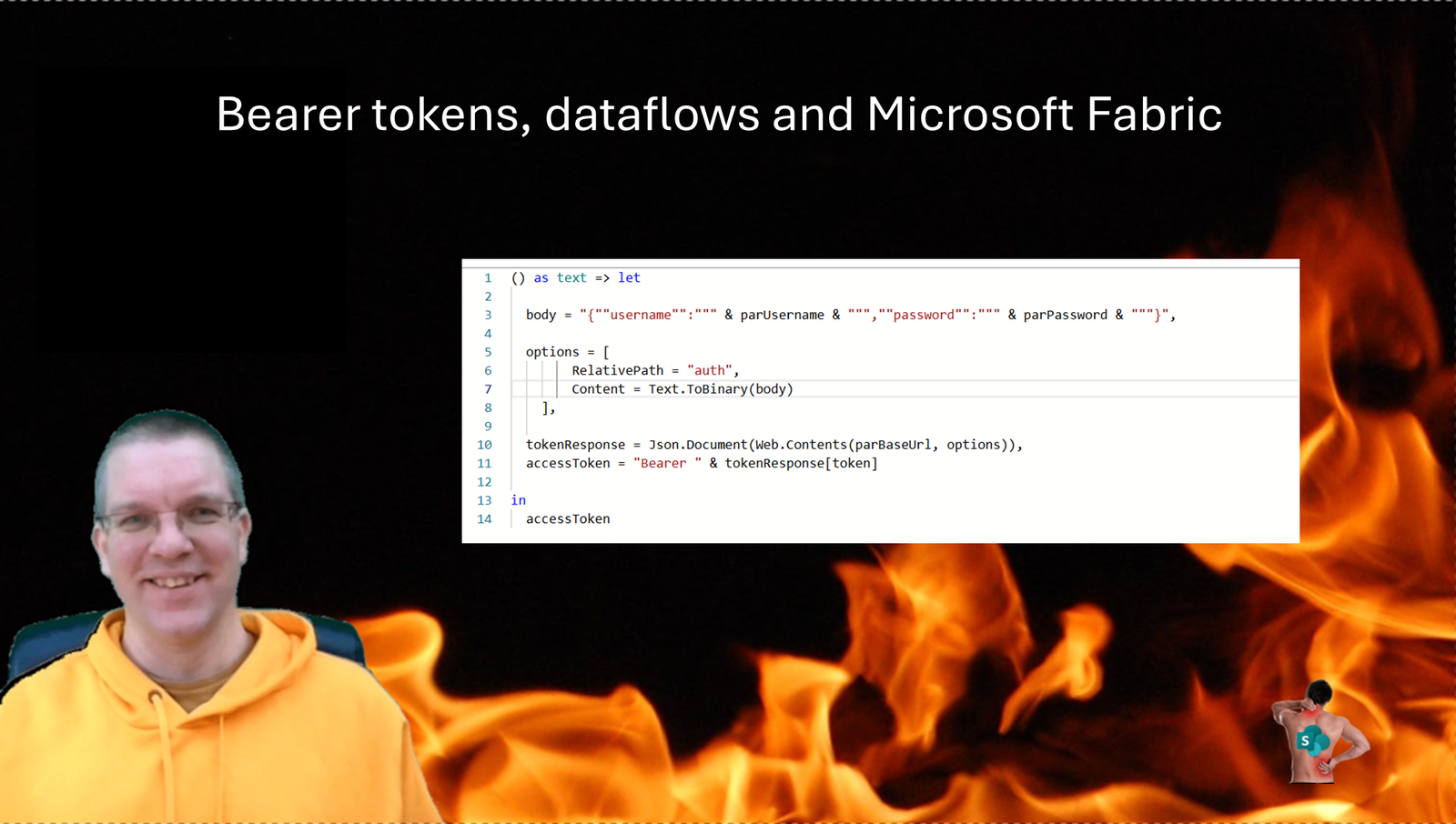
To get the bearer token I can now create a script that looks like this:
let

  body = "{""username"":""" & parUsername & """,""password"":""" & parPassword & """}",

  options = [
        RelativePath = "auth",
        Content = Text.ToBinary(body),
        ManualStatusHandling = {400}
    ],

  tokenResponse = Json.Document(Web.Contents(parBaseUrl, options)),
  accessToken = "Bearer " & tokenResponse[token]

in
  accessToken
This will give us a query that returned the word Bearer followed by the access token. This can now be used by all other queries.
Collect data
Now all of my queries to collect the data will look like this.
let
  accessToken = Token,

  MyData = Json.Document(Web.Contents(parBaseUrl, [RelativePath = "mypath/get-data", Headers = [#"Content-Type"="application/json", #"Accept"="application/json", #"Authorization"=accessToken]] )),

  ConvertedToTable = Record.ToTable(MyData),

  ...

  ResultTable = Table.AddKey(Result, {"id"}, true)
in
  ResultTable
First of all I get my Token from the earlier mention query and then I get my data using the Web.Contents call and then we are likely to need some reshaping of the data (not included in the above query). before we add a Key and return the table.
Ok, all good so far.
When you now run your dataflow you might see the following green tick.

But, when we run multiple queries that synchronize to my Lakehouse we might get this error:
There was a problem refreshing the dataflow: “For query “XYZ”, Schema evaluation did not return TableResult. Actual result type: Challenge, Bad credentials, Challenge type: Resource, DataSources: {“Kind”:”Web”,”NormalizedPath”:”https://…”,”Path”:”https://…”}, Message: The credentials provided for the Web source are invalid. (Source at https://….)”. Error code: ModelBuilderEvaluationChallengedResult. (Request ID: 00000000-0000-0000-0000-000000000000).
Or maybe you get
There was a problem refreshing the dataflow: “Data source credentials are missing or invalid. Please update the connection credentials in settings, and try again.”. Error code: 999999. (Request ID: 75d4ae08-6f3b-4230-b7cf-7f7ac9c48973).
Considered settings
There are a number of settings that you could consider. One of those settings. Is the concurrency. However settings this to 1 can still result in the above mentioned error messages.
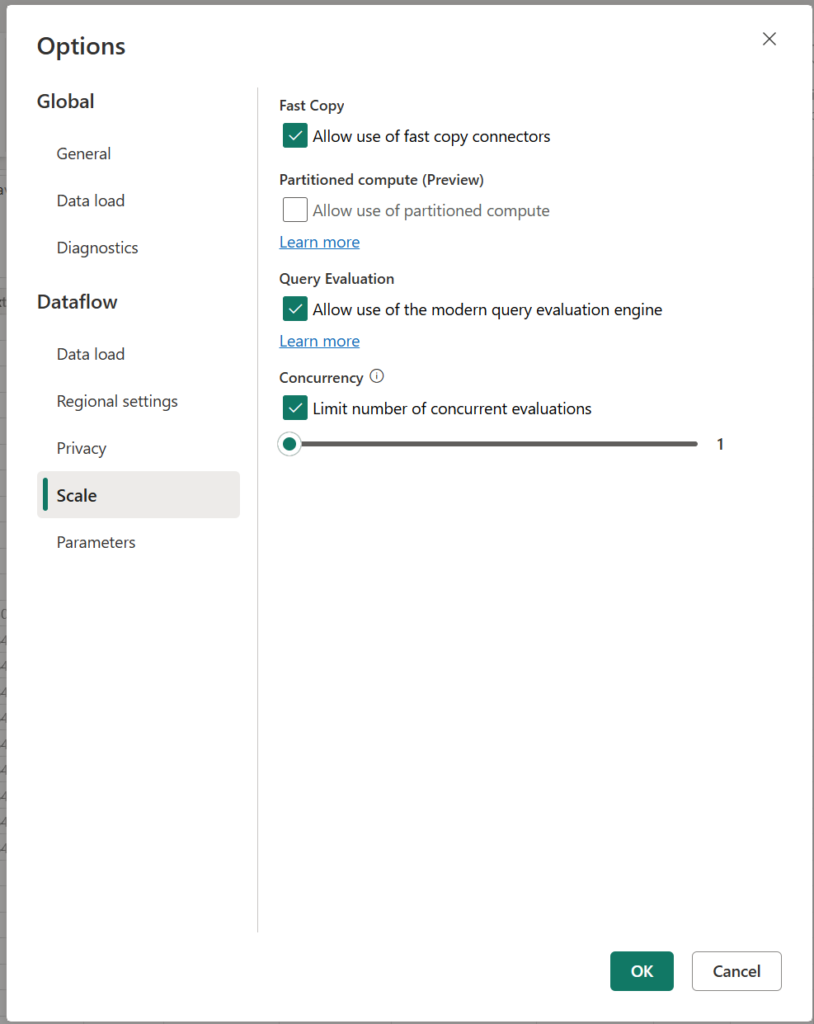
The Custom connector approach
Rather than connecting Power Query directly to your REST API, creating a custom connector will be a better approach.
However you would first need to develop your custom connector and then setup an on-premises data gateway.
The Dataflow approach
Back to the dataflow approach. Earlier I created a single dataflow to import all of the data and the various credentials errors appeared.
When you have an API where you need to collect a bearer token first before you can collect your data then you will find that your queries will be competing for a bearer tokens. Each time a new bearer token is requested all older tokens will expire.
Especially if you have long running queries, it is impossible to avoid the failures.
So how do we solve this?
Start by creating a table like this and include all your tables of data.
| Table | Duration | Frequency | Start Time |
| Table 1 | 30 seconds | Hourly | 1:05pm |
| Table 2 | 5 minutes | Daily | 1:00pm |
| Table 3 | 10 minute | Every 20 minutes | 1:07pm |
| Table 4 | 1 minute | Every 20 minutes | 1:15pm |
| Table 5 | 10 seconds | Daily | 2:00pm |
Once you have made it fit, create a new dataflow for each of your tables and then schedule them to avoid any conflicts.
I’ve seen alternative approaches where a single script handles all of the imports, however that would delay my more important data. Data that frequently changes or data that needs to be available as soon as it is updated will be imported quicker with the above approach.
Pieter Veenstra

Is your business still running on paper trails, sprawling Excel files, or ageing Access databases? There's a better way — and I can show you exactly what it looks like. I'm the Technical Director of Vantage 365, a Microsoft solutions consultancy working with clients across the UK, the Netherlands, and worldwide. For over 30 years I've been turning messy, manual business processes into clean, automated systems that save time, reduce errors, and give teams the visibility they need to make better decisions. SharePains is not just any blog run by a Microsoft MVP. Have you ever used Try-Catch in Power Automate? The original post about Try-Catch in Power Automate can still be found on this site, https://sharepains.com/2018/02/07/try-catch-finally-in-power-automate-flow/ Or have you ever used the Pieter’s method to avoid variables and speed up your flows? https://sharepains.com/2020/03/11/pieters-method-for-advanced-in-flows/ You can contact me using contact@sharepains.com