Earlier this week a question on Reddit started the idea of this post. You have a table in Dataverse then you add a new column and you want to bulk update this column for all existing records to a specific value. How would you approach this?
Some suggestions
Within the comments of the post I saw various suggestions to get this job done. We have however a large number of records to process. Dataflows can be our friend in this case.
Our table
I created a table in Dataverse and populated this table with 10000 records.
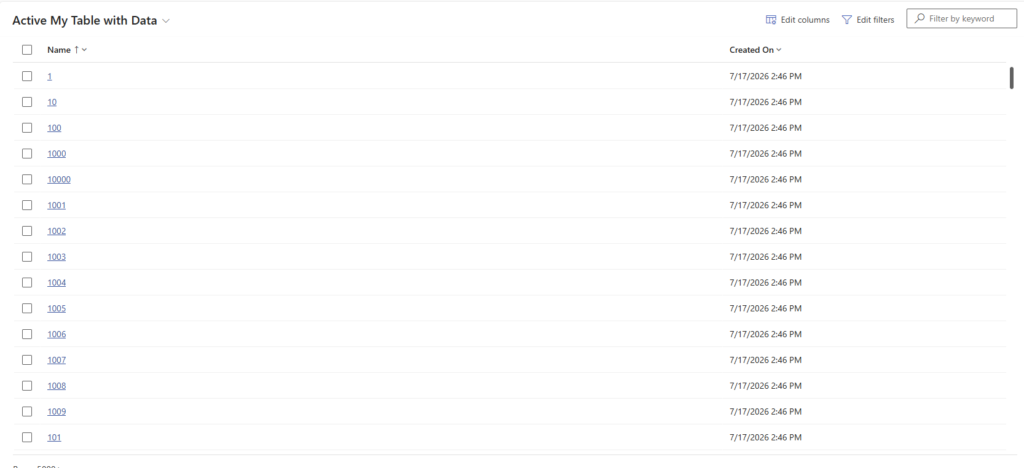
So, we have a table with data and we decide to add an additional column to our table. This column may always be given a value, however existing records will have no value. We want to give this column a default value.
Adding a column
Now I’m going to add a new column to my table.
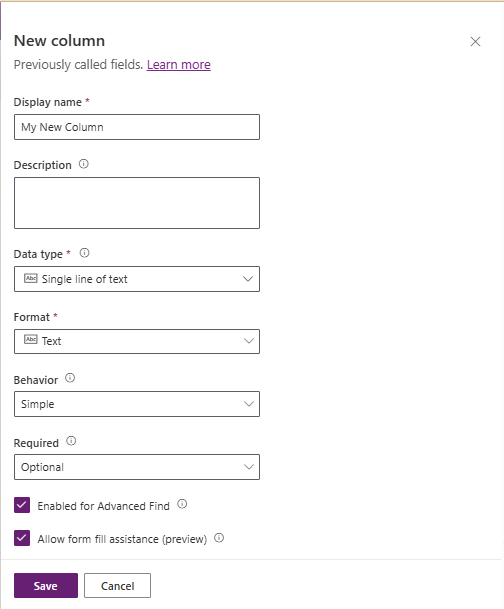
And we are ready to set this column to a default text. For all the existing records we want to set the default value. In this case I’ve created a simple text field but you can of course use other column types.
The dataflow
Then we create a dataflow either within a solution as you might need to run this dataflow within various environments. Might as well make the dataflow deployable.
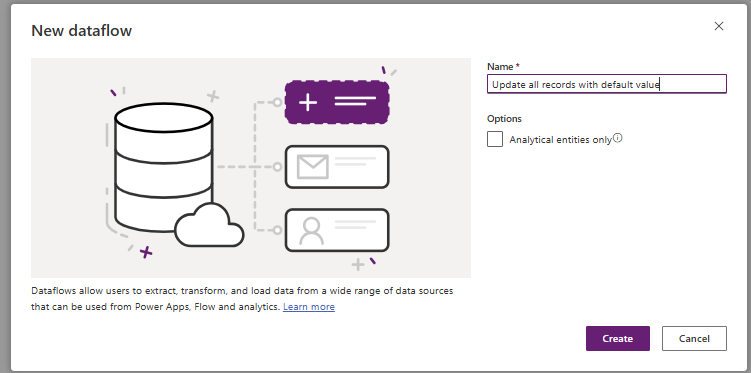
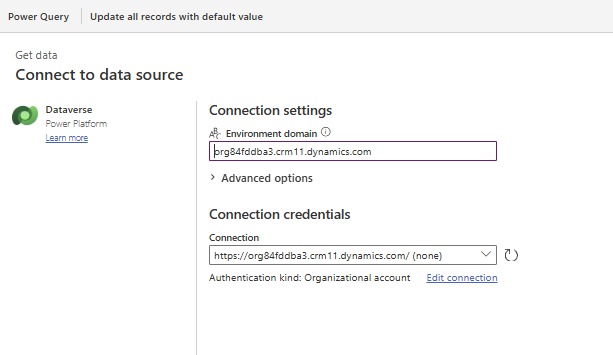
Then we specify our connection. I’m using Dataverse but you could of course also use other datasources.
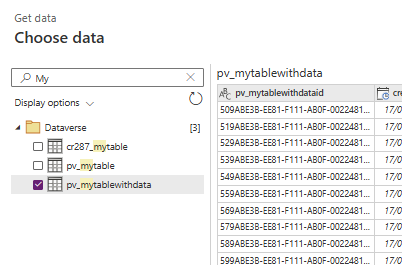
Then we select our table
I’m going to simplify the view of my data a bit so that I’m only seeing the columns that I’m interested in .
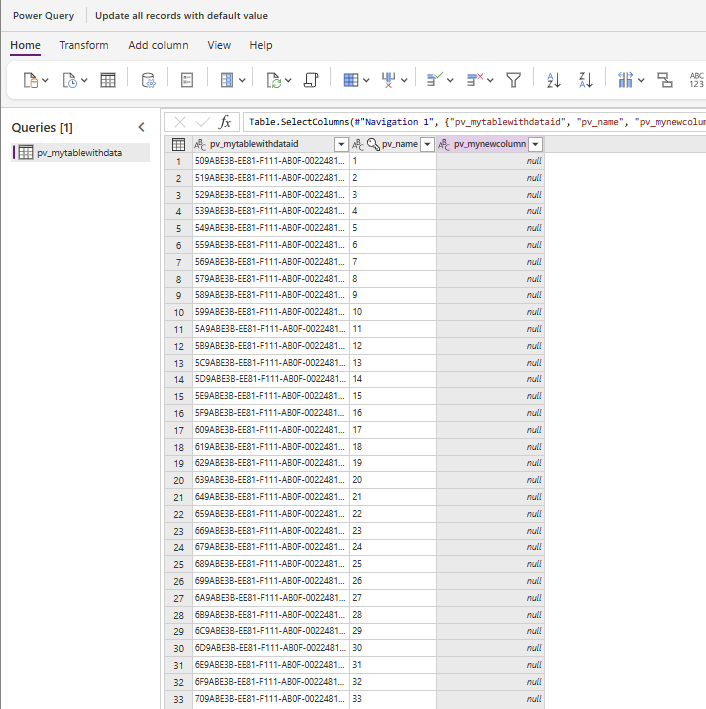
So far our dataflow query looks like this:
let
  Source = CommonDataService.Database("org84fddba3.crm11.dynamics.com", [CreateNavigationProperties = null]),
  #"Navigation 1" = Source{[Schema = "dbo", Item = "pv_mytablewithdata"]}[Data],
  #"Choose columns" = Table.SelectColumns(#"Navigation 1", {"pv_mytablewithdataid", "pv_name", "pv_mynewcolumn"})
  #"Marked key columns" = Table.AddKey(#"Choose columns", {"pv_mytablewithdataid"}, false)
in
  #"Marked key columns"
We can then update the value of our new column.
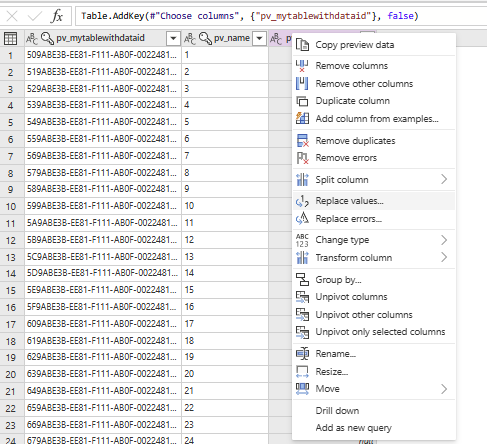
Now changing the value could be done like this however this will replace empty texts with our new value.
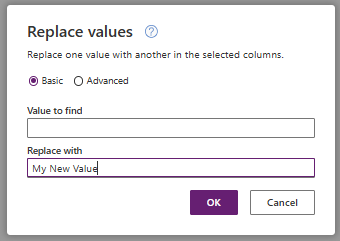
This will generate the following code:
Table.ReplaceValue(#"Marked key columns", "", "My New Value", Replacer.ReplaceValue, {"pv_mynewcolumn"})We will now need to adjust the ReplaceValue code a bit. Search for “” and replace this with null as shown below:
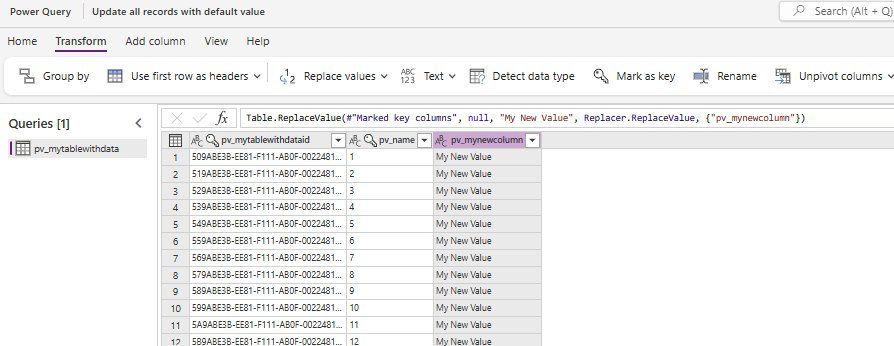
Then hit the Next button.
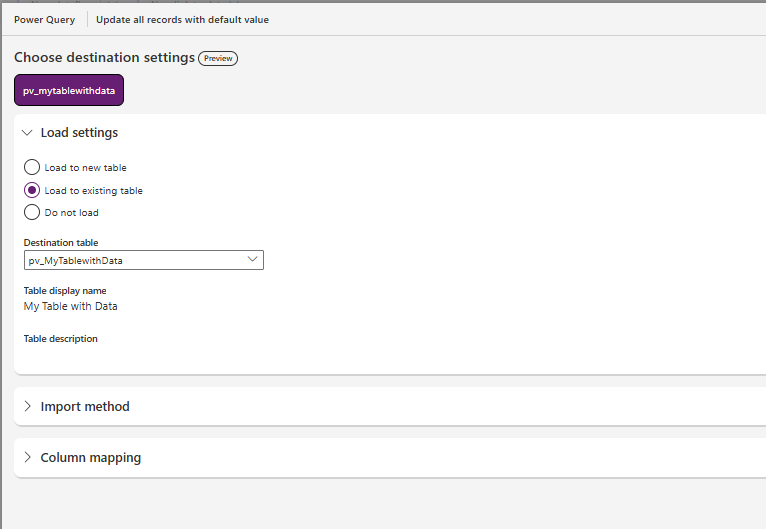
Then select to Load to existing tables and select the table from the dropdown.
Make sure that you select the Column Mapping
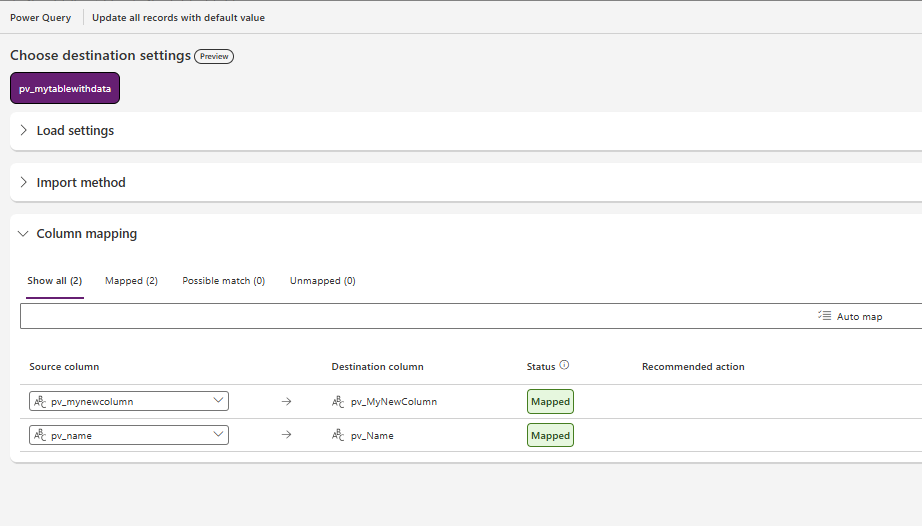
Then you can publish the app and your data should refresh a quick and easy way to bulk update all records in you dataverse tables.
Pieter Veenstra

Is your business still running on paper trails, sprawling Excel files, or ageing Access databases? There's a better way — and I can show you exactly what it looks like. I'm the Technical Director of Vantage 365, a Microsoft solutions consultancy working with clients across the UK, the Netherlands, and worldwide. For over 30 years I've been turning messy, manual business processes into clean, automated systems that save time, reduce errors, and give teams the visibility they need to make better decisions. SharePains is not just any blog run by a Microsoft MVP. Have you ever used Try-Catch in Power Automate? The original post about Try-Catch in Power Automate can still be found on this site, https://sharepains.com/2018/02/07/try-catch-finally-in-power-automate-flow/ Or have you ever used the Pieter’s method to avoid variables and speed up your flows? https://sharepains.com/2020/03/11/pieters-method-for-advanced-in-flows/ You can contact me using contact@sharepains.com