Last week I was asked about making a webservice work in Microsoft Flow. We were using the floatrates url to get some XML back with exchange rates.
So I used the following url: http://www.floatrates.com/daily/gbp.xml
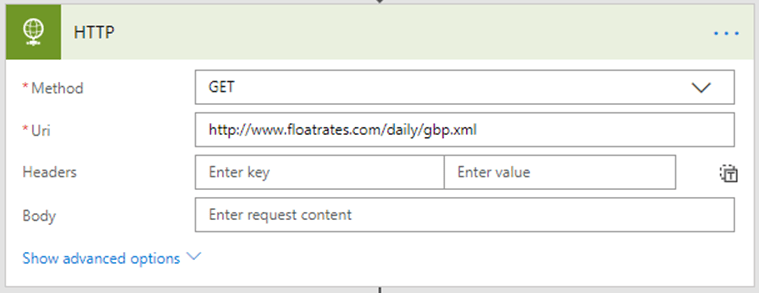
This all worked really well and I got quite quickly some XML back but then the trouble started.
I used XPath to get the bit of XML that I was interested in.
[code lang=text]
xpath(xml(body(‘HTTP’),’/channel/items/title’)
[/code]
At first I thought that I got the right data back as I got the right number of items back in my Initialize variable action:
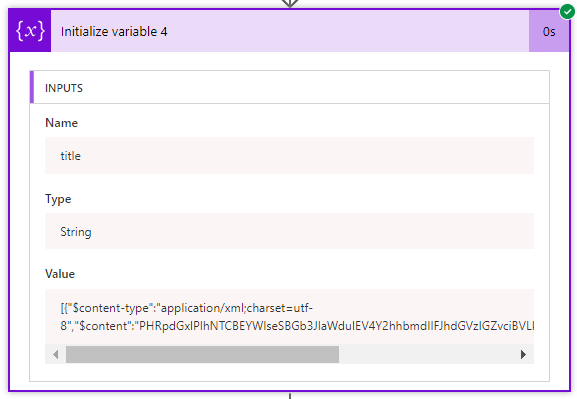
The right number of items yes, but no usable data. The $content doesn’t look usable anyway.
Then I tried the json equivalent version of the service and as soon as I started running my flow I know got some json returned by my HTTP action in Flow. So I now started using http://www.floatrates.com/daily/gbp.json instead:
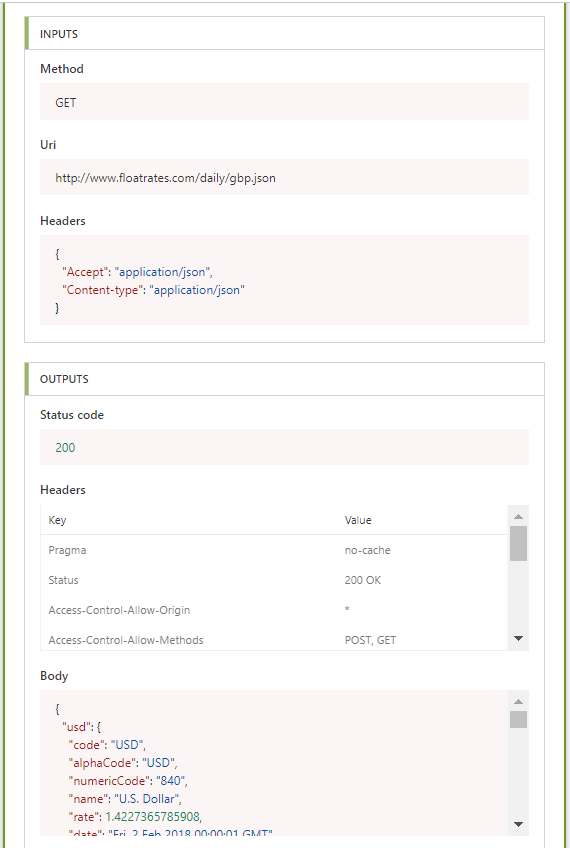
Now all I had to do was use the following Expression:
body(‘HTTP’)?[usd]?[rate]
~~~~
and I got my exchange rate back. When using Flow it is a lot easier to use the more modern JSON and XML seems to not be handled properly. SO if you have the choice I would recommend JSON.
Discover more from SharePains
Subscribe to get the latest posts sent to your email.
Good Post .I need your help ,currently i am working with Microsoft flow to connect Azure webhook.I am able to connect and execute the runbook through powerapps button. Now, i am trying to show the same output in powerapps textbox fby retrieving input from Azure runbook. Can anyone help me on the steps for the same ?
Hi,
I would probably consider Azure Functions instead.
Are you aware of the following discussion?
https://github.com/Azure/Azure-Functions/issues/193