
Last week I was asked about making a webservice work in Microsoft Flow. We were using the floatrates url to get some XML back with exchange rates.
So I used the following url: http://www.floatrates.com/daily/gbp.xml

This all worked really well and I got quite quickly some XML back but then the trouble started.
I used XPath to get the bit of XML that I was interested in.
[code lang=text]
xpath(xml(body(‘HTTP’),’/channel/items/title’)
[/code]
At first I thought that I got the right data back as I got the right number of items back in my Initialize variable action:
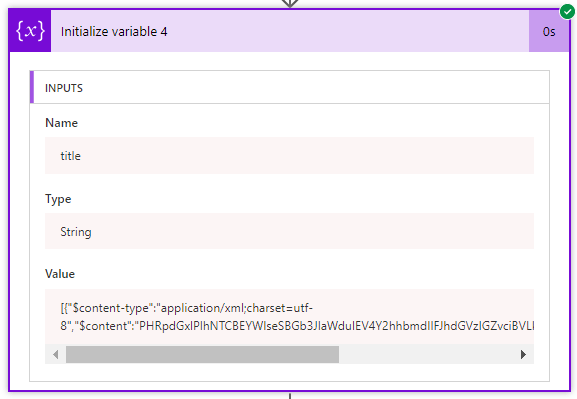
The right number of items yes, but no usable data. The $content doesn’t look usable anyway.
Then I tried the json equivalent version of the service and as soon as I started running my flow I know got some json returned by my HTTP action in Flow. So I now started using http://www.floatrates.com/daily/gbp.json instead:
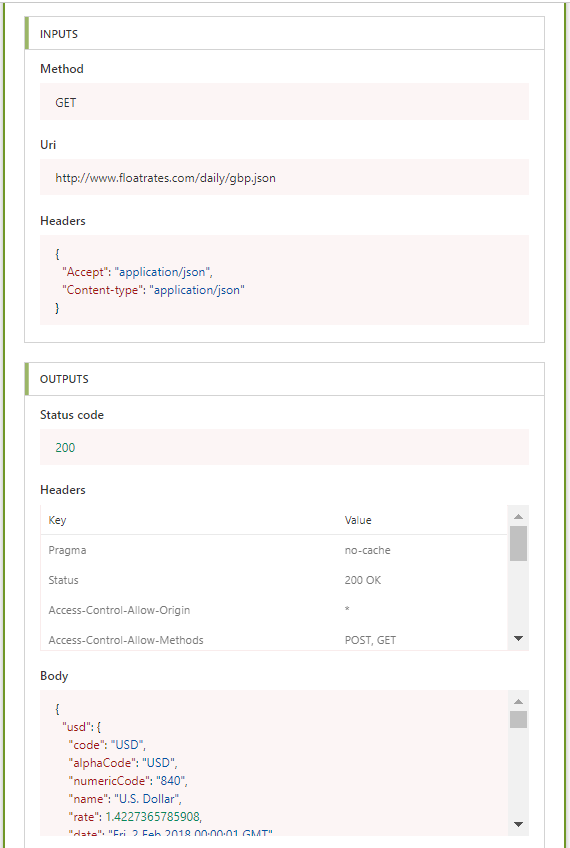
Now all I had to do was use the following Expression:
body(‘HTTP’)?[usd]?[rate]
~~~~
and I got my exchange rate back. When using Flow it is a lot easier to use the more modern JSON and XML seems to not be handled properly. SO if you have the choice I would recommend JSON.
Pieter Veenstra

Is your business still running on paper trails, sprawling Excel files, or ageing Access databases? There's a better way — and I can show you exactly what it looks like. I'm the Technical Director of Vantage 365, a Microsoft solutions consultancy working with clients across the UK, the Netherlands, and worldwide. For over 30 years I've been turning messy, manual business processes into clean, automated systems that save time, reduce errors, and give teams the visibility they need to make better decisions. SharePains is not just any blog run by a Microsoft MVP. Have you ever used Try-Catch in Power Automate? The original post about Try-Catch in Power Automate can still be found on this site, https://sharepains.com/2018/02/07/try-catch-finally-in-power-automate-flow/ Or have you ever used the Pieter’s method to avoid variables and speed up your flows? https://sharepains.com/2020/03/11/pieters-method-for-advanced-in-flows/ You can contact me using contact@sharepains.com


Good Post .I need your help ,currently i am working with Microsoft flow to connect Azure webhook.I am able to connect and execute the runbook through powerapps button. Now, i am trying to show the same output in powerapps textbox fby retrieving input from Azure runbook. Can anyone help me on the steps for the same ?
Hi,
I would probably consider Azure Functions instead.
Are you aware of the following discussion?
https://github.com/Azure/Azure-Functions/issues/193