

Microsoft’s only talking about Copilot and the new Power Automate Designer at there events but does Copilot actually solve your problems? In this post I’m putting Copilot for Power Automate to the test.
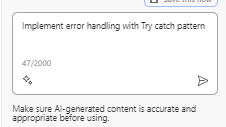
Test Case 1 – Try Catch pattern.
Ever since I first introduced this Try-Catch pattern in the early days of Power Automate (then still called Microsoft Flow), I’ve found that any serious flows can’t do without.
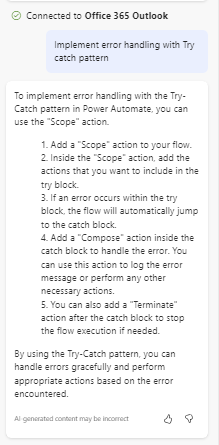
Copilot is trying to give us an answer but run after settings are ignored and I’m definitely not getting a full try catch pattern here.
Test Case 2 – Generate a URL to my flow run.
As mentioned inn my 7 expressions posts you can generate the flow url which you can then email to a developer . This is always helpful when many flows runs make it difficult to find the failed flows. Together with the Try catch pattern this is .a good way to stabilize your flows.
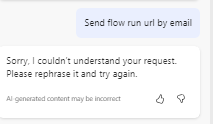
I tried a few different ways, but this was quite difficult apparently.
Test Case 3 – State driven flows
Having items with a status field that controls the process is quite a common pattern.
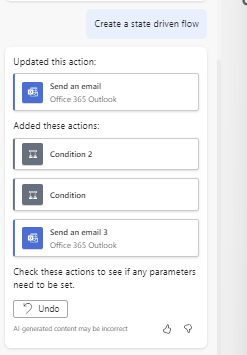
The flow that was generated is not really what I was after. Be very careful what you are asking for any way, as my flow was configured like this:
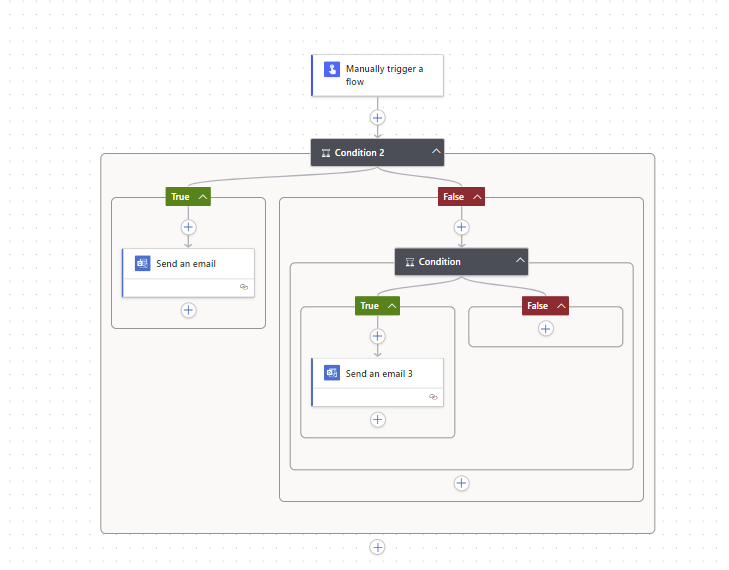
The Undo button in the Copilot conversation will be quite useful here.
Test Case 4 – Synchronize Shifts with Calendars
One of my most popular posts shows how to sync Shifts with Outlook Calendars. This post should probably be updated soon as there are better actions and triggers available now. So I thought I put Copilot to the test.
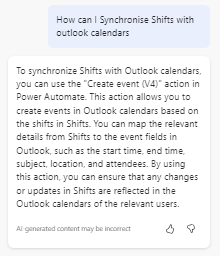
A bit of a clue is an overstatement.
So when is Copilot good?
So far this post is showing you quite a few complicated patterns, but it is not all bad news. Copilot can actually help you find the action that you are looking for that you didn’t knew existed.
The above tests also show us that flow development is still a job for experts. And everybody can become an expert.
As you get used to how Copilot works, you will find thagt simple problems that used to be solved by Power Automate Templates can be resolved by Copilot.
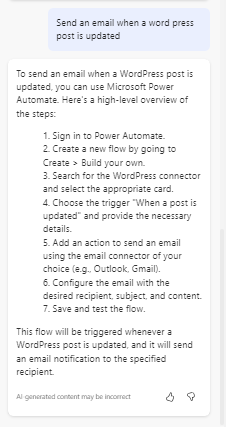
Does this take all the configuration steps away from the developer? No not really.
For now it is probably important to realize that Copilot isn’t going to take your work away, but like all AI solutions, you have to give them time to learn. And then at the same time we will need to take time to learn how to use AI.
Pieter Veenstra

Is your business still running on paper trails, sprawling Excel files, or ageing Access databases? There's a better way — and I can show you exactly what it looks like. I'm the Technical Director of Vantage 365, a Microsoft solutions consultancy working with clients across the UK, the Netherlands, and worldwide. For over 30 years I've been turning messy, manual business processes into clean, automated systems that save time, reduce errors, and give teams the visibility they need to make better decisions. SharePains is not just any blog run by a Microsoft MVP. Have you ever used Try-Catch in Power Automate? The original post about Try-Catch in Power Automate can still be found on this site, https://sharepains.com/2018/02/07/try-catch-finally-in-power-automate-flow/ Or have you ever used the Pieter’s method to avoid variables and speed up your flows? https://sharepains.com/2020/03/11/pieters-method-for-advanced-in-flows/ You can contact me using contact@sharepains.com


It’s interesting to see the exploration of Copilot’s capabilities within Power Automate. It’s clear that Copilot has the potential to assist in various scenarios but may not fully replace the need for expertise in complex flow development. Could you share an example of a specific task or challenge where Copilot has significantly improved the efficiency or accuracy of a Power Automate flow?
CoPilot is mainly aimed at the users who don’t know what they are doing. So it is a great learning tool. Using AI however will always require a human being to verify that the AI driven solution is actually correct.