
Ok, recently I have started with Angular 2. With this article I’m trying to help others that want to get into Angular 2 and are trying to get familiar with all of the new Angular 2 stuff.
Well first of all Angular 2 was only released in the middle of September 2016.
So where do I get started?
I first started with the quick start example.
Quick Start
My browser is started and I can see my Hello Angular!

Then I update my css slightly as I don’t like the blue.
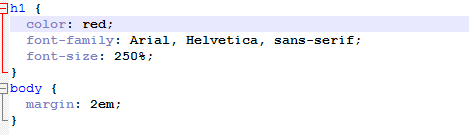
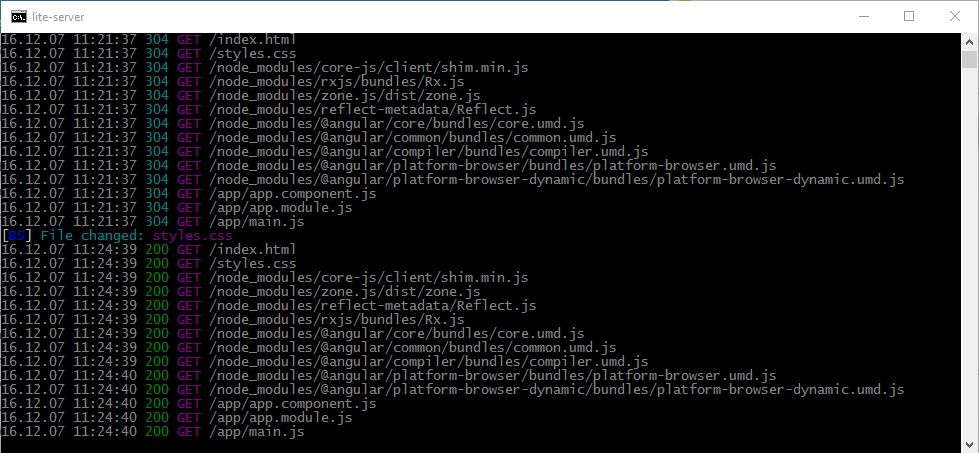
And I noticed that my command prompt where I ran npm start is updated:
On more importantly my browser is updated as soon as I saved my css file, without reloading my page.
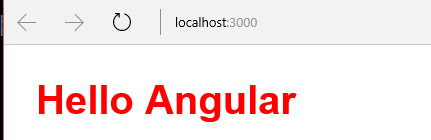
Ok, this is cool. This makes branding work a lot easier. No wasting time reloading browsers. This lite-server is a very useful tool to use.
Zippy app
Then I had a look at the next example zippy-app and quite quickly I got the “app works!” message to appear.
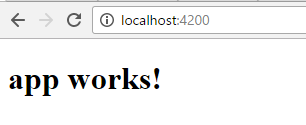
Ok, both of these application do the same thing, but these examples have a very different setup. i’m first having a look at the root folder of both projects.
| quickstart | zippy |
File structure:
| File structure e2e node_modules src .editorconfig .gitignore angular-cli-json karma.conf.js package.json protractor.conf.js README.md tslink.json |
As the zippy example is picked up from github I’m getting some extra files. I’m going to ignore those files here. So what is important here.
I’ve got a folder node_modules. Other than having a different set of modules being loaded, the setup of this seems to be quite similar in both projects.
Package.json
Then both projects have a package.json file.
| quickstart | zippy |
| package.json: { “angular-in-memory-web-api”: “~0.1.15”, | package.json: { “name”: “zippy-app”, “version”: “0.0.0”, “license”: “MIT”, “angular-cli”: {}, “scripts”: { “start”: “ng serve”, “lint”: “tslint \”src/**/*.ts\””, “test”: “ng test”, “pree2e”: “webdriver-manager update”, “e2e”: “protractor” }, “private”: true, “dependencies”: { “@angular/common”: “2.2.3”, “@angular/compiler”: “2.2.3”, “@angular/core”: “2.2.3”, “@angular/forms”: “2.2.3”, “@angular/http”: “2.2.3”, “@angular/platform-browser”: “2.2.3”, “@angular/platform-browser-dynamic”: “2.2.3”, “@angular/router”: “3.2.3”, “core-js”: “^2.4.1”, “rxjs”: “5.0.0-beta.12”, “ts-helpers”: “^1.1.1”, “zone.js”: “^0.6.23” }, “devDependencies”: { “@angular/compiler-cli”: “2.2.3”, “@types/jasmine”: “2.5.38”, “@types/node”: “^6.0.42”, “angular-cli”: “1.0.0-beta.22-1”, “codelyzer”: “~2.0.0-beta.1”, “jasmine-core”: “2.5.2”, “jasmine-spec-reporter”: “2.5.0”, “karma”: “1.2.0”, “karma-chrome-launcher”: “^2.0.0”, “karma-cli”: “^1.0.1”, “karma-jasmine”: “^1.0.2”, “karma-remap-istanbul”: “^0.2.1”, “protractor”: “4.0.9”, “ts-node”: “1.2.1”, “tslint”: “^4.0.2”, “typescript”: “~2.0.3”, “webdriver-manager”: “10.2.5” } } |
The package.json file is a list of settings. These include:
- name (what is my app called)
- version ( the version of the app)
- scripts (how to start the app)
- license (both open source MIT license)
- dependencies ( which modules are needed by the app )
Also note that the zippy example uses the Angular CLI. Another something to get familiar with.
Then I had a look in the app folders for both applications. Zippy using TypeScript (.ts) files where the quick start example doesn’t.
Ok, this above shows my first small steps. I’m sure there will be many more to follow.
Pieter Veenstra

Is your business still running on paper trails, sprawling Excel files, or ageing Access databases? There's a better way — and I can show you exactly what it looks like. I'm the Technical Director of Vantage 365, a Microsoft solutions consultancy working with clients across the UK, the Netherlands, and worldwide. For over 30 years I've been turning messy, manual business processes into clean, automated systems that save time, reduce errors, and give teams the visibility they need to make better decisions. SharePains is not just any blog run by a Microsoft MVP. Have you ever used Try-Catch in Power Automate? The original post about Try-Catch in Power Automate can still be found on this site, https://sharepains.com/2018/02/07/try-catch-finally-in-power-automate-flow/ Or have you ever used the Pieter’s method to avoid variables and speed up your flows? https://sharepains.com/2020/03/11/pieters-method-for-advanced-in-flows/ You can contact me using contact@sharepains.com