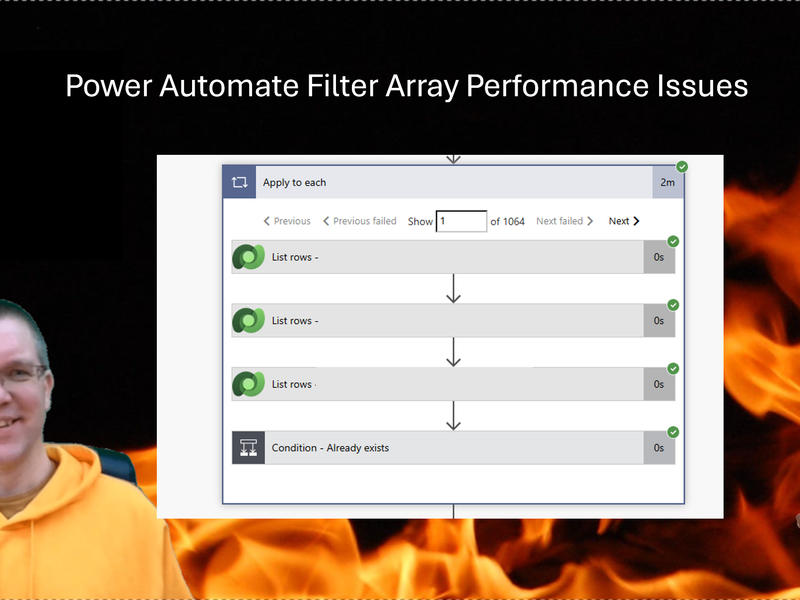

When you query rows in Dataverse using Power Automate you have a few options. Fetch Xml and Filter queries are the two obvious options to go for. But when should you use which?
List Rows action
When we compare the Get Items ( from SharePoint) with List rows for Dataverse, there are a few differences
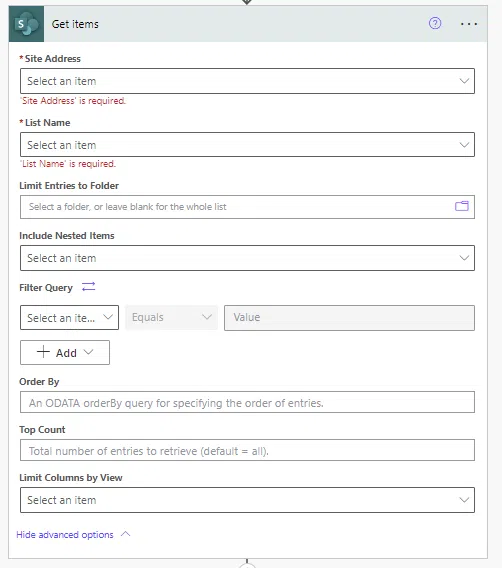
The Dataverse List rows and the SharePoint Get Items both have filter options, but only the Dataverse action has a Fetch Xml Query option.
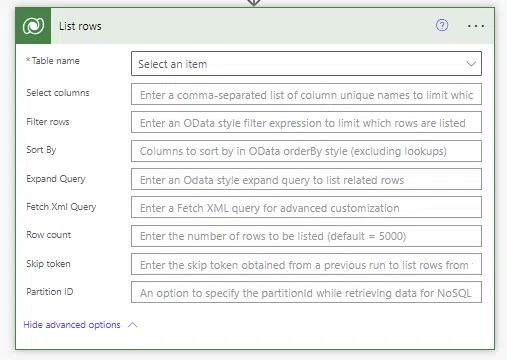
Fetch Xml
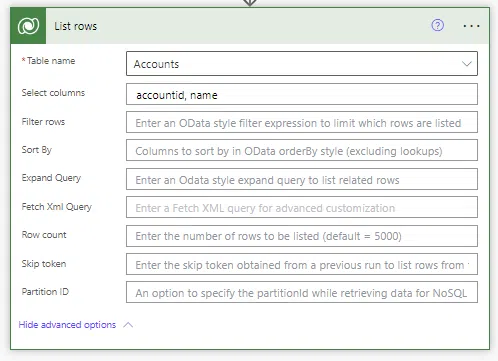
Using Fetch Xml you could collect two field from for example the Accounts table just like this:

The same can also be done by specifying the Select columns in the list rows action.
Fetch Xml has many benefits however. You can filter the items that you want, select the columns but also collect data form multiple tables.
Joining tables
To create a join between two tables can be a real hasle but not when you use Dataverse with Fetch Xml. The following example shows how you can quickly connect the Accounts and the Users table and place some conditions on the way the data is joined up.
<fetch mapping='logical'>
   <entity name='account'>
      <attribute name='accountid'/>
      <attribute name='name'/>
      <link-entity name='systemuser' to='owninguser'>
         <filter type='and'>
            <condition attribute='lastname' operator='ne' value='Tester' />
          </filter>
      </link-entity>
   </entity>
</fetch>
Inner and Outer joins
Similar to how we saw earlier in this post you can also join multiple tables with either inner or outer joins
<fetch version='1.0' mapping='logical' distinct='false'>
   <entity name='entitymap'>
      <attribute name='sourceentityname'/>
      <attribute name='targetentityname'/>
      <link-entity name='attributemap' alias='attributemap' to='entitymapid' from='entitymapid' link-type='inner'>
         <attribute name='sourceattributename'/>
         <attribute name='targetattributename'/>
      </link-entity>
   </entity>
 </fetch>
Creating these type of joins isn’t something that is easy to do with flows after you have collected the data form two tables and it is definitely not going to be fast. But when you use Fetch Xml you will get your data back as fast as possible.
Use Fetch Xml or Filter/Select
So when would you use Fetch Xml and when would you use filter queries, and select columns.
First of al, if you are lucky enough that Dataverse is an option (yes it is premium), then Fetch Xml should be the preferred option. If you use SharePoint as a data source then you haven’t got the option to use Fetch Xml. If you are migrating a flow from a SharePoint to a Dataverse based solution you could try to take a short cut, however it is hardly worth it as writing the Fetch Xml has been made very easy with some of the tools available in the Xrm Toolbox.
Especially as the complexity of your queries might increase as you develop your solution, it might be better to use the Fetch Xml as default.
Pieter Veenstra

Is your business still running on paper trails, sprawling Excel files, or ageing Access databases? There's a better way — and I can show you exactly what it looks like. I'm the Technical Director of Vantage 365, a Microsoft solutions consultancy working with clients across the UK, the Netherlands, and worldwide. For over 30 years I've been turning messy, manual business processes into clean, automated systems that save time, reduce errors, and give teams the visibility they need to make better decisions. SharePains is not just any blog run by a Microsoft MVP. Have you ever used Try-Catch in Power Automate? The original post about Try-Catch in Power Automate can still be found on this site, https://sharepains.com/2018/02/07/try-catch-finally-in-power-automate-flow/ Or have you ever used the Pieter’s method to avoid variables and speed up your flows? https://sharepains.com/2020/03/11/pieters-method-for-advanced-in-flows/ You can contact me using contact@sharepains.com