
Copilot is everywhere within Microsoft technology nowadays. But it is really helping or is it just a step in the wrong direction. In this post the good and the bad of using Copilot.
Copilot in Power Platform
Within the Power Platform there are Copilots all over the place. In this post I will focus on one area within Power Apps offering us Copilot options.
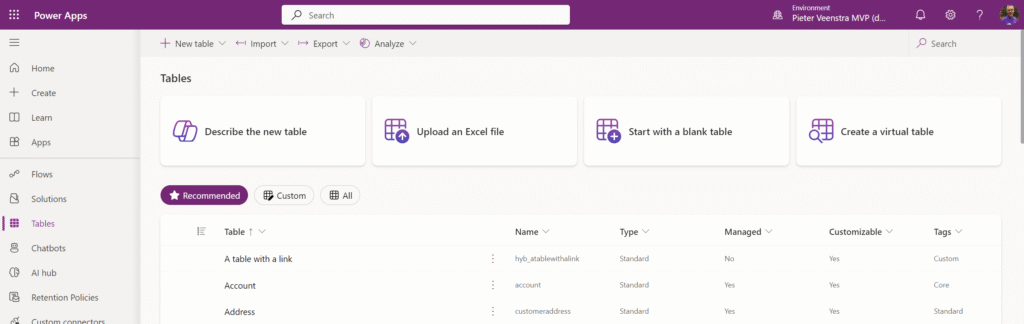
In the above screenshot you will find the Describe the new table. Microsoft is doing their best to not say Copilot here but the little logo is giving it away.
Do I like Copilot?
Auch, that is a bit of a loaded question. But I’m not going to avoid it.
Copilot (and any other similar AI based tool) can be very impressive, but do I like it? Well I will answer that question in a bit.
Creating a table using Copilot
Using the earlier mentioned Describe the new table option we will get to the point where we can create a table. Adding columns to a table manually can take a bit of time. So this may work quite well. Let’s put the tool to the test.
We have to enter out requirements in the Copilot dialogue box.
I’m going to enter “Create a table to register recipes”
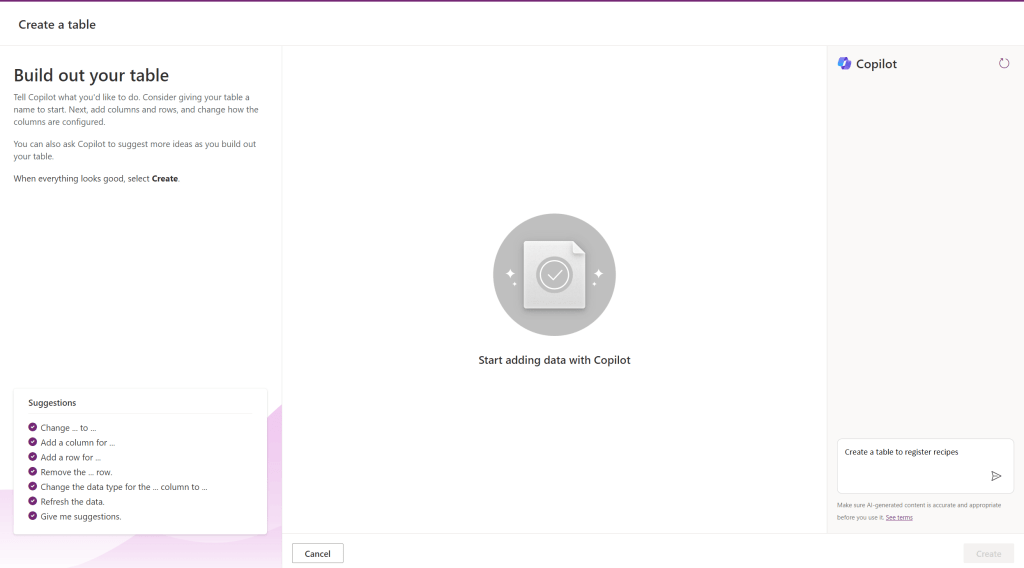
Once we have entered that Copilot is going to give us a table.
And the result is actually
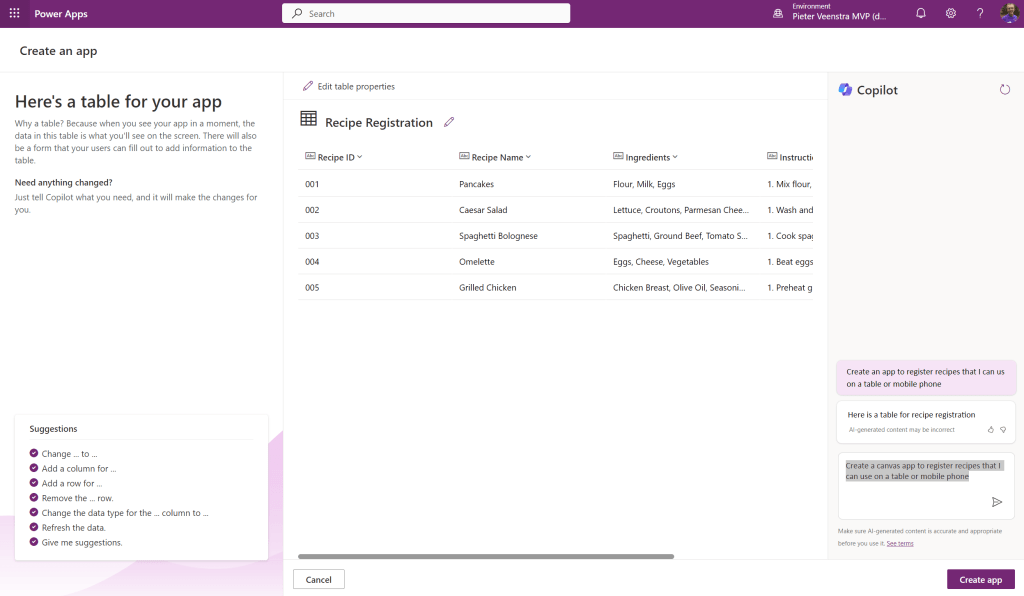
And when we look at the details of the Instructions, I’m getting hungry already.
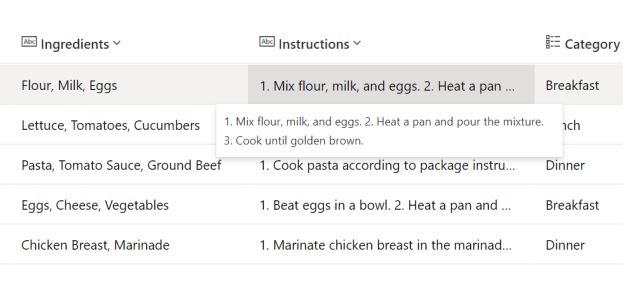
But is this really what we want?
Taking better look at the Copilot generated table
I’m going to have a look at the table that we just generate. As a software developer, I find it important that the right standards are being used. Best practices are there for a reason. Is Copilot a best practice?
If we first look at the table then we will see that the ingredients column is a plain text field. Is this really what we want? Most likely not!
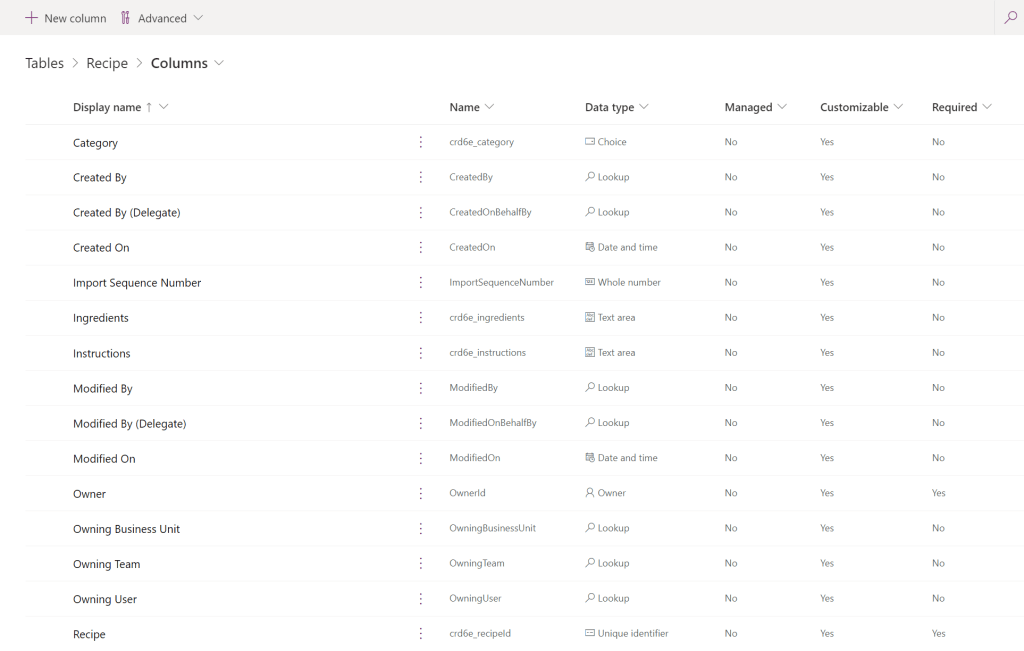
Then the trained eye will tell us that the internal names aren’t great either. crd6e_ is the prefix on the internal names as we created a table outside a solution and there was no prefix to be fetched from a publisher record.
The active recipes view has been created view has been created and also a basic form is there. So that part is ok.
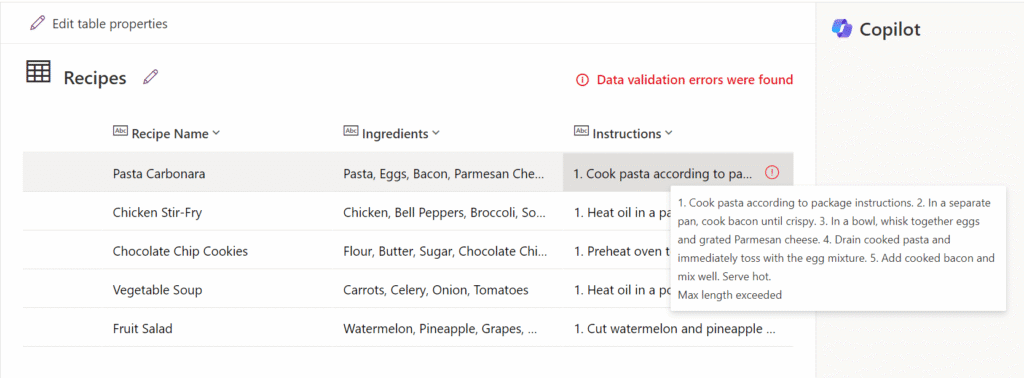
When I tried this again, I ended up with some data validation issues.
So should we be using Copilot?
There is a time and a place for Copilot. Initially Copilot and other AI tools really do impress me. But when it gets to development, does it really help anybody?
Time to give Copilot a second chance. I’m going to ask a second question. Increasing the length of the Instructions column. Well the column got renamed.

I’m sure that Copilot will get there at the end ( I gave it some feedback at the end so it should learn!), but software development is still an art.
Attempt 3 – Create an app with Copilot
I’m starting to get really hungry, so I really want to create an app that can give me some recipes.
We go to https://make.powerapps.com and go to the Apps option. The Start with Copilot link is there straight in front of us.
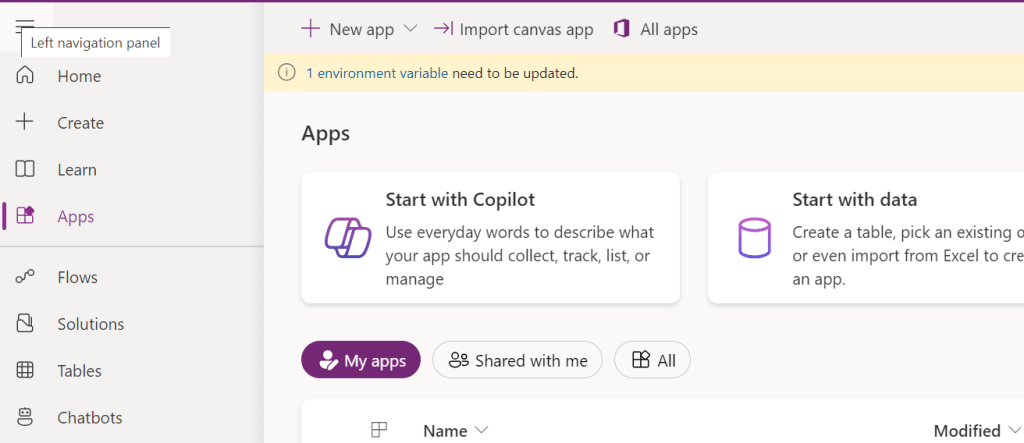
This is one of my biggest frustrations with Copilot. Ideally the Apps option should be removed all together as all apps, flows etc should be created as part of a solution. This way beginners are told to do the wrong thing without being told that it is the wrong thing.
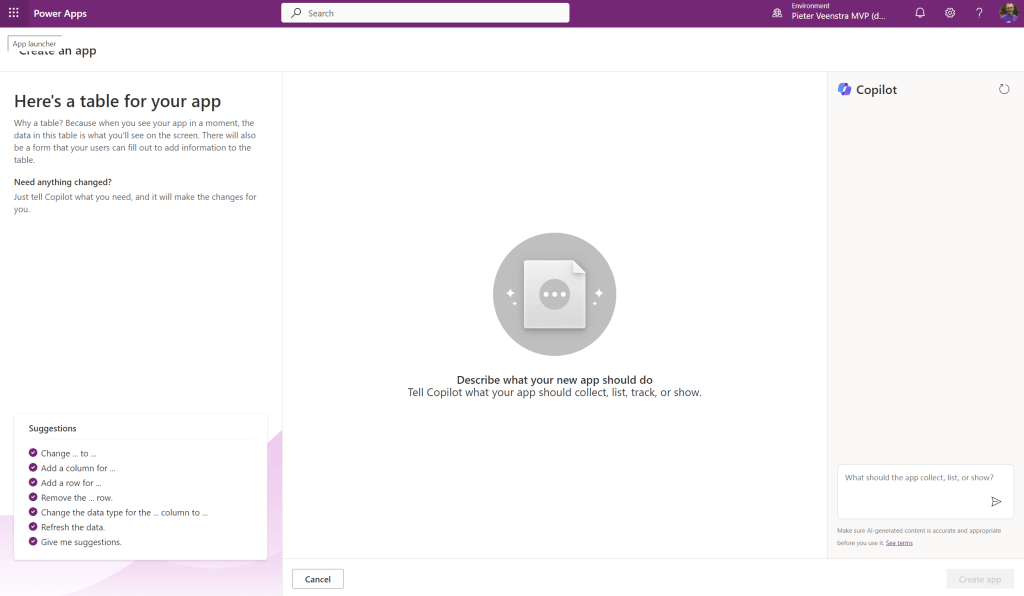
We are at the same spot as before, other than that there is now the title “Create an app”
I’m going to enter my next request: “Create a canvas app to register recipes that I can use on a table or mobile phone”
Then as we press the Create app button, an app is created for us.
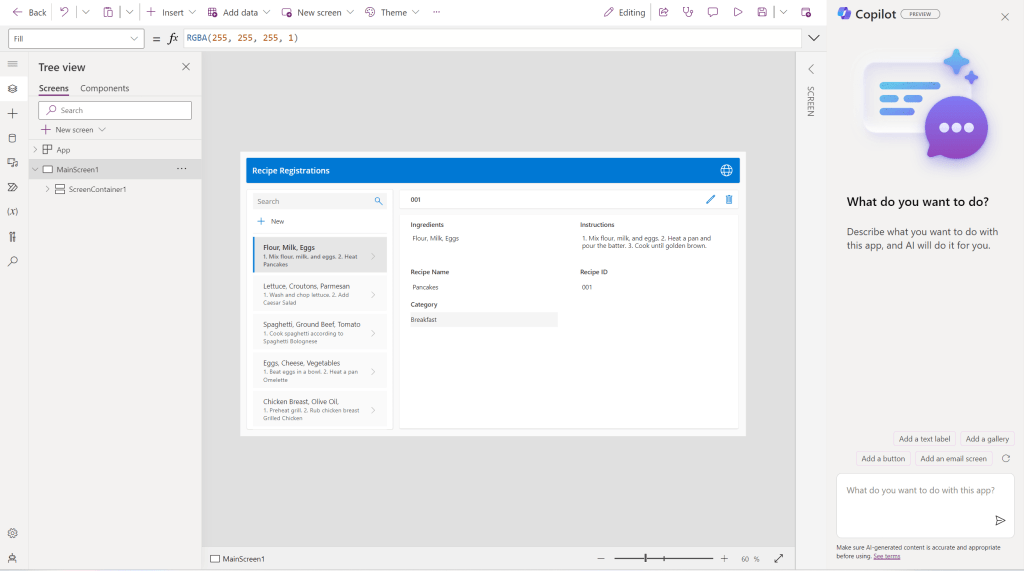
As long as the above app is what you actually want then that is great. Looking at the general setup of the app, it has been developed quite well as it is using containers. However not many of the controls have been named properly.
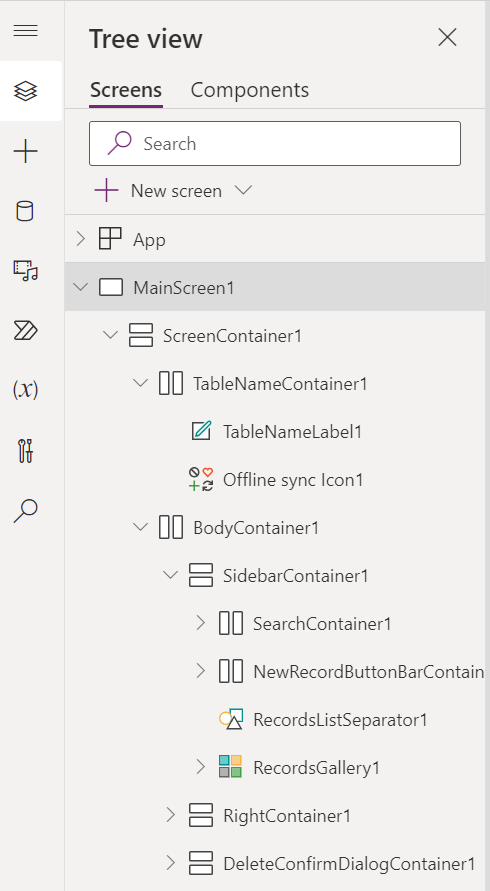
The above template for apps is used for all of the single table apps.
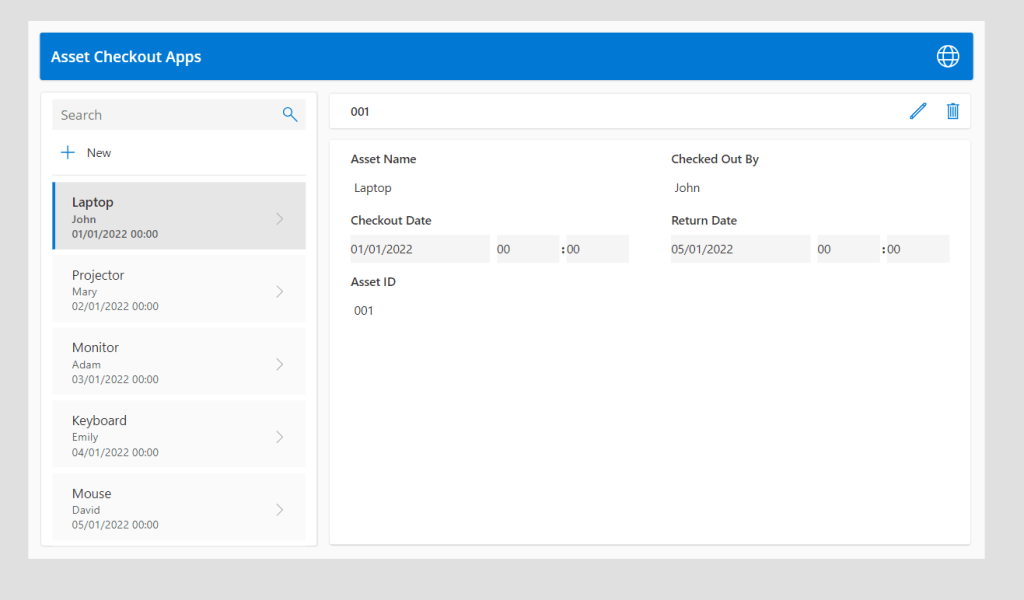
So far I would see the Copilot generated apps as a good way of learning how to create a basic apps. A bit like templates used to do in Power Apps, however the real art of developing a good app is still done by a developer who knows what they are doing. If you have developed a great app ( with or without Copilot) then please share your successes below in a comment.
Further thoughts
If you need help setting up any of the following feel free to contact me:
- Setup of Environments
- Setup of pipelines
- Development of solutions that work and follow best practices
Pieter Veenstra

Is your business still running on paper trails, sprawling Excel files, or ageing Access databases? There's a better way — and I can show you exactly what it looks like. I'm the Technical Director of Vantage 365, a Microsoft solutions consultancy working with clients across the UK, the Netherlands, and worldwide. For over 30 years I've been turning messy, manual business processes into clean, automated systems that save time, reduce errors, and give teams the visibility they need to make better decisions. SharePains is not just any blog run by a Microsoft MVP. Have you ever used Try-Catch in Power Automate? The original post about Try-Catch in Power Automate can still be found on this site, https://sharepains.com/2018/02/07/try-catch-finally-in-power-automate-flow/ Or have you ever used the Pieter’s method to avoid variables and speed up your flows? https://sharepains.com/2020/03/11/pieters-method-for-advanced-in-flows/ You can contact me using contact@sharepains.com


Hi Pieter, just want to point you to a recent update from MS. You can now point all newly created objects (e.g. tables) to land in a solution of your choice.
So it will not default back to the default platform solution with publisher cr….
Create a solution, with the publisher and prefix of your choice, indicate it to be the default solution and I guess/hope that copilot will use that solution to create the table.
Thanks, that is indeed a slight improvement, although from the default jumping ground we just have a custom dumping ground instead.