Recently I have spoken with quite a few organisation who are interested in Microsoft 365, about business critical applications developed in Microsoft Excel. Quite a high percentage of organisations seem to run on Excel.
Strong point of Excel
Before I go all negative about Excel, it is important to notice that Excel does have quite a few strong points.
- Easy to get started with. You just type and things seem to happen
- Without too much effort you can do calculations
- With a bit more effort you can make a spreadsheet look good. Colours really make a difference
- Excel can hold a lot of data
- So much more … Feel free to leave a comment with your thoughts.
When to use Excel
Very often I find colleagues and clients send me a quick overview of something. And this is fine. Excel is great to create that quick overview of numbers and other data for a project or anything else.
Even as an Export from a data driven process Excel can be good as a reporting tool.
But when you use Excel as a data source for business critical applications then there is a whole different set of challenges that you will face.
Excel in business critical applications
Now there are a few ways I’ve seen Excel being used in business critical applications.
- Excel is the application
- Excel is a data source for an application
Examples of this are:
- Timesheets
- Project planning
- Expenses
For any of the above examples you will find that you either end up with an Excel file that holds many sheets/tabs. Or you and up with many Excel files.
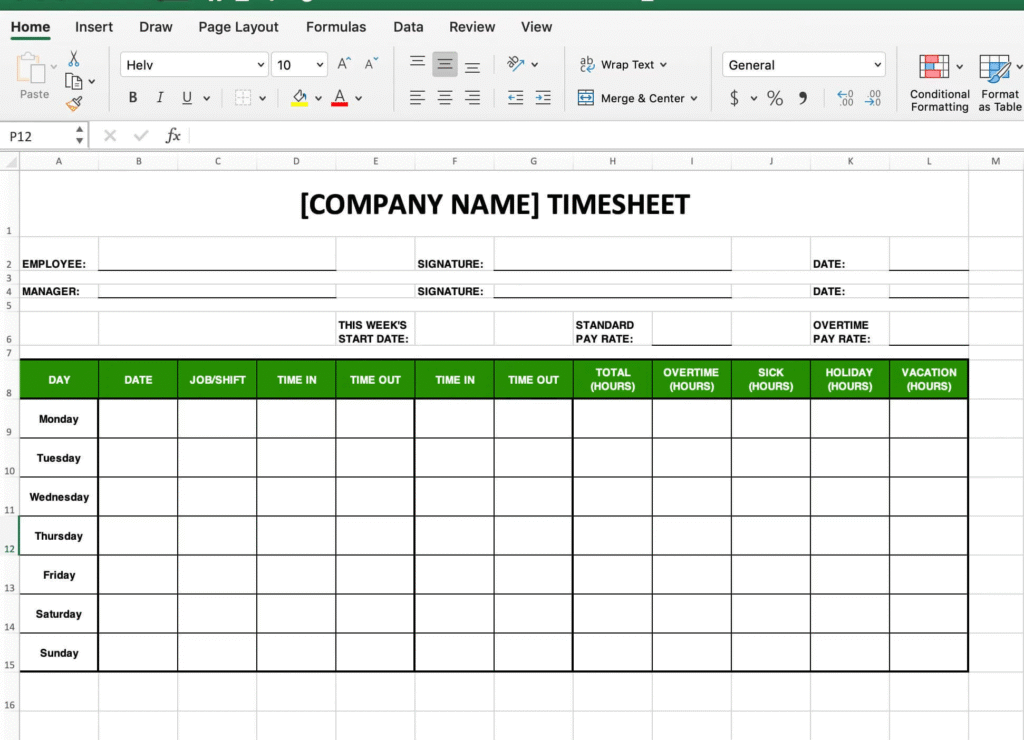
Imagine using timesheets to track working hours for 100s of staff members. That is likely to end up in 100s of Excel files.
So in short Excel isn’t very scalable.
Reporting from Excel
Excel can be a good tool for reporting, but when there are 1000s of Excel files to plough through, it does become a bit more of a challenge to get that right. Do we even know that all those 1000 spreadsheets have the same structure?
Storing data in one or more table in a proper database is so much easier as there will be no need to separate each project into its own table.
Maintaining Excel files
Now imagine that we use Excel to manage our 1000s of projects. We made sure that every Excel file uses our strict design so that the format of the Excel content is identical.
Now someone decides that we need some new columns added to the Excel files. Are we going to update all the 1000 Excel files. Now there are ways to automate this (once we know what we need to do, but it remains a painful process.
Again Excel isn’t very scalable.
Excel User Interface
Whatever you develop in Excel, you are always stuck to the grid of cells. Even when you merge cells and reshape that canvas of cells a bit, you will never be able to develop a nice user friendly UI. Yes of course, you could use VBA to generate some form of user interaction, but the available options will always be limited.
Alternatives to Excel
Hey, couldn’t finish this post without giving some alternatives to Excel, such as Dataverse and SQL.
The Power Platform is a great tool to create apps exactly how you want applications to look. Creating a new app, that uses proper databases is quite easy to do (with a bit of help). And technically you can even use that Excel spreadsheet as a data source (but please don’t).
Over the next few weeks, I’m planning to write some more posts about how to migrate from Excel to the Power Platform. If you want to be informed when these posts come out then please subscribe to this blog.
Pieter Veenstra

Is your business still running on paper trails, sprawling Excel files, or ageing Access databases? There's a better way — and I can show you exactly what it looks like. I'm the Technical Director of Vantage 365, a Microsoft solutions consultancy working with clients across the UK, the Netherlands, and worldwide. For over 30 years I've been turning messy, manual business processes into clean, automated systems that save time, reduce errors, and give teams the visibility they need to make better decisions. SharePains is not just any blog run by a Microsoft MVP. Have you ever used Try-Catch in Power Automate? The original post about Try-Catch in Power Automate can still be found on this site, https://sharepains.com/2018/02/07/try-catch-finally-in-power-automate-flow/ Or have you ever used the Pieter’s method to avoid variables and speed up your flows? https://sharepains.com/2020/03/11/pieters-method-for-advanced-in-flows/ You can contact me using contact@sharepains.com