Yesterday, at Future Decoded, Tom Nabarro showed us all how a disability doesn’t mean that you can’t do a job. Tom fully relies on using his voice and eyes to do his job. 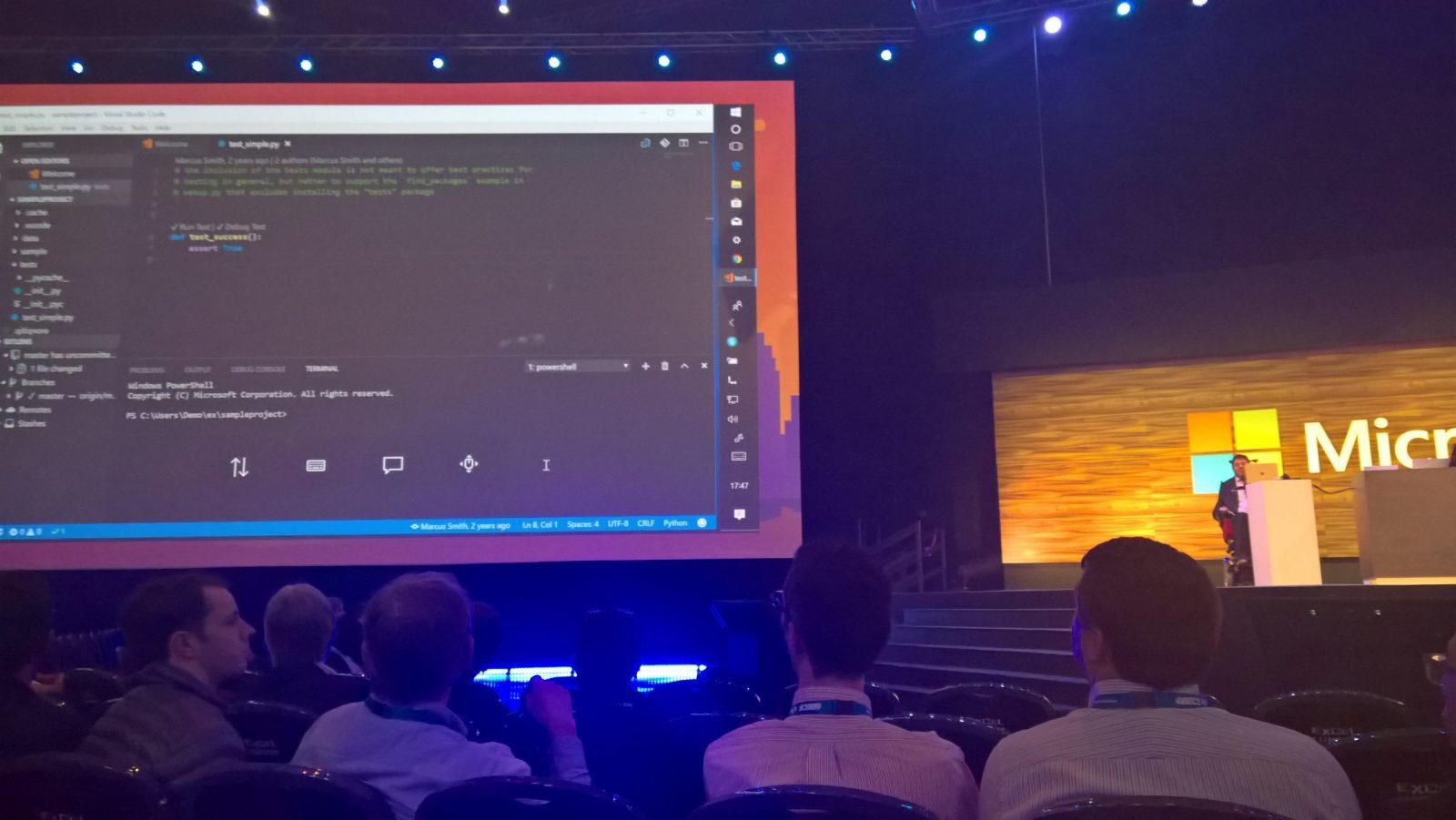 His daily job as a software developer is made possible through Microsoft technology like Cortana. In front of about 10000 people, he did some development work! How many developers can say that?
It shows how important it is that these options are added to software, so that anybody can be included in the workforce.
But that was not all! Have you ever tried reading a website with your eyes closed? Accessibility readers can help, but during a demo it was shown how important it is that images are understood by the reader. This is where developers need to consider the accessibility options in their code.
But if you want to know how accessible a Microsoft product is where do you go?
Microsoft has an accessibility site available where you can go through the reports for all their products.
https://support.microsoft.com/en-us/accessibility/enterprise-answer-desk
If you look for example at the EN 301 549 reports you will find many of your questions answered:
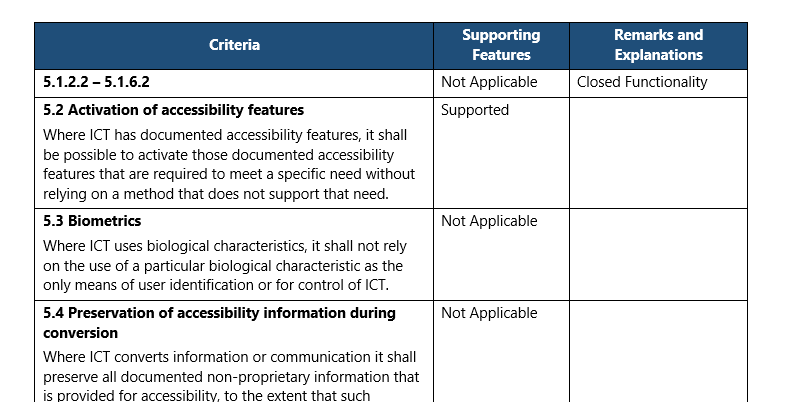
Further details on Accessibility and Microsoft Teams can also be found here.
Pieter Veenstra

Is your business still running on paper trails, sprawling Excel files, or ageing Access databases? There's a better way — and I can show you exactly what it looks like. I'm the Technical Director of Vantage 365, a Microsoft solutions consultancy working with clients across the UK, the Netherlands, and worldwide. For over 30 years I've been turning messy, manual business processes into clean, automated systems that save time, reduce errors, and give teams the visibility they need to make better decisions. SharePains is not just any blog run by a Microsoft MVP. Have you ever used Try-Catch in Power Automate? The original post about Try-Catch in Power Automate can still be found on this site, https://sharepains.com/2018/02/07/try-catch-finally-in-power-automate-flow/ Or have you ever used the Pieter’s method to avoid variables and speed up your flows? https://sharepains.com/2020/03/11/pieters-method-for-advanced-in-flows/ You can contact me using contact@sharepains.com