
Earlier this week a new feature was released in preview. Take any image of a form and turn it into an app. All using the standard out of the box Power Apps editing experience.
Create an image
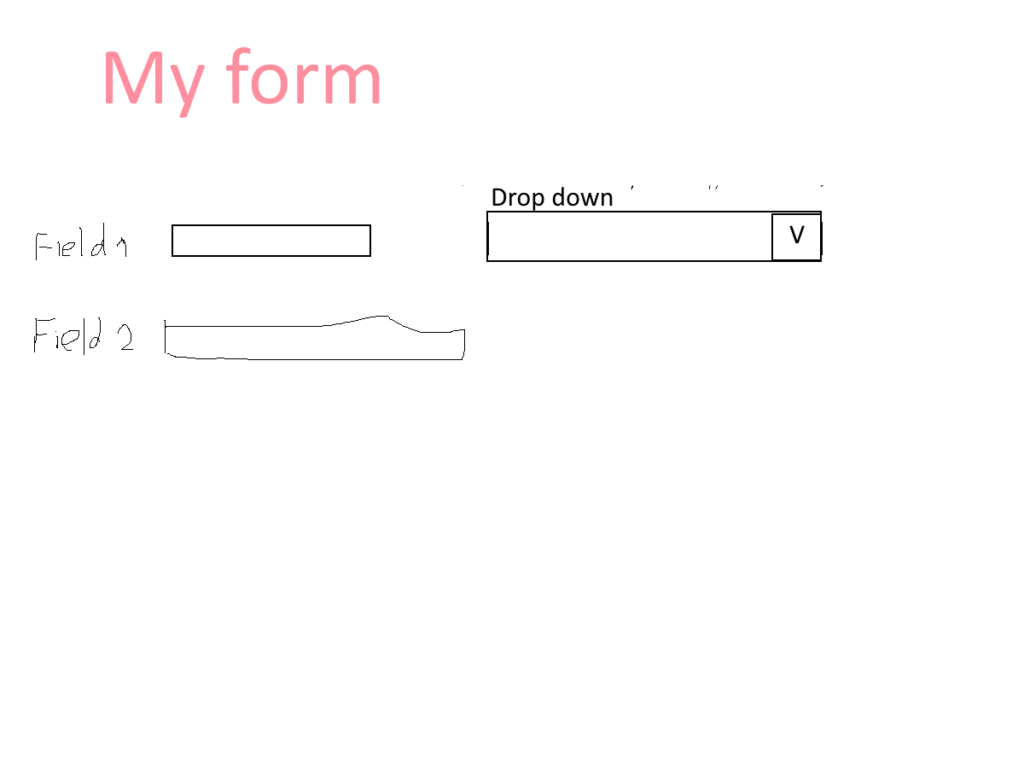
I’ve seen a few people testing this new feature with nice looking images. But I’m not good at drawing, so I used paint.net and my finger to drop an interesting form.

Ok, nothing complicated here. As you can see my boxes are far from straight. And my writing isn’t very good either. So typical stuff that you could do on a board in a meeting room.
Importing this gave me the following form created within an app.
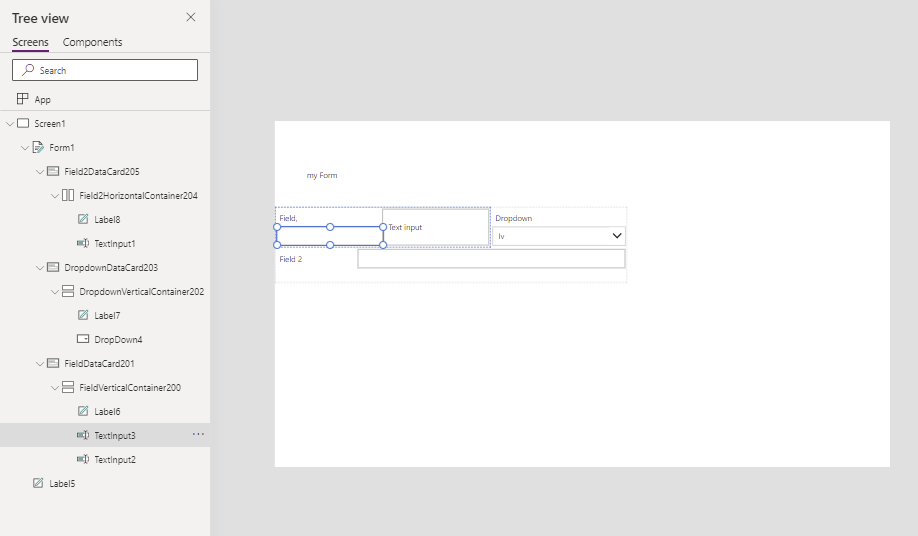
But now imagine if you just took a bit more care of things.
Creating a better form
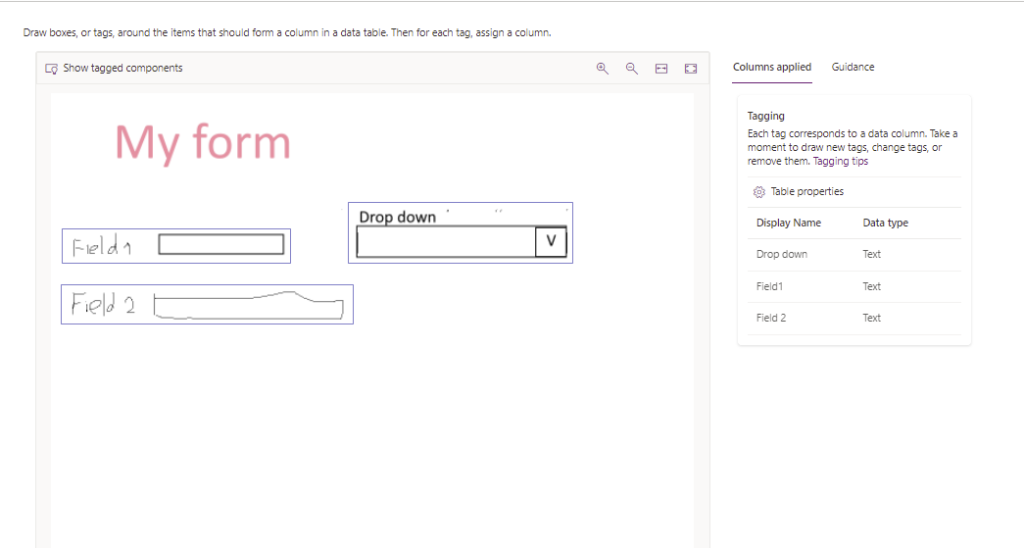
And when we process that through Power Apps, we can see how Power apps is recognizing each element on the page.
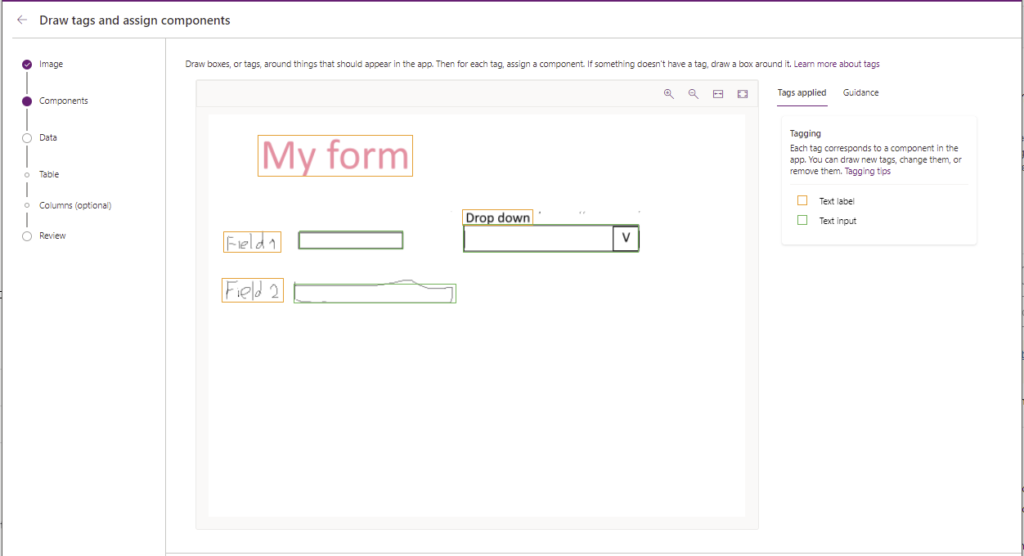
All I had to do was replace that drop down Text Input with an actual combobox control. Notice that there is no drop down available, but in most cases the combobox is preferred anyway.
Once that is done you can choose to create your data using this same import wizard.
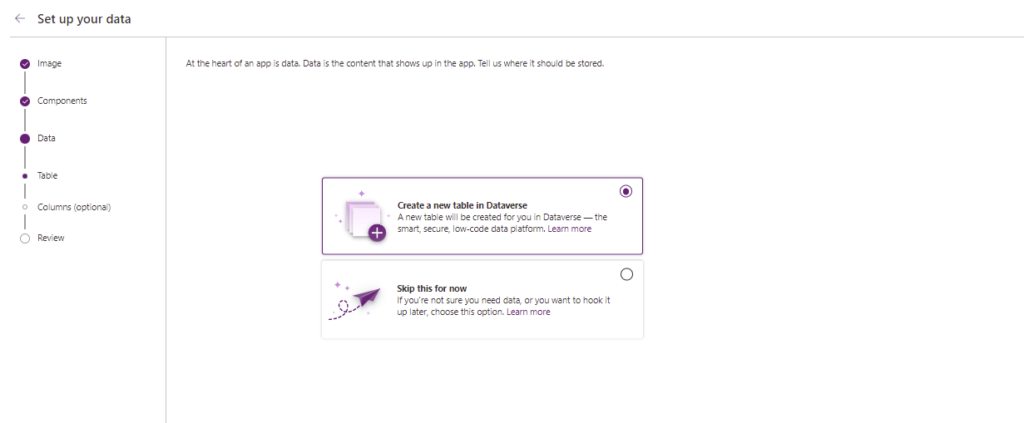
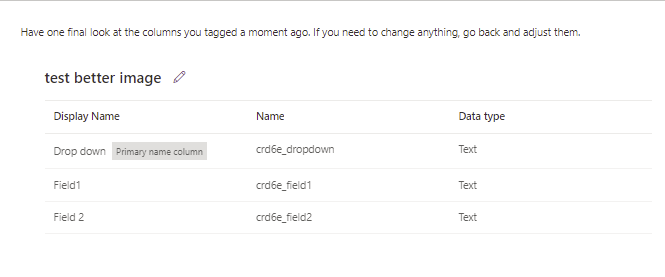
All you have to do is specify your field names and table details.
Do note that this is still very much in Preview. And the app will probably not be as good as you could create it yourself. Just as an example, note that the internal names of the fields mean that solution packages and publishers are not supported at this stage
But, this is a great start for even faster app development. And all starts with you drawing a picture or mock-up and the using the image import the development jobs becomes just that little easier to get started with your development.
What’s next?
Well the obvious next step of course is that you take a photo of yourself while thinking about an app and Power Apps will make all your dreams come true.
Personally I like a beach app.

Discover more from SharePains
Subscribe to get the latest posts sent to your email.
Pieter Veenstra

Is your business still running on paper trails, sprawling Excel files, or ageing Access databases? There's a better way — and I can show you exactly what it looks like. I'm the Technical Director of Vantage 365, a Microsoft solutions consultancy working with clients across the UK, the Netherlands, and worldwide. For over 30 years I've been turning messy, manual business processes into clean, automated systems that save time, reduce errors, and give teams the visibility they need to make better decisions. SharePains is not just any blog run by a Microsoft MVP. Have you ever used Try-Catch in Power Automate? The original post about Try-Catch in Power Automate can still be found on this site, https://sharepains.com/2018/02/07/try-catch-finally-in-power-automate-flow/ Or have you ever used the Pieter’s method to avoid variables and speed up your flows? https://sharepains.com/2020/03/11/pieters-method-for-advanced-in-flows/ You can contact me using contact@sharepains.com
This is great. Will it require a premium license since it is using AI builder.
Hi Rebecca,
At the moment it doesn’t. not sure what will happen in the future.