
Recently I’ve been receiving email reporting Your flow has a new trigger URL. In this post I will address this issue and how to avoid your flows breaking.
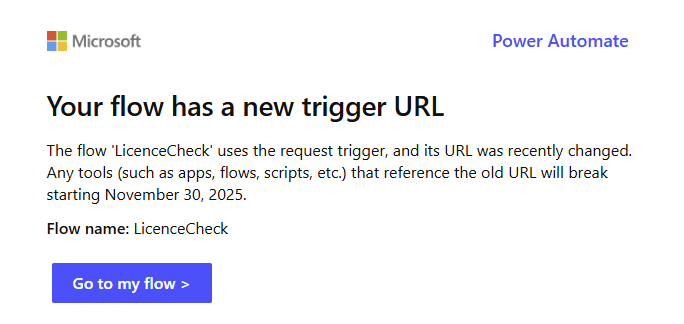
The old trigger will stop working …
When you visit the flow you will find the following warning:
The old trigger URL will stop working on November 30, 2025. Your tools that use this flow WILL break unless you update them with the new URL.
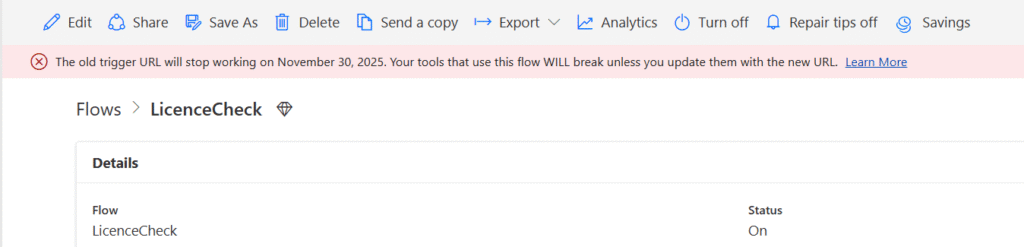
Well this is not very nice. Flows that have been working for a long time will suddenly break. The referenced article that Microsoft published gives you some help.
Identify the breaking flows
Well, you could wait for those emails to appear and then fix broken flows. Hopefully you have error handling implemented in your flows, but even then a flow that doesn’t trigger may not report any issues.
The easiest way to list all affected flows is by running the following power Shell Cmdlet, however you would have to run this on every environment.
Get-AdminFlowWithMigratingTriggerUrl -EnvironmentName <EnvironmentName>Microsoft supplied the above in their article.
If you want to go across all your environments please use the following script.
Install-Module -Name Microsoft.PowerApps.Administration.PowerShell -Scope CurrentUser
Import-Module Microsoft.PowerApps.Administration.PowerShell

$Environments = Get-AdminPowerAppEnvironment

ForEach ($Environment in $Environments) {
   Write-Host $Environment.DisplayName
   Get-AdminFlowWithMigratingTriggerUrl -EnvironmentName $Environment.EnvironmentName
}
This will give you the following overview and you could now start looking at fixing the issue. But how do we fix this issue if the URLs keep changing.
Pieter Veenstra's Environment
No flows found.
Demo Environment
No flows found.
Pieter Veenstra Development
No flows found.
I have read
DisplayName       FlowName                             EnvironmentName
-----------       --------                             ---------------
manual -> Compose 3153e7a4-666a-4dfc-b0d0-10c616eee888 1d9e9bb9-af5c-ec49-9336-eacd01e426a7
manual -> Compose e80fa7df-33c4-4b36-8381-7e0e971ea362 1d9e9bb9-af5c-ec49-9336-eacd01e426a7
LicenceCheck      c784c792-5284-f5ed-2536-73df88281452 874254aa-bc26-e4a9-854a-e13ebfc3cdac
Pieter Veenstra Test
Handle Events     4fd89f7f-4976-e935-edae-e1e24bdea5b9 9842b5f8-4dd8-ed02-bd9b-9aeade82f6aa
Pieter Veenstra MVP (default)
No flows found.
How to fix your flow has a new trigger URL
The best way to fix this issue by making sure that it doesn’t happen in the first place. If we have a flow that depends on the flow URLs of another flow then we better collect the flow URL in a different way.
One of the flows reported by the above PowerShell script is shown below. I’ve got a When an HTTP request is sent action that trigger my flow.
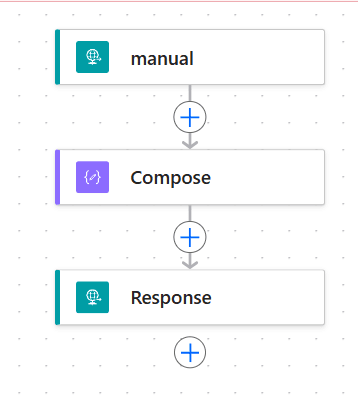
Now rather than using the URL in the trigger and hardcoding this URL in a parent flow (e.g. subscription flow).
I could now use the List Callback URL to identify the URL of my flow.
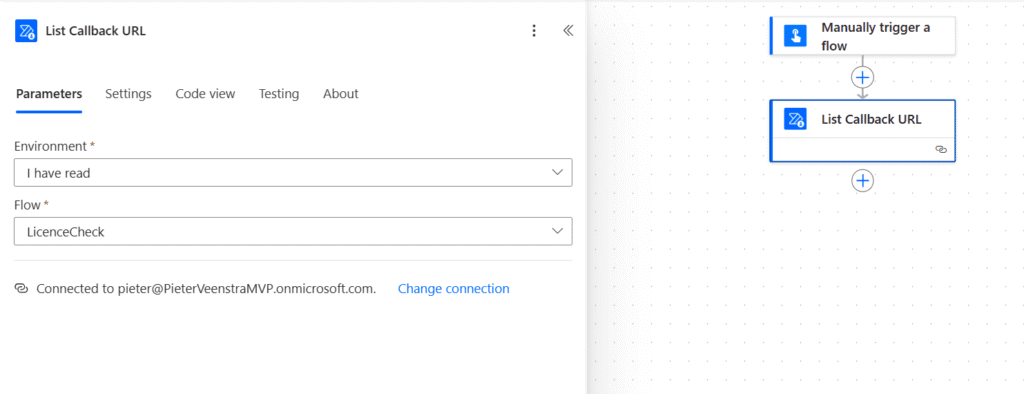
This makes the flow URL soft coded and your flow should now break anymore and the Your flow has a new trigger URL in Power Automate problem should disappear.
Pieter Veenstra

Is your business still running on paper trails, sprawling Excel files, or ageing Access databases? There's a better way — and I can show you exactly what it looks like. I'm the Technical Director of Vantage 365, a Microsoft solutions consultancy working with clients across the UK, the Netherlands, and worldwide. For over 30 years I've been turning messy, manual business processes into clean, automated systems that save time, reduce errors, and give teams the visibility they need to make better decisions. SharePains is not just any blog run by a Microsoft MVP. Have you ever used Try-Catch in Power Automate? The original post about Try-Catch in Power Automate can still be found on this site, https://sharepains.com/2018/02/07/try-catch-finally-in-power-automate-flow/ Or have you ever used the Pieter’s method to avoid variables and speed up your flows? https://sharepains.com/2020/03/11/pieters-method-for-advanced-in-flows/ You can contact me using contact@sharepains.com

