
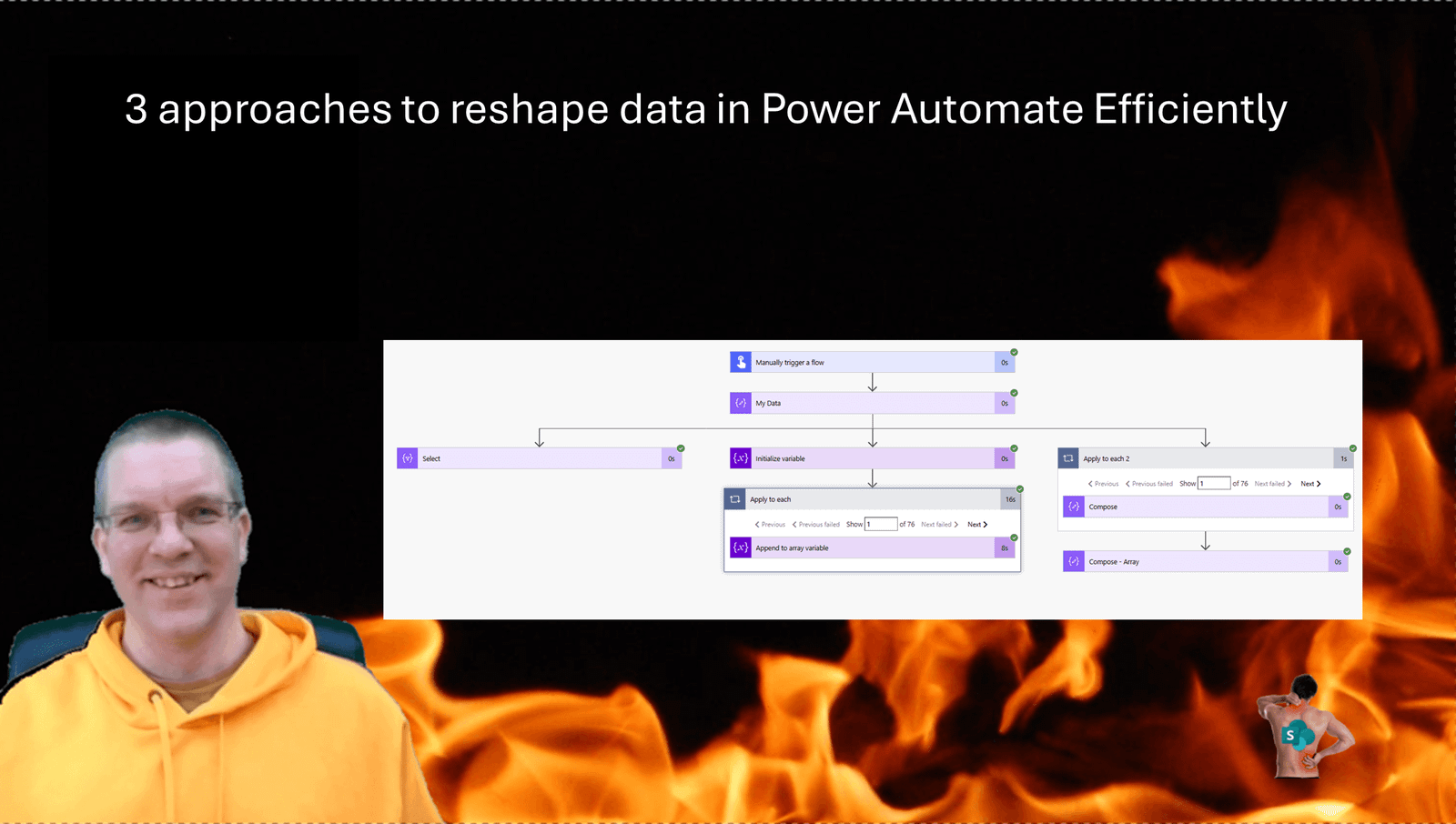
Earlier this week I was asked to reshape data in Power Automate. Having an array of data that needs to be reshaped just sot that an API can take the data can be tricky. So often I find clients using the Append to array action inside an apply to each. Now if your array only has a few records it probably doesn’t matter too much but what if you have 1000s of records?
The Data samples
The sample input data that I was given looks like this:
[
  {
    "firstname": "John",
    "lastname": "One",
    "phone": "+15035551234",
    "hs_language": "en-us"
  },
  {
    "firstname": "Minh",
    "lastname": "Two",
    "phone": "+15035555678",
    "hs_language": "vi"
  }
]
The required data needed to look like this:
[
    {
      "mobile": {
        "number": "+15035551234",
        "country": "US"
      },
      "firstName": "John"
    },
    {
      "mobile": {
        "number": "+15035555678",
        "country": "US"
      },
      "firstName": "Minh"
    }
]
So how do we approach this?
Approach 1 – Append to Array
The first approach, which is often used, uses the append to array action. If you have a small array this is probably ok.
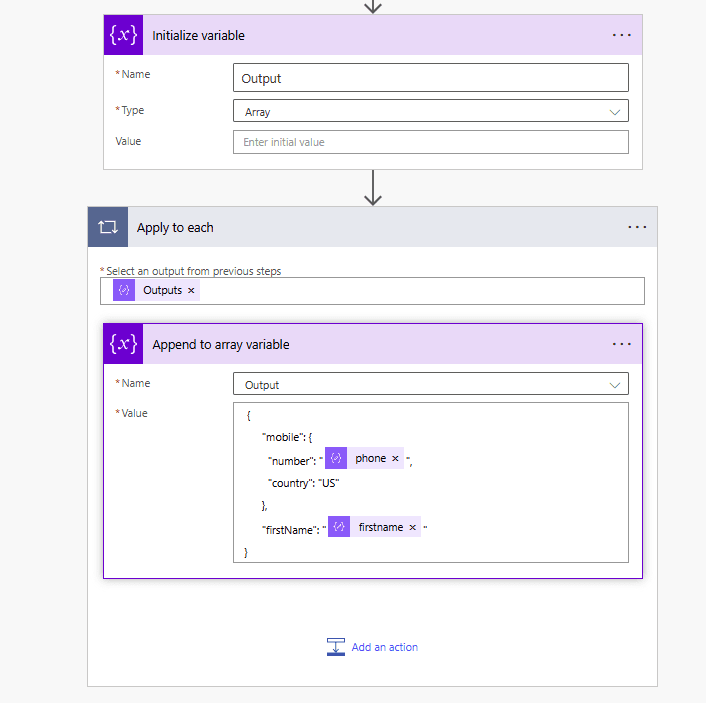
However for large arrays this isn’t an efficient way of doing things, as the concurrency settings will not work inside apply to each steps when you use variables inside the apply to each.
The expressions used for phone and first name are:
items('Apply_to_each')['phone']
items('Apply_to_each')['firstname']
If you are working with fields that may be empty you could also use the JSON query syntax
items('Apply_to_each')?['phone']
items('Apply_to_each')?['firstname']
Approach 2 – Pieter’s method
The second approach, which is a bit better than the first approach is to use Pieter’s method.
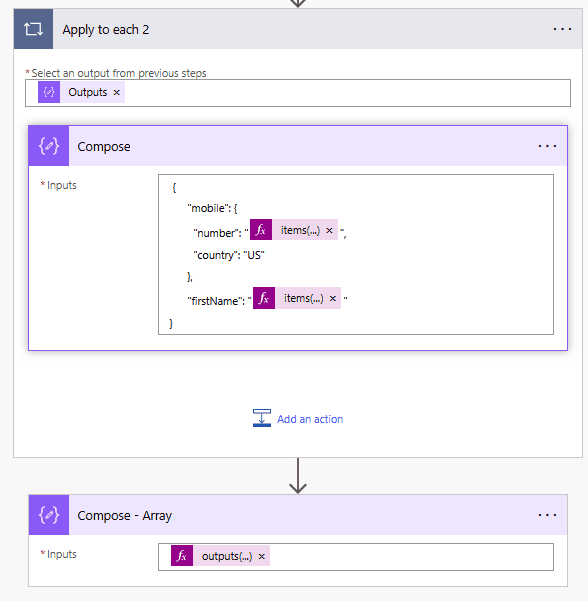
Using the second approach means that we avoid any variables, which opens up the option to process the data faster when we enable to Concurrency/Parallelism in the settings of the Apply to each step.
The expressions used for phone and first name are:
items('Apply_to_each_2')['phone']
items('Apply_to_each_2')['firstname']
If you are working with fields that may be empty you could also use the JSON query syntax
items('Apply_to_each_2')?['phone']
items('Apply_to_each_2')?['firstname']
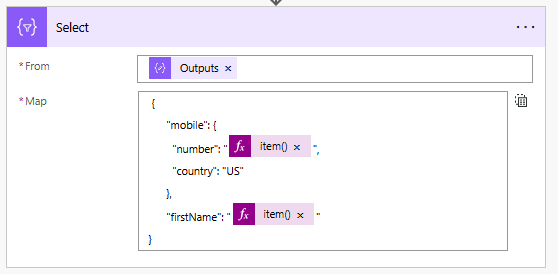
Approach 3 – Use the select action
The fastest of the three approaches is the select action. The select action is the best approach.
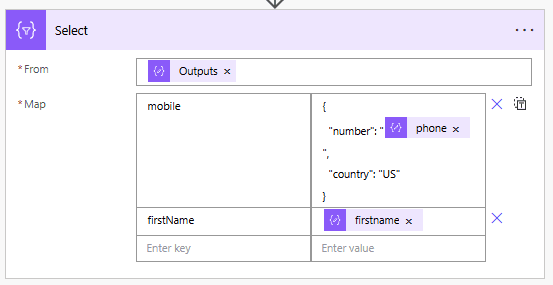
If you use the above Mapping mode where you specify each of the properties or the below text mode doesn’t really matter.
Putting the approaches to the test.
The expressions used for phone and first name are:
item()['phone']
item()['firstname']
If you are working with fields that may be empty you could also use the JSON query syntax
item()?['phone']
item()?['firstname']
Comparing the options
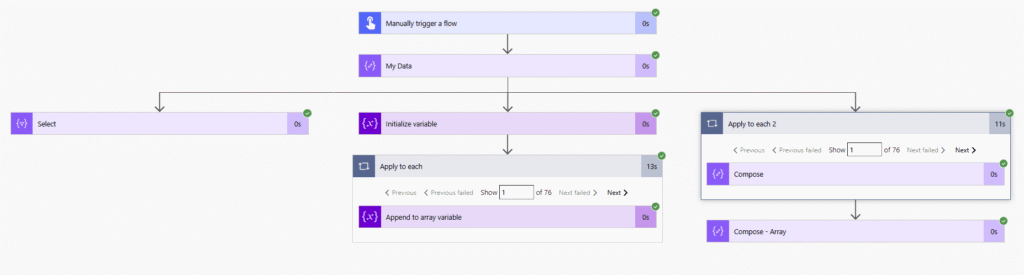
Before enabling the parallelism setting on we will find that processing 75 records takes about 13 seconds when the apply to each steps are involved. The select however takes no time at all to run.
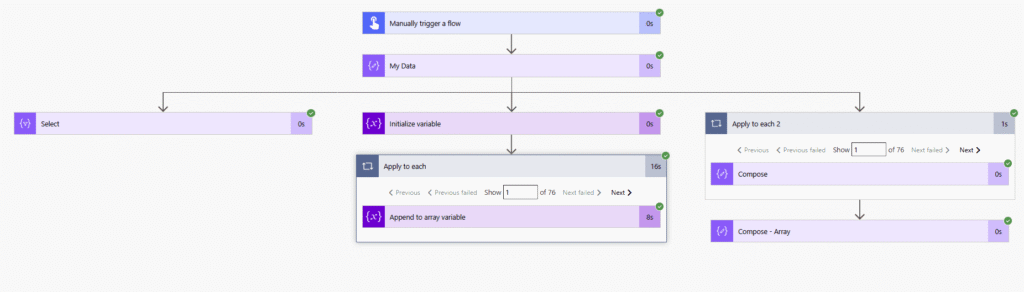
When we enable the parallelism and set it to the maximum of 50 then we will see the real difference in the three approaches.
Pieter Veenstra

Is your business still running on paper trails, sprawling Excel files, or ageing Access databases? There's a better way — and I can show you exactly what it looks like. I'm the Technical Director of Vantage 365, a Microsoft solutions consultancy working with clients across the UK, the Netherlands, and worldwide. For over 30 years I've been turning messy, manual business processes into clean, automated systems that save time, reduce errors, and give teams the visibility they need to make better decisions. SharePains is not just any blog run by a Microsoft MVP. Have you ever used Try-Catch in Power Automate? The original post about Try-Catch in Power Automate can still be found on this site, https://sharepains.com/2018/02/07/try-catch-finally-in-power-automate-flow/ Or have you ever used the Pieter’s method to avoid variables and speed up your flows? https://sharepains.com/2020/03/11/pieters-method-for-advanced-in-flows/ You can contact me using contact@sharepains.com


Hello Pieter,
Thanks for all the great and useful content! Do you mind sharing the expressions behind the screen shots for approach 3?
Hi Chris, I’ve just updated the post to include the expressions used in each of the examples
Hi Pieter, thanks for sharing. I have another pattern that I use for more complex transformations. You can read about it here: https://www.bycode.dev/how-to-aggregate-data-in-power-automate-using-xpath/