
Quite a while ago I developed tool to monitor SharePoint logs. Since I developed this it’s been available for download on Codeplex. Recently I noticed that codeplex is going to shut down.
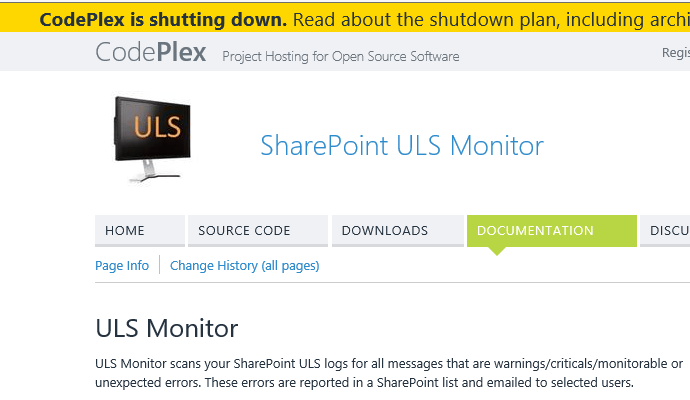
So I thought better move this solution to Github instead.
Before republishing this solution on Github I thought better test the solution as I hadn’t used it for quite a while.
So I updated the settings.xml
[code lang=text]
<br /><br /><br /><br /><address> </address>
[/code]
then I ran the MonitorULSLogs.ps1 in PowerShell ISE running as administrator (otherwise you get “You need to have Machine administrator priviliges to run this cmdlet.” including the typo )
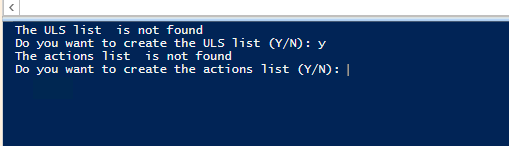
Wow, the solution even creates the lists that it needs if it can’t find them.
Once the lists have been created my SharePoint ULS logs are being picked up and reported on. So that is still working.
The ULS Monitor code and documentation is now available at https://github.com/Pieter-Veenstra/ULS-Monitor. Feel free to use the solution and if you find any issues with the solution then please either report them in the issue list or create your own fork and contribute to this solution.
Pieter Veenstra

Is your business still running on paper trails, sprawling Excel files, or ageing Access databases? There's a better way — and I can show you exactly what it looks like. I'm the Technical Director of Vantage 365, a Microsoft solutions consultancy working with clients across the UK, the Netherlands, and worldwide. For over 30 years I've been turning messy, manual business processes into clean, automated systems that save time, reduce errors, and give teams the visibility they need to make better decisions. SharePains is not just any blog run by a Microsoft MVP. Have you ever used Try-Catch in Power Automate? The original post about Try-Catch in Power Automate can still be found on this site, https://sharepains.com/2018/02/07/try-catch-finally-in-power-automate-flow/ Or have you ever used the Pieter’s method to avoid variables and speed up your flows? https://sharepains.com/2020/03/11/pieters-method-for-advanced-in-flows/ You can contact me using contact@sharepains.com

