After a week of many Microsoft Teams posts, this week I’m going to start with a SharePoint post. Or actually Office 365.
As a consultant working with many Office 365 customers and therefore many different tenants, I’m hitting often the issue that I can’t be logged into all different tenants ate the same time. Very often Office 365 gets confused as you navigate through the different applications. The best way to avoid these issues is by using different browsers for different tenants. That way I’m keeping my tenants separate and I ensure that as I switch from SharePoint to the Admin center that I’m still logged in with the same account.
To still help me a bit further I tried enabling external access on my development tenant so that I can use my triad account to login on my development tenant as well.
So I shared my root site collection on my development tenant with corporate account. This makes a lot of tasks easier as I don’t have to switch accounts/browsers that often.
Last week however this started to cause some troubles.
When I tried to connect to a site collection which my corporate account din’t have access to I got the following useless dialog:
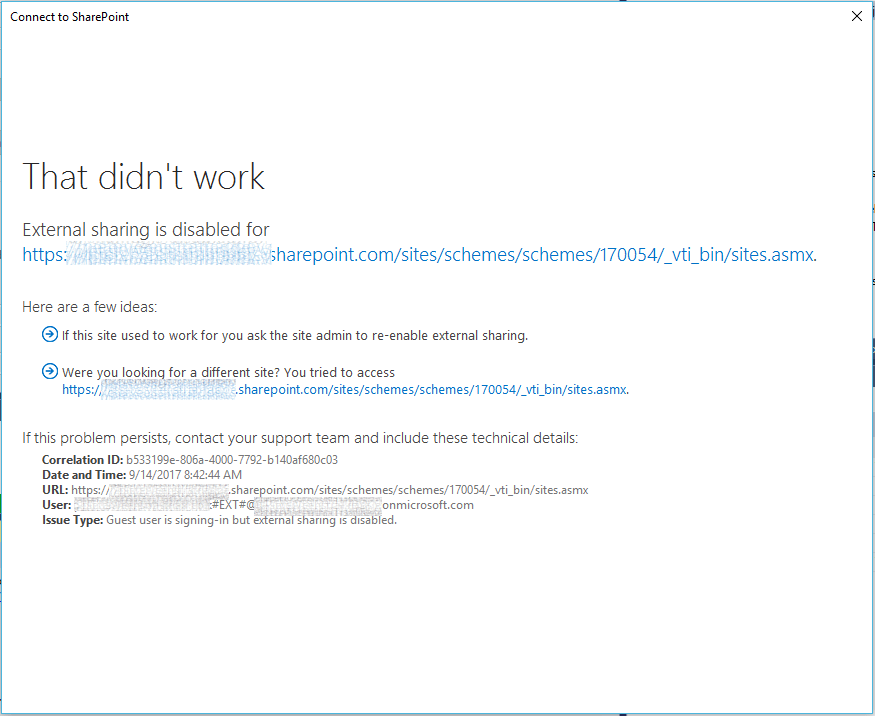 The dialog tells me that there is something wrong with my accounts, but it doesn’t let me login using a different account.
All I see is:
If this site used to work for you ask the system admin to re-enable external access.
This is quite annoying as I don’t really mind which account I use, but I’m not given the option to login with my developer tenant’s account to fix the issue.
I’m sure I used to get:
Click here to sign in with a different account to this site.
So I logged into a different browser tried to share the sub site collection to my corporate account but then I get this:
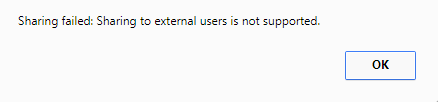
Huh, what is going on here? External sharing is definitely supported as I was able to share my root site collection.
Ok, I’ve got 2 issues here.
- When I can access a site I get an authentication dialog without the option to login as a different user.
- When I try to share the non root site collection externally I’m getting a message that I can’t share the site externally
As a test I removed my external account form the development tenant and now I’m getting the dialog that I expected earlier:

I can now sign in with my development account and do what I need to do.
It looks like it is assumed that an external user never have more than one account. It would really help if that link to login with a different account was always available.
Then within the Admin center I found that the site collection didn’t have external sharing enabled:
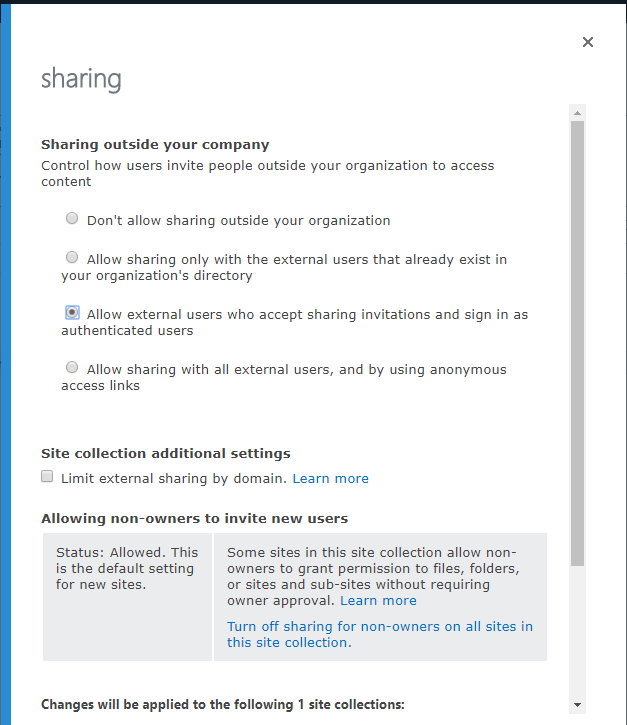
Once I enabled external sharing on the non root site collection all started working as expected again.
Pieter Veenstra

Is your business still running on paper trails, sprawling Excel files, or ageing Access databases? There's a better way — and I can show you exactly what it looks like. I'm the Technical Director of Vantage 365, a Microsoft solutions consultancy working with clients across the UK, the Netherlands, and worldwide. For over 30 years I've been turning messy, manual business processes into clean, automated systems that save time, reduce errors, and give teams the visibility they need to make better decisions. SharePains is not just any blog run by a Microsoft MVP. Have you ever used Try-Catch in Power Automate? The original post about Try-Catch in Power Automate can still be found on this site, https://sharepains.com/2018/02/07/try-catch-finally-in-power-automate-flow/ Or have you ever used the Pieter’s method to avoid variables and speed up your flows? https://sharepains.com/2020/03/11/pieters-method-for-advanced-in-flows/ You can contact me using contact@sharepains.com