After my 2 recent posts I didn’t want to give up on the failing Flows that I developed. In this post I will show you how to develop reliable Flows.
During this series I’m going through my conclusions as I try to get to developing reliable Flows. Feel free to skip straight though to the fixes in Part 3.
Posts in this series:
Part 1 – Twitter feeds turned into emails
Part 2 – SharePoint lists alerts with Flow
We saw in my first post about the reliability of Microsoft Flow the following flow:
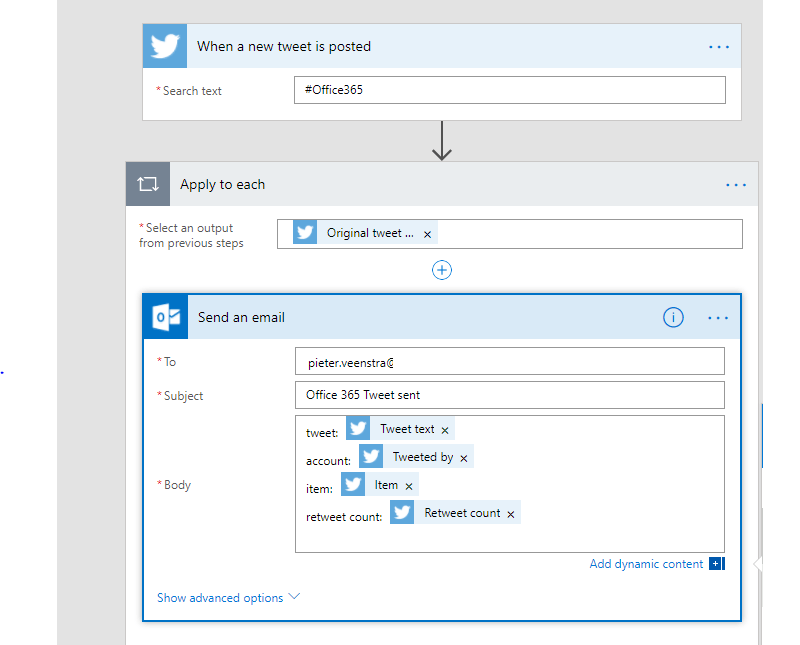
Simply by doing what you would think should work and not really putting any effort into the Flow design a lot of the Flow instances were failing. So how do you fix this?
The answer is simple. Develop proper flows that check your data before using the data.
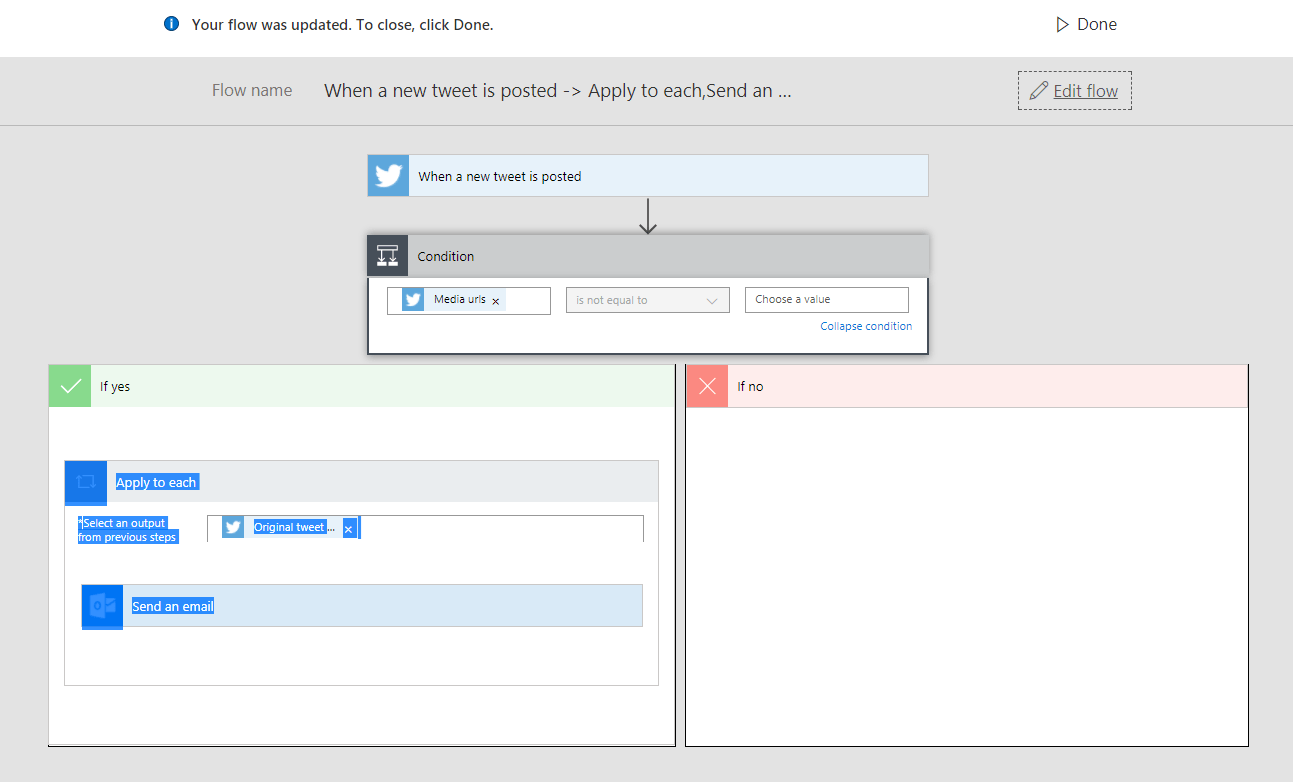
Then in advanced mode change the condition a little bit
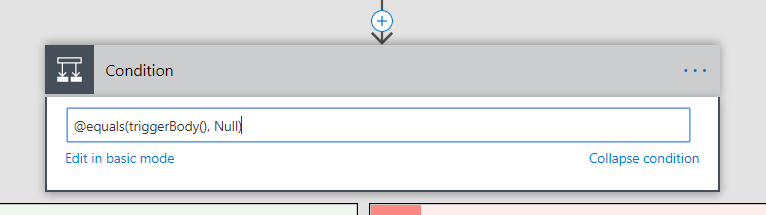
Well this must work!
Nope, I tried quite q few different option, but it doesn’t seem to be possible to test for the triggerBody to be null.
Then I looked at the error message that I have been getting and tried the following:
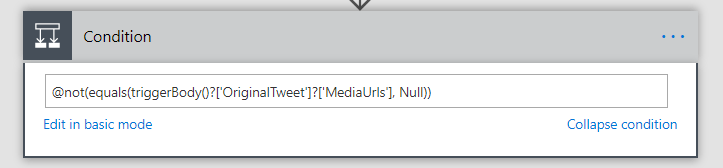
And now we have success!

After a few days of running the Flow the flow analytics is showing only successful runs since the fixes were put in place.
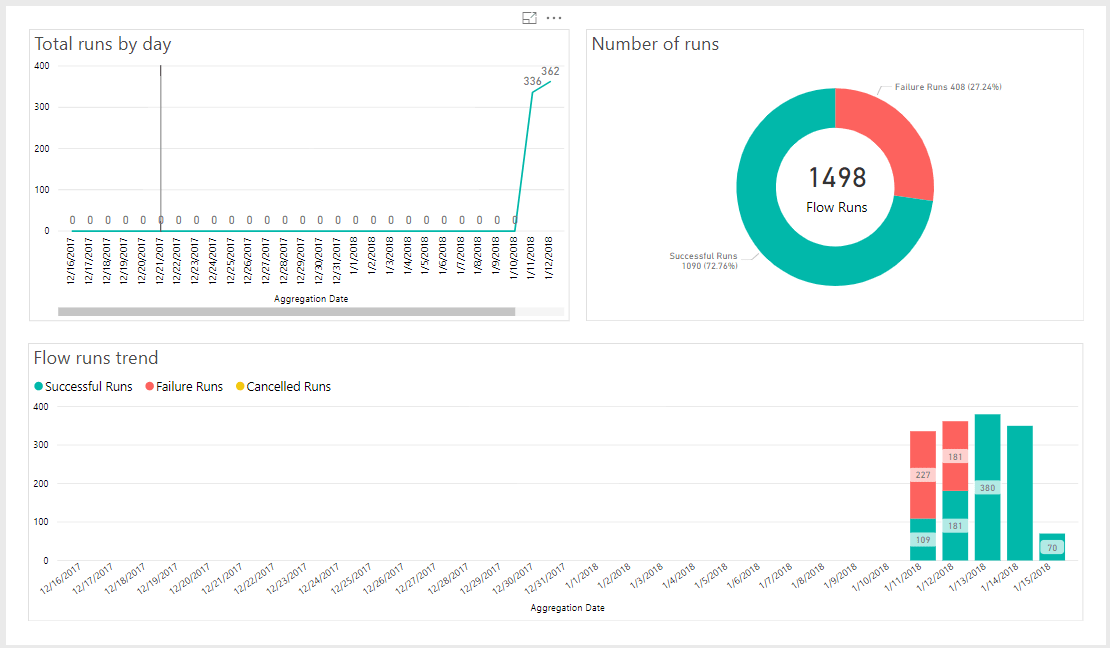
Conclusions
Microsoft Flow seems to be very reliable when put under pressure as long as the appropriate error handling has been put in place. In my next post in this series I will dive further into the error handling option available in Microsoft Flow.
Pieter Veenstra

Is your business still running on paper trails, sprawling Excel files, or ageing Access databases? There's a better way — and I can show you exactly what it looks like. I'm the Technical Director of Vantage 365, a Microsoft solutions consultancy working with clients across the UK, the Netherlands, and worldwide. For over 30 years I've been turning messy, manual business processes into clean, automated systems that save time, reduce errors, and give teams the visibility they need to make better decisions. SharePains is not just any blog run by a Microsoft MVP. Have you ever used Try-Catch in Power Automate? The original post about Try-Catch in Power Automate can still be found on this site, https://sharepains.com/2018/02/07/try-catch-finally-in-power-automate-flow/ Or have you ever used the Pieter’s method to avoid variables and speed up your flows? https://sharepains.com/2020/03/11/pieters-method-for-advanced-in-flows/ You can contact me using contact@sharepains.com