
One of those actions in Flow that I never use is the Terminate action. Ok, unless my clients really want flows to report their failures in the Power Automate UI. I’ve created a few example flows to explain why.
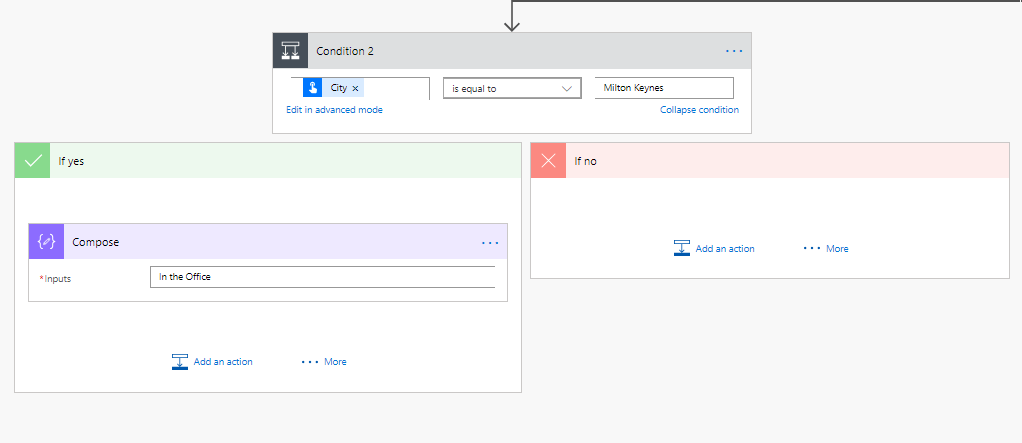
My flow checks my location and if the location is set to Milton Keynes then I’m setting a compose action and otherwise I’m ending my flow.
I could include a terminate in the no branch of my condition.
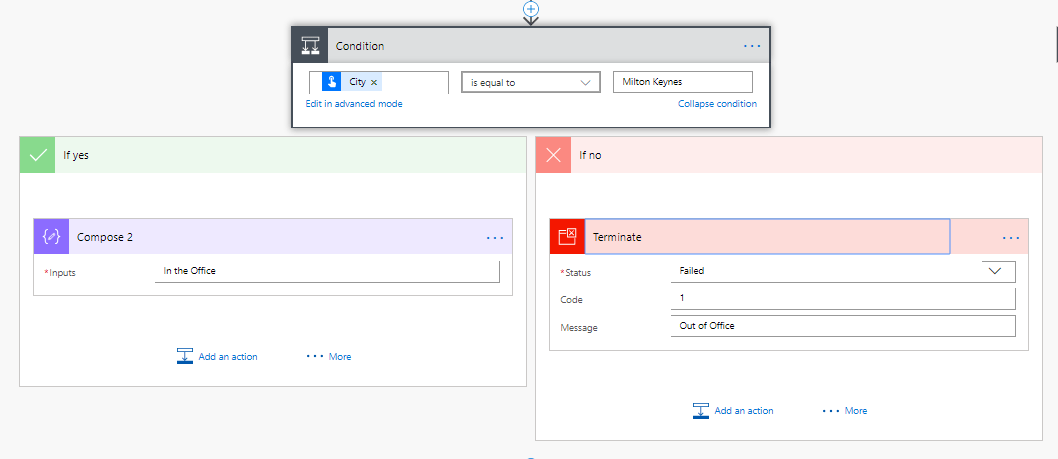
This will result in flows failing in the run history.
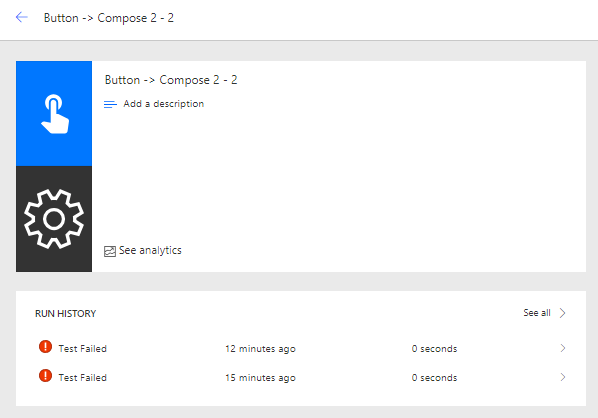
If this is what you want then no problem of course. I could even imagine that if you have implemented my try/catch pattern and you don’t like all flows succeeding then you could include a terminate in the catch part of the flow. just after you sent an email to support or the person starting the flow.
When you run your main process flow ‘code’ however there isn’t really a need to terminate your flows. Imagines having multiple parallel branches in your flow and multiple locations have terminate steps. You now don’t know which terminate will run first and your process becomes unpredictable.

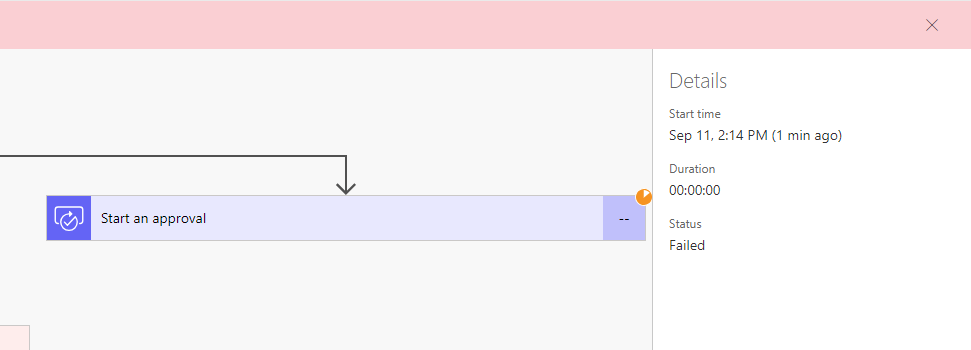
One other reason I’ve seen people use terminate is a need to stop a pending approval process. This is another one of these circumstances where terminate doesn’t really give you the right solution as the Start Approval action is still pending while the flow has already failed. If there were any actions following the terminated approval action they would not run. So your users may have the feeling that they responded, however the flow will not run the process as a user may expect.
Pieter Veenstra

Is your business still running on paper trails, sprawling Excel files, or ageing Access databases? There's a better way — and I can show you exactly what it looks like. I'm the Technical Director of Vantage 365, a Microsoft solutions consultancy working with clients across the UK, the Netherlands, and worldwide. For over 30 years I've been turning messy, manual business processes into clean, automated systems that save time, reduce errors, and give teams the visibility they need to make better decisions. SharePains is not just any blog run by a Microsoft MVP. Have you ever used Try-Catch in Power Automate? The original post about Try-Catch in Power Automate can still be found on this site, https://sharepains.com/2018/02/07/try-catch-finally-in-power-automate-flow/ Or have you ever used the Pieter’s method to avoid variables and speed up your flows? https://sharepains.com/2020/03/11/pieters-method-for-advanced-in-flows/ You can contact me using contact@sharepains.com


Hey Pieter,
Can you please write an updated blog on the Terminate action? Flow ahs updated since you wrote this and you can now set the status of the flow in the terminate action. I need clarity on this action!
Thanks for the awesome content!
Even if you set it to success, it leaves your flow ina bit of a weird state. It is better to use a condition to avoid any following actions.
Okay got it. I’m looking into because I need a way to stop a scheduled recurring flow. I don’t see a way of tracking if a flow instance is ‘waiting’ to execute and how to stop it from running.
Do you mean that you want to stop any future runs? Or just stop the current run?
The scheduled flow creates a new run each time it repeats – it’s not one instance that holds all recurring runs. So I need to stop the recurrence for a specific instance. I don’t want to turn off the flow (unless turning it off and then on will achieve my goal…?)
Ok, so that sounds like you have a scheduled flow that runs every 2 minutes or so. Then the flows potentially run for 10 minutes and you have multiple runs.
A bit like I described in this post:
https://sharepains.com/2021/04/01/many-running-flows-in-power-automate/
You can avoid this either by the method that I mentioned in the post, so that logic controls the number of instances running at any one time. Or you could maybe even just only let one flow run by changing the settings in the settings of the trigger.
Yeah, I need just one instance running. But for that one, how can I stop it if needed? It runs recurrently in separate instances; it is not in a pausing stage or anything. The only idea I have is to edit the flow to make it end manually.
You could set a variable and have conditions make sure that actions don’t run depending on this variable.