
Yesterday,one of my colleagues mentioned that they received the following error when provisioning sites collections
Now the following error is thrown:
Failed to instantiate file “CustomStrings.js” from module “_catalogsmasterpageDisplay TemplatesLanguage Filessr-latn-cs_Features\SearchWebParts\sr-latn-cs”: Source path “Features\SearchWebParts\sr-latn-cs\CustomStrings.js” not found.
A similar method to the one described on the U2U site was used. Although I don’t like to provision site collections using .wsp files it is still a valid way of doing things. The .wsp file hadn’t changed for quite a while, so it looks like something changed within the configuration of my SharePoint servers and a file in the SearchWebParts feature called CustomStrings.js has been removed for the Serbian language.
This kind of issue doesn’t make me happy.
As I had a customer unable to create new site collections I decided to ‘fix’ the .wsp, even though the .wsp isn’t the broken thing. Two broken things can make one fix!
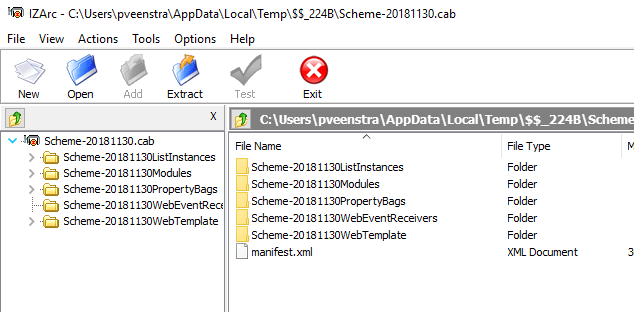
Using IZarc I edited my .wsp file and
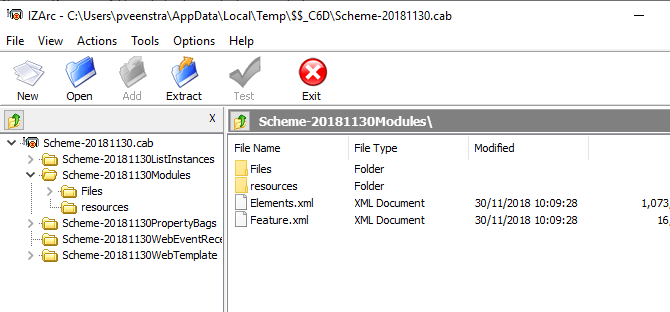
Within the Modules folder the Elements.xml can be found.
In this file I found my reference to the Serbian version of CustomStrings.js.
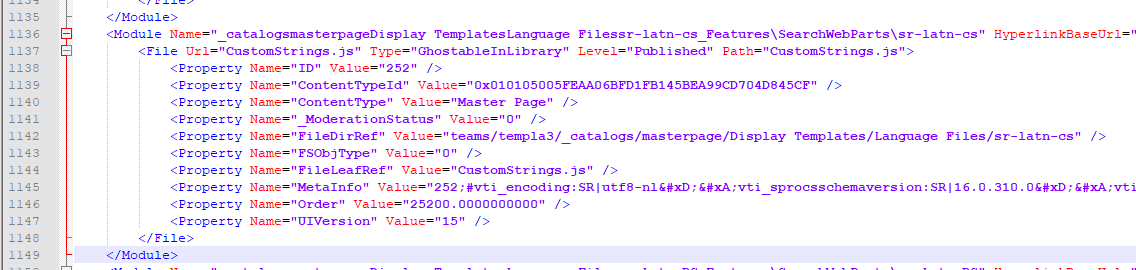
I simply selected line 1136 – 1149 and hit the delete key on my keyboard.
Then within IZarc I recreated my .wsp and my problem was resolved.
Pieter Veenstra

Is your business still running on paper trails, sprawling Excel files, or ageing Access databases? There's a better way — and I can show you exactly what it looks like. I'm the Technical Director of Vantage 365, a Microsoft solutions consultancy working with clients across the UK, the Netherlands, and worldwide. For over 30 years I've been turning messy, manual business processes into clean, automated systems that save time, reduce errors, and give teams the visibility they need to make better decisions. SharePains is not just any blog run by a Microsoft MVP. Have you ever used Try-Catch in Power Automate? The original post about Try-Catch in Power Automate can still be found on this site, https://sharepains.com/2018/02/07/try-catch-finally-in-power-automate-flow/ Or have you ever used the Pieter’s method to avoid variables and speed up your flows? https://sharepains.com/2020/03/11/pieters-method-for-advanced-in-flows/ You can contact me using contact@sharepains.com


Im having the same error i deleted the lines in the file but having trouble recreating the .wsp
can you help?
opps needed to change the archiving type to .cab
still having troubles though.. most prob due to including content in the wsp
did you try using IZArc? it recreates the .cab file for you which you can then rename back to .wsp
Hi
thanks to your advices I managed to resolve this strange issue!
Hi,
Can you provide steps on how you recreated the .wsp file.
open IZArc, then create new file and set the file type to .cab. then drag all the files back in after you updated them. Then on the file system rename it to .wsp