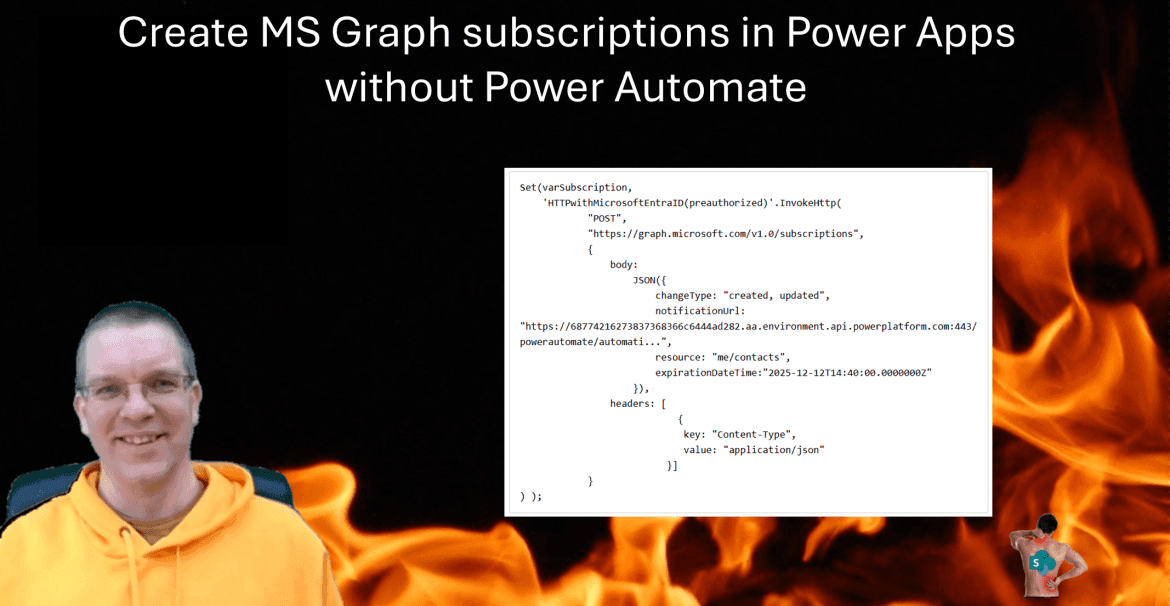
A while back I wrote a post about MS Graph subscriptions in Power Automate. Today I managed to do this directly within Power Apps.
MS Graph Subscriptions
Before I go into the details on how to create Microsoft Graph Subscriptions in Power Automate, I will first introduce the subscription model as introduced in my previous post about subscriptions.
A subscription request arrives for a specified resource (Call Record, Shifts, Contacts, Calendars etc) then an event handler is registered to process any events that the subscription has been activated for.

For example if you registered to your contacts, the event handler could be triggered every time a contact is updated.
In the posts mentioned earlier I used Power Automate to subscribe to a resource. In this post I will use a Canvas App to register to a resource for a Power Automate flow to then handle all the events that occur.
Create the MS Graph Subscription Event handler
We start by adding the When a HTTP request is received trigger.
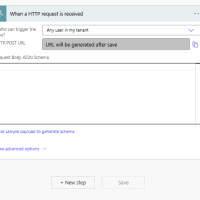
Followed by a response action. It is important to keep this response early in your flow as the initial confirmation deadlines are really tight.

All we have to add is the following expression for the Body of the above action:
triggerOutputs()?['queries/validationToken']Then where I’ve placed the Compose action we can add the rest of the logic that we want to run when an event occurs.
Add the HTTP with Microsoft Entra ID (preauthorized) connector
Now we can create our app, or open an existing app and add the HTTP with Microsoft Entra ID (preauthorized) connector. Please make sure that you select the correct one.
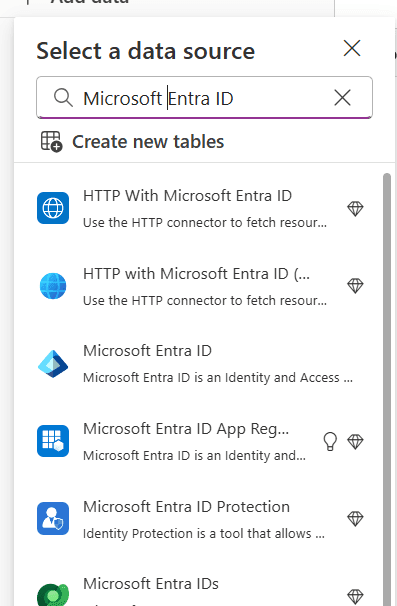
The second one in the above list is the right one, HTTP with Microsoft Entra ID (…
Subscribe in Power Apps
Now we can simply add a button or any other clickable control with an OnSelect property. The following code can be added to the button to subscribe. The notification URL will need to be copied form the event handler flow.
Set(varSubscription,
    'HTTPwithMicrosoftEntraID(preauthorized)'.InvokeHttp(
            "POST",
            "https://graph.microsoft.com/v1.0/subscriptions",
            {
                body:
                    JSON({
                        changeType: "created, updated",
                        notificationUrl: "https://68774216273837368366c6444ad282.aa.environment.api.powerplatform.com:443/powerautomate/automati...",
                        resource: "me/contacts",
                        expirationDateTime:"2025-12-12T14:40:00.0000000Z"
                    }),
                headers: [
                            {
                             key: "Content-Type",
                             value: "application/json"
                          }]
            }
) );
The above example is on my contacts, but you could also subscribe to other resources.
In the above call to the InvokeHttp action, there are three parameters to be found:
- The Method (GET, POST, DELETE, etc)
- The End Point (https://graph.microsoft.com/v1.0/subscriptions)
- The Body
The body is probably the most complicated part. I’m using the JSON function to convert an object with the various properties to a Text as the body property in the InvokeHTTP action expects text and not an object.
JSON({
       changeType: "created, updated",
       notificationUrl: "https://68774216273837368366c6444ad282.aa.environment.api.powerplatform.com:443/powerautomate/automati...",
       resource: "me/contacts",
       expirationDateTime:"2025-12-12T14:40:00.0000000Z"
}
Then the Headers requires an array of key value objects. In our example we set the Content-Type to application/json as we have seen in so many previous Graph API examples.
Pieter Veenstra

Is your business still running on paper trails, sprawling Excel files, or ageing Access databases? There's a better way — and I can show you exactly what it looks like. I'm the Technical Director of Vantage 365, a Microsoft solutions consultancy working with clients across the UK, the Netherlands, and worldwide. For over 30 years I've been turning messy, manual business processes into clean, automated systems that save time, reduce errors, and give teams the visibility they need to make better decisions. SharePains is not just any blog run by a Microsoft MVP. Have you ever used Try-Catch in Power Automate? The original post about Try-Catch in Power Automate can still be found on this site, https://sharepains.com/2018/02/07/try-catch-finally-in-power-automate-flow/ Or have you ever used the Pieter’s method to avoid variables and speed up your flows? https://sharepains.com/2020/03/11/pieters-method-for-advanced-in-flows/ You can contact me using contact@sharepains.com