
Office 365 – SharePoint Online – Creating counters in your refinement panels.today I found this article in which Microsoft describes how to create refinement panels with counters
A couple of issues in this article.
First of all when I downloaded the filter_default.html display template i found that the following lines appeared below the closing </html> tag:
var g_duration = 125;
var g_iisLatency = 1;
var g_requireJSDone = new Date().getTime();
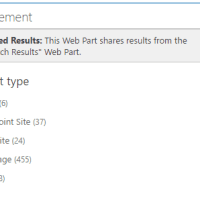
when I then uploaded the filter display template I got:
 This error point towards the above script section outside the html tags.
I then moved the script lines inside the html tags ( just following the last div and the refiners are working.
Then now my second issue with the above article. out of the box display templates should never be edited. Always create a copy and rename display templates to have a useful name. Then apply the template to the web part.
Discover more from SharePains
Subscribe to get the latest posts sent to your email.
Pieter Veenstra

Is your business still running on paper trails, sprawling Excel files, or ageing Access databases? There's a better way — and I can show you exactly what it looks like. I'm the Technical Director of Vantage 365, a Microsoft solutions consultancy working with clients across the UK, the Netherlands, and worldwide. For over 30 years I've been turning messy, manual business processes into clean, automated systems that save time, reduce errors, and give teams the visibility they need to make better decisions. SharePains is not just any blog run by a Microsoft MVP. Have you ever used Try-Catch in Power Automate? The original post about Try-Catch in Power Automate can still be found on this site, https://sharepains.com/2018/02/07/try-catch-finally-in-power-automate-flow/ Or have you ever used the Pieter’s method to avoid variables and speed up your flows? https://sharepains.com/2020/03/11/pieters-method-for-advanced-in-flows/ You can contact me using contact@sharepains.com
Hi, it’s better if you just remove this script altogether. It’s added dynamically from the server each time the page is refreshed. You don’t need to keep it.
Which script do you think should be removed from the servers? Also this is about office 365 therefor I will not be able to access any servers in the farm.