
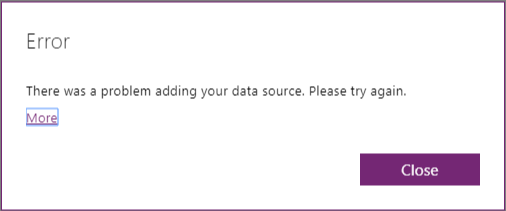
Today I connected my PowerApp to a SQL database in Azure. Then When I tried to connect my data I got the following
There was a problem adding your data source. Please try again
A bit of an unclear message and the try again isn’t going to help either.
When looking at the details of the error things became a bit clearer:
Table ‘[dbo].[TABLE]’ does not define any key columns.
Session ID: b6b3017a-1ae5-a4ac-2af3-3f36837e68b6
I added a primary key to my table and the problem disappeared and I was able to add my data source.
Discover more from SharePains
Subscribe to get the latest posts sent to your email.
Pieter Veenstra

Is your business still running on paper trails, sprawling Excel files, or ageing Access databases? There's a better way — and I can show you exactly what it looks like. I'm the Technical Director of Vantage 365, a Microsoft solutions consultancy working with clients across the UK, the Netherlands, and worldwide. For over 30 years I've been turning messy, manual business processes into clean, automated systems that save time, reduce errors, and give teams the visibility they need to make better decisions. SharePains is not just any blog run by a Microsoft MVP. Have you ever used Try-Catch in Power Automate? The original post about Try-Catch in Power Automate can still be found on this site, https://sharepains.com/2018/02/07/try-catch-finally-in-power-automate-flow/ Or have you ever used the Pieter’s method to avoid variables and speed up your flows? https://sharepains.com/2020/03/11/pieters-method-for-advanced-in-flows/ You can contact me using contact@sharepains.com