

Today I was asked on the chat about how to create a REPT function in Power Automate. Excel has a REPT function to repeat the same text a specified number of times. Howe to do this in Power Automate.
The REPT Function
In Excel you can use REPT(“Text”, 3) and then you will get “TextTextText” as a result. Within Power Automate this is a bit harder, but we can do this in one single action.
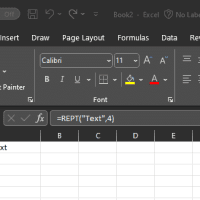
The Power Automate REPT() equivalent
First of all I’m going to add a trigger that takes two parameters. My text and the repeat count can then be supplied.
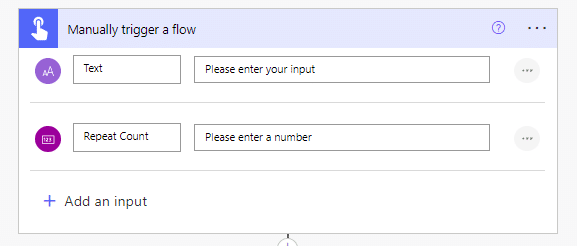
Then we need just one Compose action that gives us the REPT function
The expression used is:
replace(replace(formatNumber(0,Concat('C',triggerBody()['number'])),'$0.',''),'0',triggerBody()['text'])Ok, that needs a bit of explaining.
formatNumber
I’m first having a look at the format number function:
formatNumber(0,Concat('C',triggerBody()['number']))
The format number function is going to generate us smoothing like this:
$0.00000
For more information on the format strings please have a look at the Microsoft documentation for number formatting.
In our case if we set the number to 5 we will construct the number format C5 which stands for currency with 5 digits after the dot.
formatNumber(0,'C5')
Replace functions
Then we have two replace functions. First we are replacing the “$0.” with nothing. before we replace every 0 with the text that we want to repeat.

Limitations
The formatNumber has C99 as a maximum limitation. So this method will only work for up to 100 repeats. For any larger numbers we might have to do some looping around in our flows.
Pieter Veenstra

Is your business still running on paper trails, sprawling Excel files, or ageing Access databases? There's a better way — and I can show you exactly what it looks like. I'm the Technical Director of Vantage 365, a Microsoft solutions consultancy working with clients across the UK, the Netherlands, and worldwide. For over 30 years I've been turning messy, manual business processes into clean, automated systems that save time, reduce errors, and give teams the visibility they need to make better decisions. SharePains is not just any blog run by a Microsoft MVP. Have you ever used Try-Catch in Power Automate? The original post about Try-Catch in Power Automate can still be found on this site, https://sharepains.com/2018/02/07/try-catch-finally-in-power-automate-flow/ Or have you ever used the Pieter’s method to avoid variables and speed up your flows? https://sharepains.com/2020/03/11/pieters-method-for-advanced-in-flows/ You can contact me using contact@sharepains.com

