
Today I came across a difference between the search results and search content web part.
Search web parts
Next to all the obvious differences within the configuration of the two web parts the results returned are different too.
I’m trying to list all my sub sites within a certain site and I found different results between the two web parts.
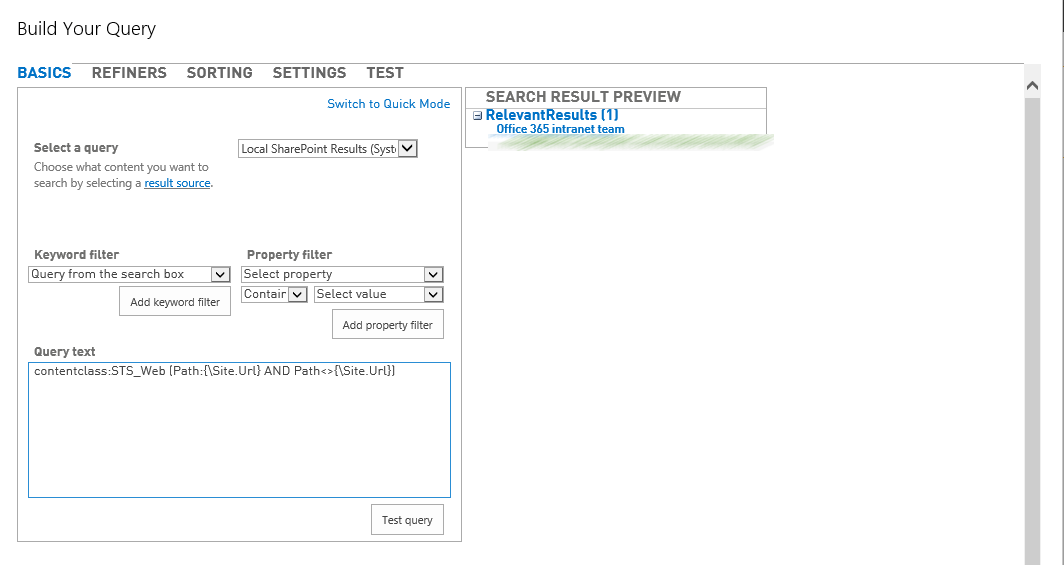
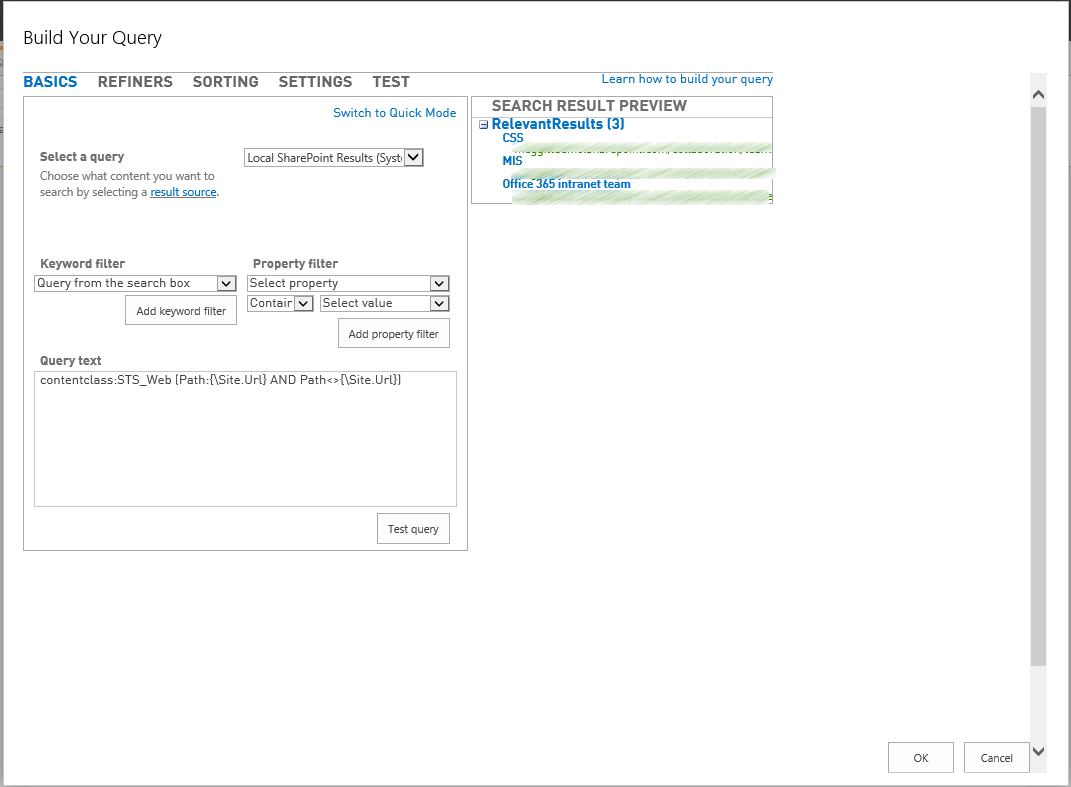
The Search results web part only returns some of the sites (Web) objects where the Content Search web part returns all.
For both web parts I’ve configured the query to show all sub sites but not the parent site:
contentclass:STS_Web (Path:{\Site.Url} AND Path<>{\Site.Url})
First the search result web part:
The content search web part returns 3 items.
I’ve reported this to Microsoft and they suggested to use the Content Search web part for now.
Then I had a chat with Mikael Svenson and he found the solution. Turn off the default duplicate trimming on the Search Results web part.

Problem resolved
Other Related Links
Pieter Veenstra

Is your business still running on paper trails, sprawling Excel files, or ageing Access databases? There's a better way — and I can show you exactly what it looks like. I'm the Technical Director of Vantage 365, a Microsoft solutions consultancy working with clients across the UK, the Netherlands, and worldwide. For over 30 years I've been turning messy, manual business processes into clean, automated systems that save time, reduce errors, and give teams the visibility they need to make better decisions. SharePains is not just any blog run by a Microsoft MVP. Have you ever used Try-Catch in Power Automate? The original post about Try-Catch in Power Automate can still be found on this site, https://sharepains.com/2018/02/07/try-catch-finally-in-power-automate-flow/ Or have you ever used the Pieter’s method to avoid variables and speed up your flows? https://sharepains.com/2020/03/11/pieters-method-for-advanced-in-flows/ You can contact me using contact@sharepains.com


Hi Pieter, I’m wondering if the problem is that Search Results webparts are configured to hide ‘duplicate’ results by default. The problem with Sites content being evaluated for duplication, is the only thing indexed is Text on the site homepage. If you just have webparts or the same templated text “Welcome to your new team site” on your site homepage then SharePoint sometimes views these sites as duplicates and hides them in search results.
Here’s a good post showing a work-around for displaying all content (disabling duplicate results):
http://www.eliostruyf.com/view-duplicate-results-sharepoint-2013-search-center-via-javascript/
Hope that helps!
Hi Nick, Thanks for your suggestion. I will try it out. I would expect though that the ‘hidden’ results would be included in the test results within the web part.
Good point, I think you are right. I think when we ran into this we were seeing all the results in the test results within the web part, but they weren’t being displayed on the page.
I’m interested to hear what Microsoft has to say. If you have a chance mention that it would be really nice if there was a setting in the webpart to show all duplicates too! 🙂 Or even better, be able to turn off the duplicate results for specific content types such as sites.
Hi Nick,
I will try to do that. Please don’t forget to vote at the uservoice link in the above post.