
Do you recognise the situation, you understand the fundamental ideas of SharePoint. You don’t share attachments in emails internally, but they do.
Sharing a link
You send a link to a document to a colleague and they first create a local copy. Then once they have updated the document you get a copy (with the addition of v2 in the file name!).
I’m quite sure that a lot of people have never used Co-Authoring in Word while this is one of the best features ever in word.
Have these issue been resolved? No. But did my Sharing just get easier? Yes.
Today when I started Word I got the following message after the latest updates were installed.
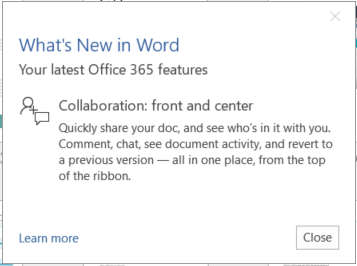
With these latest updates in Office there is a new feature behind the Share

The Get a sharing link now gives two links creation buttons.

The first option is Edit link and the second option is View-only link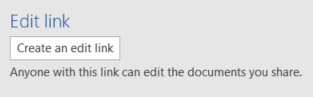
Once the link has been created it is available when the document is opened. The first time it takes a while to generate the link.
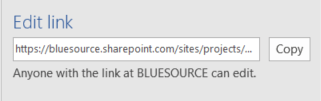
The two urls to my documents now look like this:
Edit link
https:/ /mytenant.sharepoint.com/sites/projects/myproject/_layouts/15/guestaccess.aspx?guestaccesstoken=DZ%2fLWqAKpt9hAbUMCaaeiAlMzsBH%2bNhHqjjSkQTfrXQ%3d&docid=2_1d05f254afa74414fb77d11865897807e
View-only link
https:/ /mytenant.sharepoint.com/sites/projects/myproject/_layouts/15/guestaccess.aspx?guestaccesstoken=eZW58Scwk%2fqEYtu6cdqgAIZ5eqdM2M5PbMtYmUG7en0%3d&docid=2_0d05f254afa74414fb77d11865897807e
So both links are pretty similar just an access token that is different.
These links can now be sent to other people and they can either view or edit the document.
Pieter Veenstra

Is your business still running on paper trails, sprawling Excel files, or ageing Access databases? There's a better way — and I can show you exactly what it looks like. I'm the Technical Director of Vantage 365, a Microsoft solutions consultancy working with clients across the UK, the Netherlands, and worldwide. For over 30 years I've been turning messy, manual business processes into clean, automated systems that save time, reduce errors, and give teams the visibility they need to make better decisions. SharePains is not just any blog run by a Microsoft MVP. Have you ever used Try-Catch in Power Automate? The original post about Try-Catch in Power Automate can still be found on this site, https://sharepains.com/2018/02/07/try-catch-finally-in-power-automate-flow/ Or have you ever used the Pieter’s method to avoid variables and speed up your flows? https://sharepains.com/2020/03/11/pieters-method-for-advanced-in-flows/ You can contact me using contact@sharepains.com


This sort of functionality should end user’s frustration with document versioning issues. Just as importantly users should find this easy to use.
Reblogged this on Cloud Hound and commented:
This sort of functionality should end user’s frustration with document versioning issues. Just as importantly users should find this easy to use.
With this new sharing model, how do you get the direct URL path of a document? One that does not contain guestaccess.aspx?guestaccesstoken= ?
Please have a look at the following link on the tech community site:
https://techcommunity.microsoft.com/t5/SharePoint/Getting-Link-to-a-Document-with-Modern-Document-Libraries/td-p/5099