
For many years I’ve disliked InfoPath. (I always start a blog post on a positive note).
Today, modern lists have received the options to update edit forms to use PowerApps. Imagine what you can now do! Just a thought, if you have a single list with a PowerApps form that can update data in multiple lists? I haven’t tried this yet, but it looks like this might quite well be possible.
The new options are all in your modern lists under the Customize forms option:
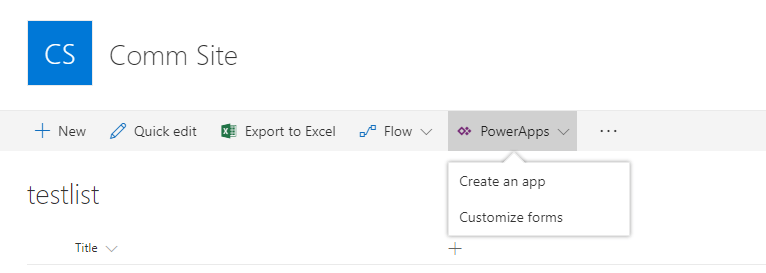
Once you create your form in PowerApps. You can add fields, images, charts, icons and anything else that we’re used to in PowerApps
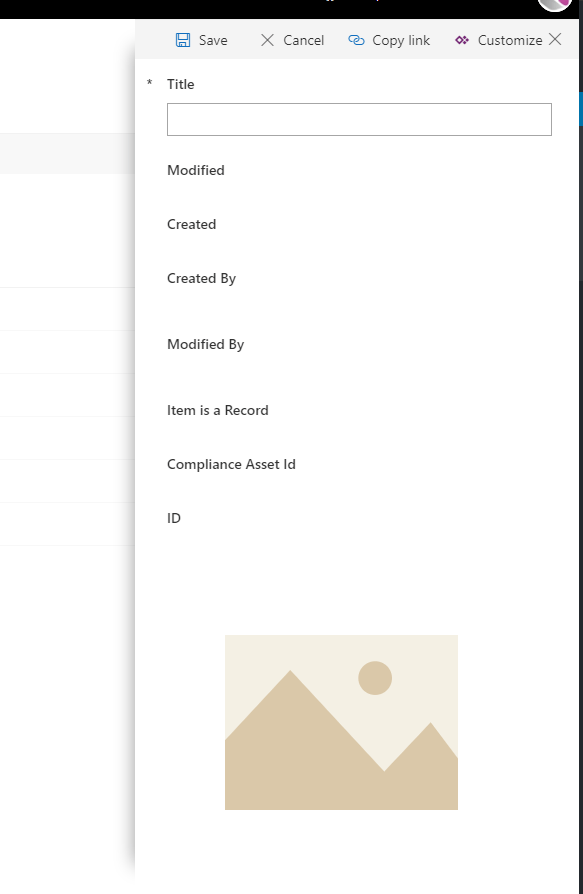
This has been one of the missing pieces that has been added to SharePoint Online only first.
Pieter Veenstra

Is your business still running on paper trails, sprawling Excel files, or ageing Access databases? There's a better way — and I can show you exactly what it looks like. I'm the Technical Director of Vantage 365, a Microsoft solutions consultancy working with clients across the UK, the Netherlands, and worldwide. For over 30 years I've been turning messy, manual business processes into clean, automated systems that save time, reduce errors, and give teams the visibility they need to make better decisions. SharePains is not just any blog run by a Microsoft MVP. Have you ever used Try-Catch in Power Automate? The original post about Try-Catch in Power Automate can still be found on this site, https://sharepains.com/2018/02/07/try-catch-finally-in-power-automate-flow/ Or have you ever used the Pieter’s method to avoid variables and speed up your flows? https://sharepains.com/2020/03/11/pieters-method-for-advanced-in-flows/ You can contact me using contact@sharepains.com

