
Have you tried to create forms in PowerApps? Once you added your 20 labels and controls to hold your data you suddenly want to move your fields a bit more to the left, right, top or bottom. and then you have to move all your fields to their new location. this can be a very painful process.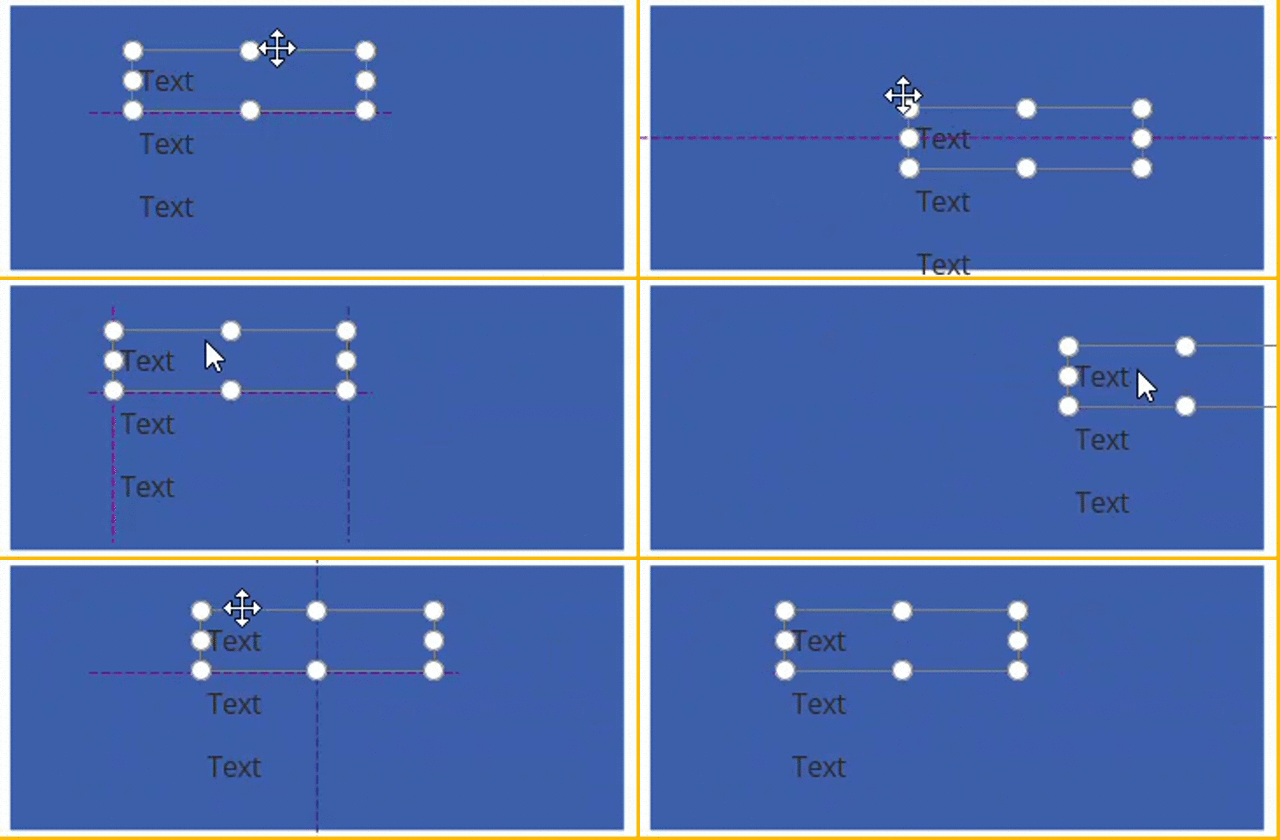
When you design your forms in PowerApps it is better to group your labels and other controls. However, there is no grouping feature available.
Still it is possible to group your controls. In this post I’m going to show you how to do this. I’m starting by creating 3 labels on a screen.
I’ve got Label1, Label2 and Label3.
Label 1 I’ve placed where I want it to be. Then to set the location of Label 2 I referred to Label 1 as shown below.
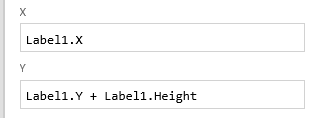
And for Label 3, I repeated the same trick.
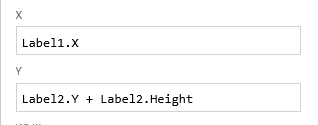
Now when I move Label 1 all three labels will move and I’ve managed to group my labels.
Pieter Veenstra

Is your business still running on paper trails, sprawling Excel files, or ageing Access databases? There's a better way — and I can show you exactly what it looks like. I'm the Technical Director of Vantage 365, a Microsoft solutions consultancy working with clients across the UK, the Netherlands, and worldwide. For over 30 years I've been turning messy, manual business processes into clean, automated systems that save time, reduce errors, and give teams the visibility they need to make better decisions. SharePains is not just any blog run by a Microsoft MVP. Have you ever used Try-Catch in Power Automate? The original post about Try-Catch in Power Automate can still be found on this site, https://sharepains.com/2018/02/07/try-catch-finally-in-power-automate-flow/ Or have you ever used the Pieter’s method to avoid variables and speed up your flows? https://sharepains.com/2020/03/11/pieters-method-for-advanced-in-flows/ You can contact me using contact@sharepains.com


Having to play join the controls makes things easier. Just wish it was not so manual to set up
I find that extremely useful for navigation menu icons. If you have them consistent across different pages it’s a big time saver
Navigation is indeed a great example too. It helps when you design your app to think in small modules of elements within your screen.