
Update: 28 February 2020, This problem has now been resolved and the Add to time now calculates the next month better.
Today I came across problem with calculating dates in Microsoft Flow.
Today’s date is 30 April 2018. I did a calculation using the Date connector in Microsoft Flow and found that add 1 month gives me 31 May 2018. This is potentially better than expected as I found the last day of the month.
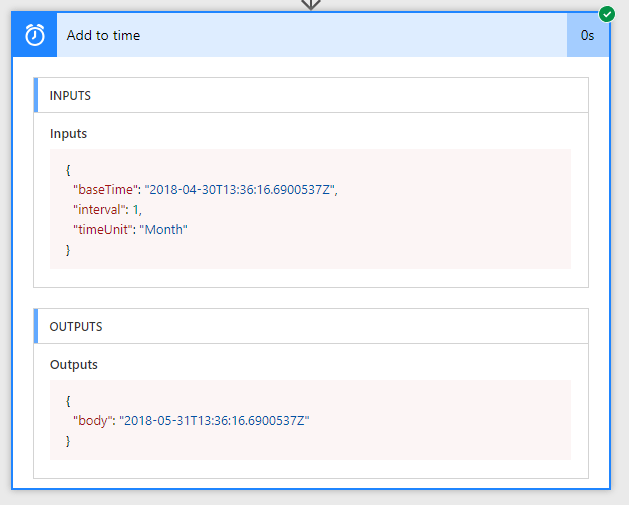
But now I’m trying to add 3 months
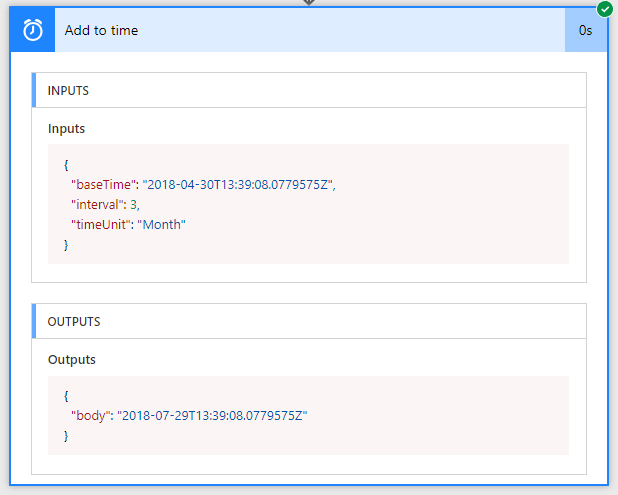
Now I’m getting 29 July 2018. We seem to have lost a few days there!
Then I thought maybe adding 3 times 1 month will give me the result.
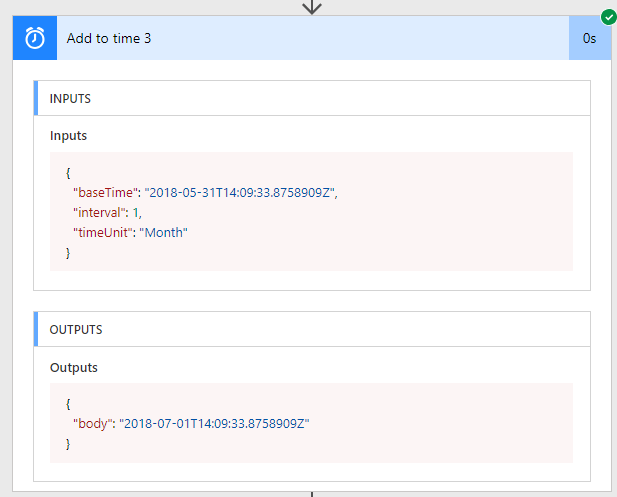
addToTime expression
After the above tests I tried using the addToTime function instead:
addToTime(variables(‘Date’),1,’Month’)
I’m not sure what to suggest at the moment other than upvoting the following bug
https://powerusers.microsoft.com/t5/I-Found-A-Bug/Add-months-doesn-t-work/m-p/111352#M2134
Pieter Veenstra

Is your business still running on paper trails, sprawling Excel files, or ageing Access databases? There's a better way — and I can show you exactly what it looks like. I'm the Technical Director of Vantage 365, a Microsoft solutions consultancy working with clients across the UK, the Netherlands, and worldwide. For over 30 years I've been turning messy, manual business processes into clean, automated systems that save time, reduce errors, and give teams the visibility they need to make better decisions. SharePains is not just any blog run by a Microsoft MVP. Have you ever used Try-Catch in Power Automate? The original post about Try-Catch in Power Automate can still be found on this site, https://sharepains.com/2018/02/07/try-catch-finally-in-power-automate-flow/ Or have you ever used the Pieter’s method to avoid variables and speed up your flows? https://sharepains.com/2020/03/11/pieters-method-for-advanced-in-flows/ You can contact me using contact@sharepains.com


This has been driving me crazy as well, and I believe it should continue to be a bug as the desired normal functionality is not working as expected.
That being said, I do believe I have found the reason behind the inconsistency and possible methods to fix this. This method is expected to take the input of interval and add that number of months to the current date, however through initial testing, the actual functionality takes the interval input and adds the number of days in the month corresponding to that number and adds it to the date. So if the interval is 1 it adds 31 because 1=January, 2 would be 28 because 2=February, 3 would be 31 because 3=March and so on and so on.
Here is the output data from tests run with the starting date of 05/10/2018:
Interval Date Output Difference in Days
0 05/10/2018 0
1 06/10/2018 31
2 07/08/2018 28
3 08/08/2018 31
4 09/07/2018 30
5 10/08/2018 31
6 11/07/2018 30
7 12/08/2018 31
8 01/08/2019 31
9 02/07/2019 30
10 03/10/2019 31
11 04/09/2019 30
12 05/10/2019 31
I hope that this one will be fixed soon.