
Within PowerApps there are a number of controls that handle images.

Using these controls I created an app that gives the user the options to upload a picture using the Add Picture control or take a picture using the camera control.

Then using 2 Image controls I’m copying the image form the camera with the expression:
Camera1.Photo
and the image control for the uploaded photo is set to:
UploadedImage1.Image
All is looking good and I’m happy that I’m able to set the image control to the images uploaded and taken by my camera. However I tried to send these images to Flow and then I noticed something weird. The Camera sends the actual image binary data to the Image control where the upload photo does not. The upload photo gives me a url alike text.
To proof my point I added two labels to my screen. Each of these would display Image1 or Image2 and shown below you can see the difference:

This is not good! The image control seems to be happy with either format of the image, but my Flow is not!
When I looked around in the PowerApps community I found my friend, Paul Culmsee’s post, about taking picture with a camera and sending them to Flow, but I haven’t managed to find a post about the add picture control doing the same.
So far I’ve not found a solutions for receiving the uploaded image in Flow. So far the best solution that I’ve found comes from John Liu, but fiddling with triggers is not something that should be needed.
There is however a reasonable way around the problem. The Attachments control will let you upload files.
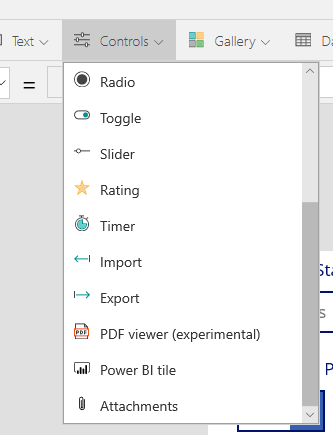
This Attachments control is opening doors as I can now create a form with my attachment control and a submit the images as an attachment. Ok, it is not as pretty as the add a picture control, but at least it will work. Ok, you might not end up with the binary data going to SharePoint, but you can get the URL of the attachment which a flow can extract for you.
Pieter Veenstra

Is your business still running on paper trails, sprawling Excel files, or ageing Access databases? There's a better way — and I can show you exactly what it looks like. I'm the Technical Director of Vantage 365, a Microsoft solutions consultancy working with clients across the UK, the Netherlands, and worldwide. For over 30 years I've been turning messy, manual business processes into clean, automated systems that save time, reduce errors, and give teams the visibility they need to make better decisions. SharePains is not just any blog run by a Microsoft MVP. Have you ever used Try-Catch in Power Automate? The original post about Try-Catch in Power Automate can still be found on this site, https://sharepains.com/2018/02/07/try-catch-finally-in-power-automate-flow/ Or have you ever used the Pieter’s method to avoid variables and speed up your flows? https://sharepains.com/2020/03/11/pieters-method-for-advanced-in-flows/ You can contact me using contact@sharepains.com


How did you get the Attachments control in PowerApps
Hi Vivek,
You will have to create it as part of a SharePoint edit item list form