

Recently external sharing of Power Apps has been enabled.
How to enable external access?
You can simply supply the email address of the external user in the sharing scren of your Power Apps. Then the user will receive an email with a link to the app.
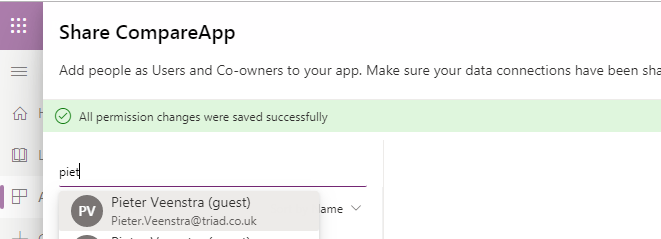
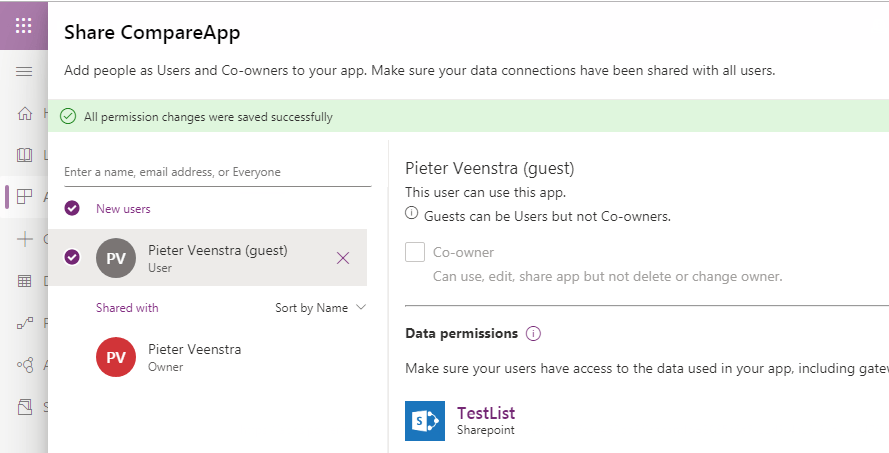
When you add the user you can however not make the external user a Co-Owner. This will make your users only consumers of the application rather than someone who can edit the applications.
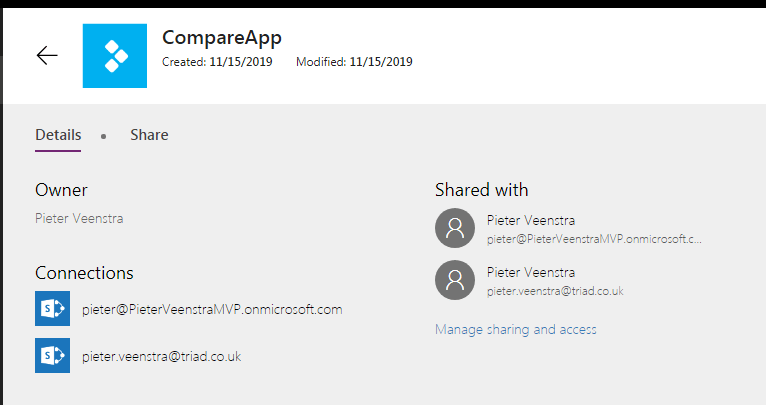
You will now need to make sure that as an organisation you check which app have external users accessing your applications. To help you with this as an administator you can use the admin center or you could use PowerApps PowerShell.
Pieter Veenstra

Is your business still running on paper trails, sprawling Excel files, or ageing Access databases? There's a better way — and I can show you exactly what it looks like. I'm the Technical Director of Vantage 365, a Microsoft solutions consultancy working with clients across the UK, the Netherlands, and worldwide. For over 30 years I've been turning messy, manual business processes into clean, automated systems that save time, reduce errors, and give teams the visibility they need to make better decisions. SharePains is not just any blog run by a Microsoft MVP. Have you ever used Try-Catch in Power Automate? The original post about Try-Catch in Power Automate can still be found on this site, https://sharepains.com/2018/02/07/try-catch-finally-in-power-automate-flow/ Or have you ever used the Pieter’s method to avoid variables and speed up your flows? https://sharepains.com/2020/03/11/pieters-method-for-advanced-in-flows/ You can contact me using contact@sharepains.com


Does the external user need to have a PowerApps license in your tenant?
Hi Rebecca, yes you do need to assign a licence to the guest users.