
Earlier this week I fixed some PowerShell scripts that connected into Microsoft Graph using the Thumbnail of a certificate installed on my local system. Some of the challenges in this post.
Connect-MGGraph
Within the Microsoft.Graph.Authentication module the is the Connect-MGGraph cmdlet to connect to Microsoft Graph.
One of the examples given within the documentation, shows us the following syntax.
Connect-MgGraph -ClientId "YOUR_APP_ID" -TenantId "YOUR_TENANT_ID" -CertificateThumbprint "YOUR_CERT_THUMBPRINT"The above method to connect to Microsoft Graph is the one used by my script. However when I ran the script I would receive an annoying error message.

At first you might expect something to be wrong within the app that matches the $clientId however that was all configured properly.
The Connect-MGGraph issue
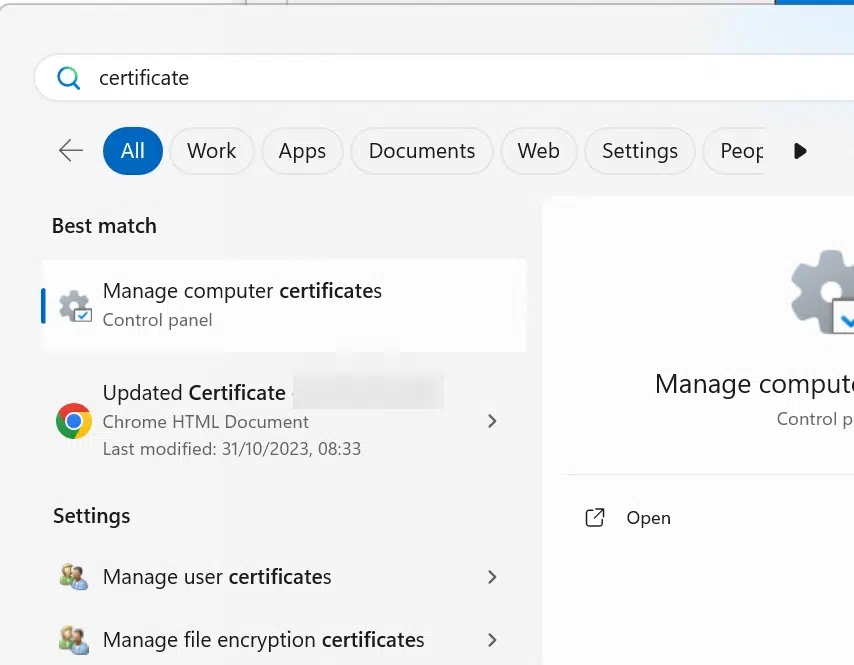
When I looked further into the issue I found within Manage computer certificates that my certificate had permissions set on it.
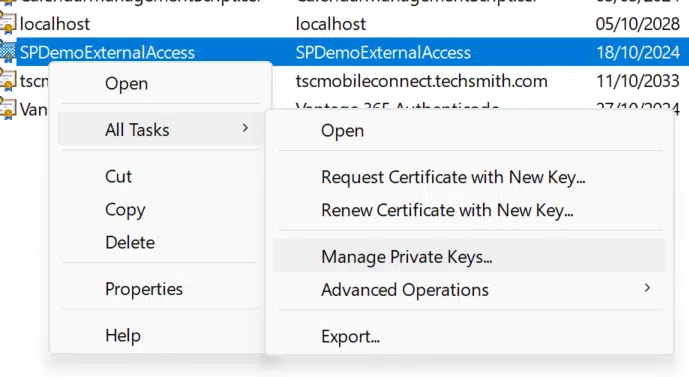
For my certificate I checked out the Manage Private Keys.
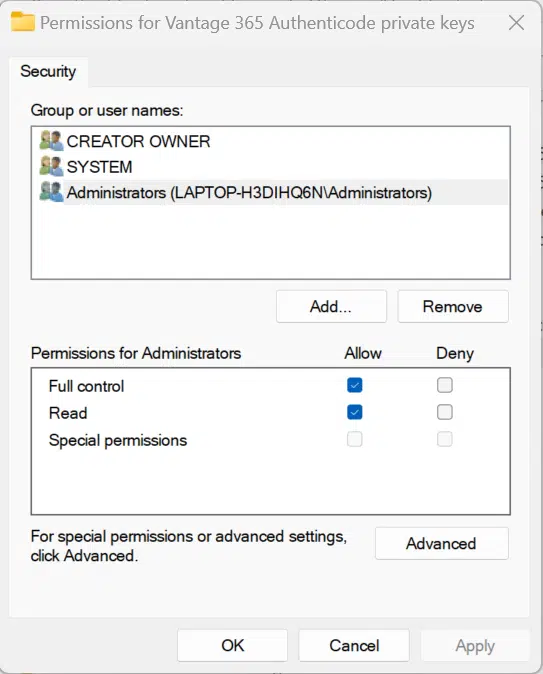
And I found that Administrators have full control access to the certificate.
Now we can look at the solutions for the error: Connect-MgGraph: ClientCertificateCredential authentication failed: Keyset does not exist
Solution 1 – Run as Administrator
The first option of course is to run the script as an administrator. When we run Connect-MGGraph, the error message will disappear.

But, in my case I preferred not to run as an administrator.
Solution 2 – Adjust the permissions on the certificate
Adjusting the permissions is the second option. In the example below I went for Users, but you could of course restrict that a bit further as this would give access to the certificate for everybody on the local machine.
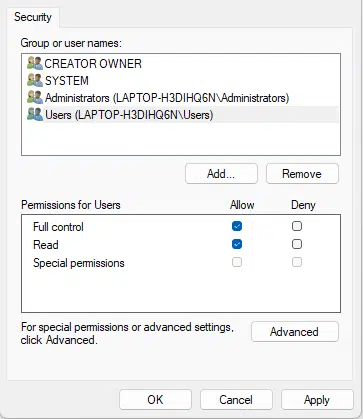
Once the certificate access is sorted out, connecting to MS Graph is then all easy.
Further reading
For any further help with Microsoft Graph, please read the Microsoft Graph with the Power Platform User Guide.
Pieter Veenstra

Is your business still running on paper trails, sprawling Excel files, or ageing Access databases? There's a better way — and I can show you exactly what it looks like. I'm the Technical Director of Vantage 365, a Microsoft solutions consultancy working with clients across the UK, the Netherlands, and worldwide. For over 30 years I've been turning messy, manual business processes into clean, automated systems that save time, reduce errors, and give teams the visibility they need to make better decisions. SharePains is not just any blog run by a Microsoft MVP. Have you ever used Try-Catch in Power Automate? The original post about Try-Catch in Power Automate can still be found on this site, https://sharepains.com/2018/02/07/try-catch-finally-in-power-automate-flow/ Or have you ever used the Pieter’s method to avoid variables and speed up your flows? https://sharepains.com/2020/03/11/pieters-method-for-advanced-in-flows/ You can contact me using contact@sharepains.com

