
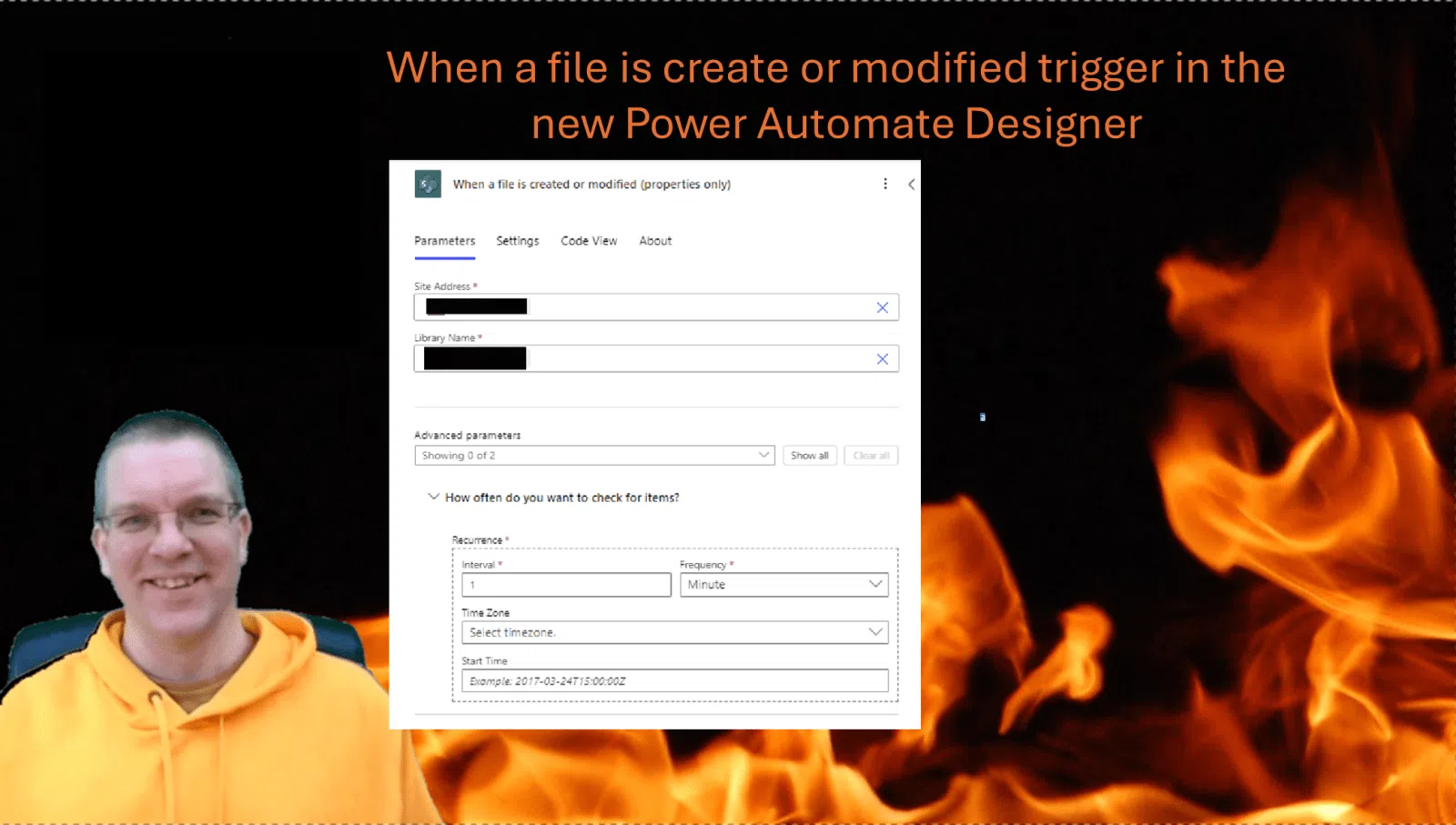
When you use the When a file is created or modified trigger in Power Automate you had no control over how often the flow would check for new items. With the new Power Automate Designer that is now changing!
When a file is created or modified trigger
The When a file is create or modified trigger has quite a few options available however there is no options to control how often you want Power Automate to check. It has always been a bit confusing when it takes a while before that flow finally runs.

When a file is created or modified trigger (The new version!)
Well with the new version of the trigger that you can edit in the new Power Automate designer you can now simply tell Power Automate to check more or less often for new files.

Just check every second!
Yes, you could say just check every second. But is that really needed? Ideally we would want this trigger to use the subscriptions from Microsoft Graph. But it looks like we are now using a trigger that will check like a scheduled flow.
Should we check every second when we want instant responses? If every action in our flows is calculated as a step in a flow then every check by the trigger might quite well count too. So it might be a waste of quota.
Pieter Veenstra

Is your business still running on paper trails, sprawling Excel files, or ageing Access databases? There's a better way — and I can show you exactly what it looks like. I'm the Technical Director of Vantage 365, a Microsoft solutions consultancy working with clients across the UK, the Netherlands, and worldwide. For over 30 years I've been turning messy, manual business processes into clean, automated systems that save time, reduce errors, and give teams the visibility they need to make better decisions. SharePains is not just any blog run by a Microsoft MVP. Have you ever used Try-Catch in Power Automate? The original post about Try-Catch in Power Automate can still be found on this site, https://sharepains.com/2018/02/07/try-catch-finally-in-power-automate-flow/ Or have you ever used the Pieter’s method to avoid variables and speed up your flows? https://sharepains.com/2020/03/11/pieters-method-for-advanced-in-flows/ You can contact me using contact@sharepains.com

Pieter, unrelated to the timing feature of this trigger, which I agree is a helpful addition, have you found a way to determine when a file lock is released in a SharePoint document library? I recently used the “When a file is created or modified” trigger with a document library with the idea of updating many metadata columns once the file was modified (in my case, leveraging an Office Script to extract specific data out of Excel files), but I discovered that SharePoint will not update file metadata columns while the file is locked, and often maintains the lock on a file long after it is closed in desktop Excel or Excel Online. I found no way to determine when that lock was released, and so experimented with a flow that would attempt to update the metadata periodically until successful. It proved so unworkable that I abandoned the approach and instead created a separate list library with those same metadata fields and have my flow update the list library instead of the document library. One of the fields in my list library is a link back to the document in the document library which provides some semblance of what I originally wanted to achieve.
This really surprised me because Microsoft has long touted the advantages of metadata over folder structures in SharePoint. Maybe there was a different approach I could have taken, but this was my bitter discovery with this trigger. I would be interested to know if you have found the same issue, and any workarounds or solutions?
https://sharepains.com/2021/12/14/sharepoint-file-locks-power-automate/
Does this post help?
Pieter, yes, this looks very helpful. I do not understand, though, in your example using only a child flow, will it automatically retry? Or did you modify the Retry Policy? My assumption is that the child flow will simply fail if it is unable to update the target document within the normal Retry Policy, and from what I saw when I attempted to have my flow automatically retry every 30 seconds or so, documents can remain locked for a very long time, even after the document is closed within the client application. Your “System Update” approach looks very promising, although I haven’t tried it yet. If I attempt something similar in the future, I will give that approach a try. Thank you.