
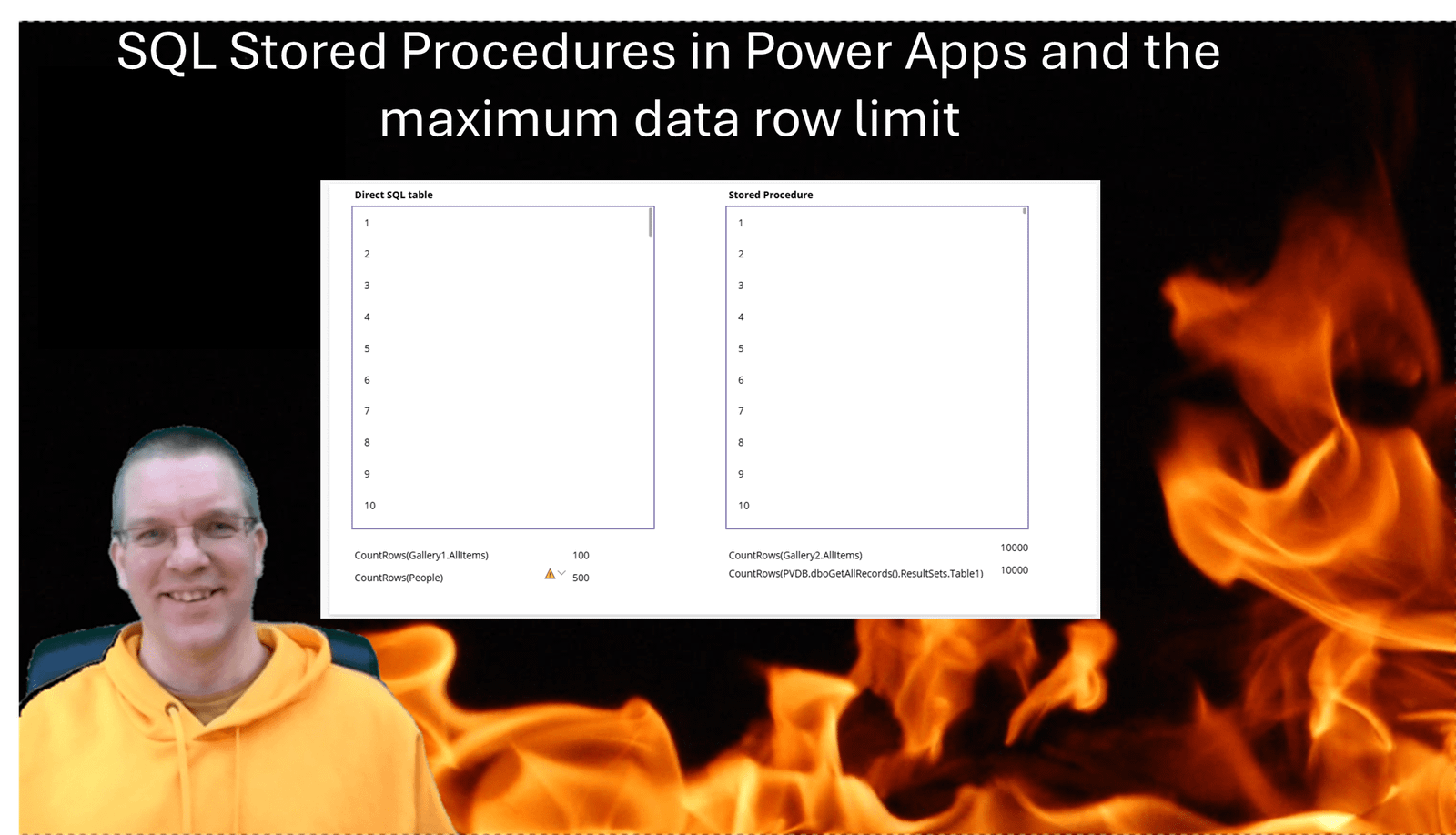
With connectors in Power Apps we can collect 2000 items at a time when we read data from lists and libraries. However with SQL Stored Procedures in Power Apps we have an option to avoid this limit!
Power Apps data row limit
You might be familiar with the following Data row limit setting:
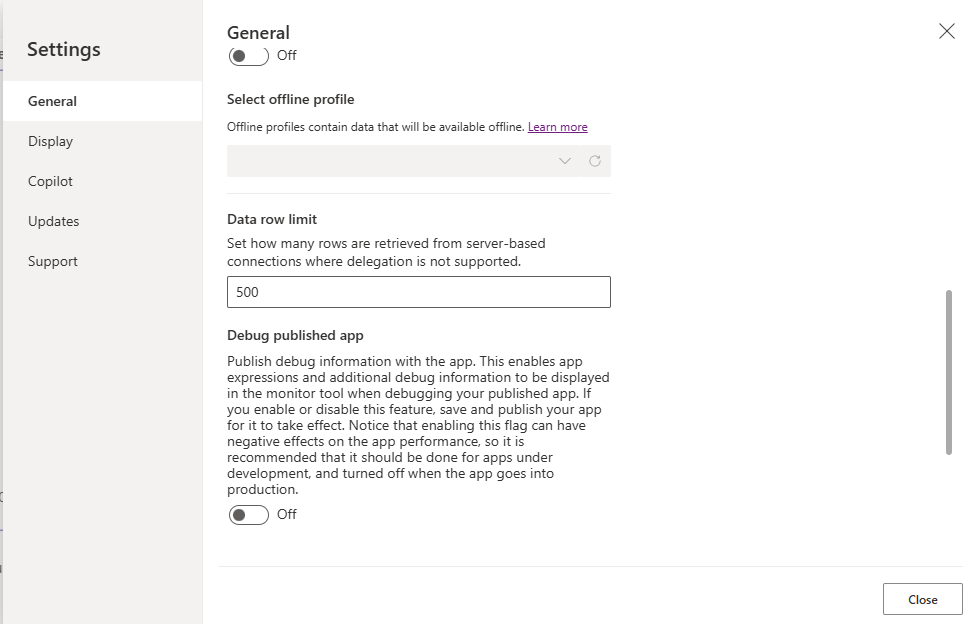
And most likely you always set this to the maximum of 2000 rows. Well no need for that anymore!
Connecting SQL Stored Procedures and SQL Tables
Today, Connor and I discovered something new while working on a SQL server Power Apps project.
So in my app I’ve setup two data sources. PVDB is connecting to a SQL stored procedure reading records from my People table while I have a People data source reading data directly from the People table.

Now in my app I’m creating two galleries. The left gallery has my People table as a data source and displays the ID of each person.
The right table uses a stored procedure that does a Select * from People and then displays again only the ID of the record.
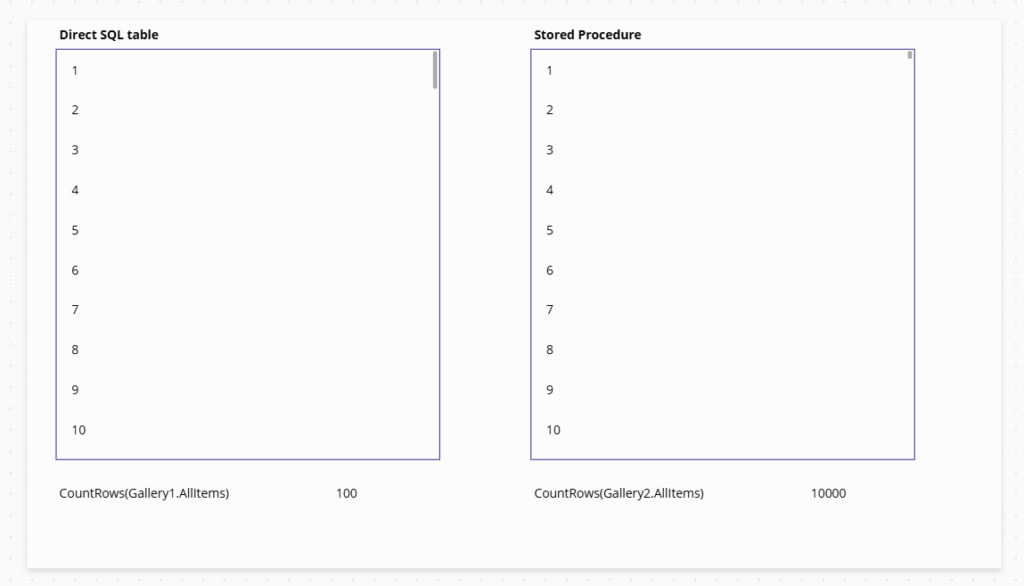
Below each of the galleries I’ve counted the number of rows in the gallery. And as you can see the gallery taking the stored procedure data contains all 10000 items.
As you scroll down in the galleries you will find that the left gallery will increase by chunks of 100 records, as the lazy load is kicking in.
CountRows on SQL Datasources
Now how about the CountRows directly on the data sources?
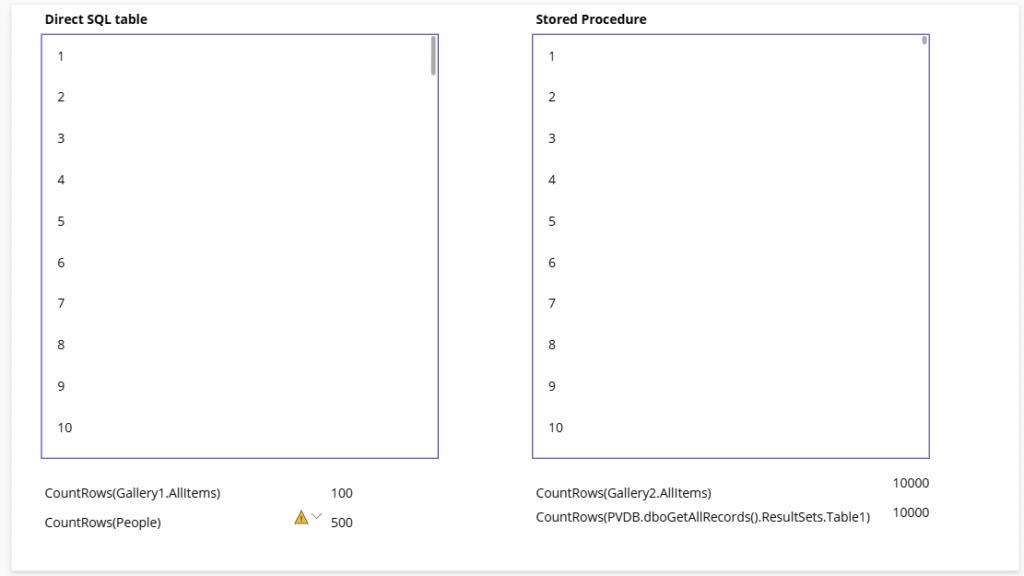
I had to take this test a bit further. When I count the rows on the People datasource, I’m getting 500. This is the settings that we looked at in the beginning of this post. For Stored procedures this settings seems to be ignored.
SQL Stored Procedures and delegation issues
Now this will be a major change in how we address delegation issues. Dataverse, SharePoint and other datasources are affected by delegation issues. Stored Procedures are not subject to delegation rules as all data is simply loaded and they are not limited to receiving a subset of records. I tested the above with 100000 records as well and they all come back to my app within about 20 seconds. This is on a standard Azure SQL database
Pieter Veenstra

Is your business still running on paper trails, sprawling Excel files, or ageing Access databases? There's a better way — and I can show you exactly what it looks like. I'm the Technical Director of Vantage 365, a Microsoft solutions consultancy working with clients across the UK, the Netherlands, and worldwide. For over 30 years I've been turning messy, manual business processes into clean, automated systems that save time, reduce errors, and give teams the visibility they need to make better decisions. SharePains is not just any blog run by a Microsoft MVP. Have you ever used Try-Catch in Power Automate? The original post about Try-Catch in Power Automate can still be found on this site, https://sharepains.com/2018/02/07/try-catch-finally-in-power-automate-flow/ Or have you ever used the Pieter’s method to avoid variables and speed up your flows? https://sharepains.com/2020/03/11/pieters-method-for-advanced-in-flows/ You can contact me using contact@sharepains.com


Wouldn’t 10000 items in memory make things very slow?
What question would you ask that has a 10000 item result set?
During my tests the 10000 records took only a couple of seconds (doing the same in chunks of 2000) takes a lot longer.
Any app that needs to display some items from a table that need to be sorted in any way, will need to collect all records before they can be sorted.