
Most of my posts are directed at anybody in the world in any location. This time I’m going to have a look at the new language options in the Admin Center.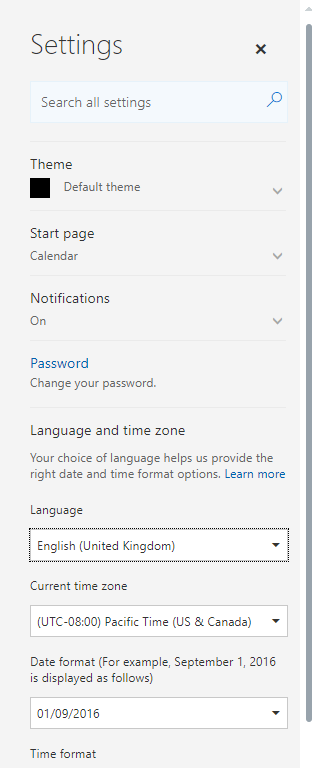
You can now set the language in your Admin Center, so today ( just for a short period of time) I will set this to Dutch!

Especially for all my Dutch followers have a look at the top line: “Uw woning aanpassen”. (translated this means “adjust your house that I live in”). Wow, this is the end of all my DIY weekends. Office 365 will now update everything in the house that I live in. Ok, I understand this mistake! Automated translations are simply no good (yet) if they aren’t verified by people. I would have expected that before releasing an auto translated site that there would have been a native speaker checking the translations.
There are some more of these translation that I found on the site. It would be nice to see some quality control here.
Discover more from SharePains
Subscribe to get the latest posts sent to your email.
Pieter Veenstra

Is your business still running on paper trails, sprawling Excel files, or ageing Access databases? There's a better way — and I can show you exactly what it looks like. I'm the Technical Director of Vantage 365, a Microsoft solutions consultancy working with clients across the UK, the Netherlands, and worldwide. For over 30 years I've been turning messy, manual business processes into clean, automated systems that save time, reduce errors, and give teams the visibility they need to make better decisions. SharePains is not just any blog run by a Microsoft MVP. Have you ever used Try-Catch in Power Automate? The original post about Try-Catch in Power Automate can still be found on this site, https://sharepains.com/2018/02/07/try-catch-finally-in-power-automate-flow/ Or have you ever used the Pieter’s method to avoid variables and speed up your flows? https://sharepains.com/2020/03/11/pieters-method-for-advanced-in-flows/ You can contact me using contact@sharepains.com
Pieter Veenstra
Is your business still running on paper trails, sprawling Excel files, or ageing Access databases? There's a better way — and I can show you exactly what it looks like. I'm the Technical Director of Vantage 365, a Microsoft solutions consultancy working with clients across the UK, the Netherlands, and worldwide. For over 30 years I've been turning messy, manual business processes into clean, automated systems that save time, reduce errors, and give teams the visibility they need to make better decisions. SharePains is not just any blog run by a Microsoft MVP. Have you ever used Try-Catch in Power Automate? The original post about Try-Catch in Power Automate can still be found on this site, https://sharepains.com/2018/02/07/try-catch-finally-in-power-automate-flow/ Or have you ever used the Pieter’s method to avoid variables and speed up your flows? https://sharepains.com/2020/03/11/pieters-method-for-advanced-in-flows/ You can contact me using contact@sharepains.com
I’m struggling with Finnish translations. Not two words in correct order. Even the simplest security notifications are difficult to understand. Why not a simple toggle: show original?
It would be good if all the languages could be reviewed by native speakers
MIcrosoft needs help from the customers. I guess they don’t have an agile system for reacting to feedback. I’ve found out they have sites for product feedback, and I’ve left some feedback from translation errors, but I don’t know if it helps. How many Finnish users there are for Skype for Business? And the “Read” button (in the meetings, opens the chat area) is translated wrong, in past tense “is read”. Confusing. Seemingly small error, but it’s been there since the beginning. One would think it would be fixed by now.
In general the feedback links in the products are quite good. Also, you could try submitting your feedback here: https://support.office.com/en-us/article/Skype-Meetings-App-help-Skype-for-Business-Web-App-E08370BE-2FBB-4CE9-9A90-C84D92CC4CAB?ui=en-US&rs=en-US&ad=US
My previous comment was about O365 messaging features. However, there are translation mistakes throughout Microsoft products, like PowerPoint, Skype for Business. In the past the translations used by Microsoft were considered *the* source. Today, it’s not like that.