
Today, I traveled to London to visit one of my customers. I thought that using the train’s wifi would be a great way to quickly pickup some documents from my Office 365 SharePoint online configuration but no luck there:
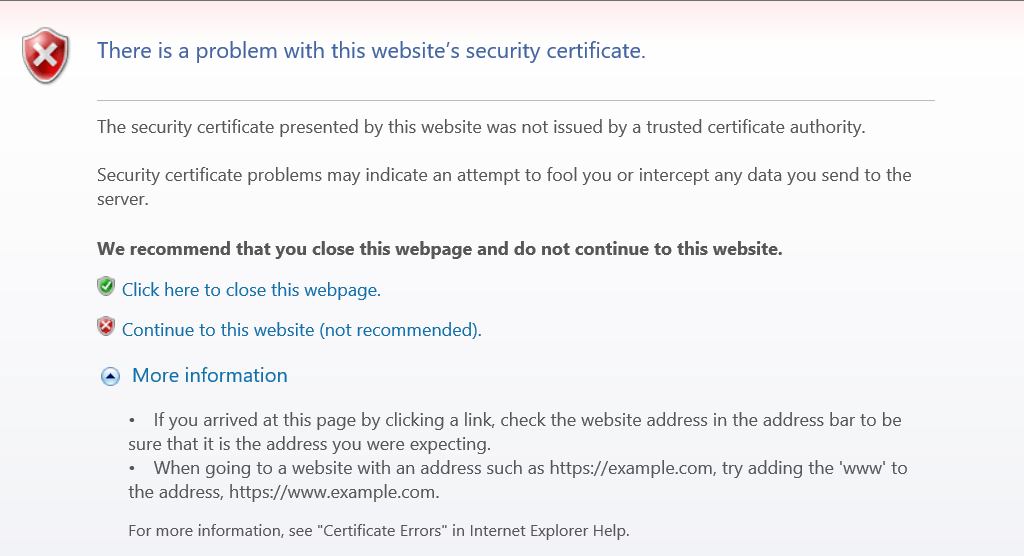
I tried a couple of my tenants ( just in case), but no luck. My mobile that is not on a wifi simply works, so there isn’t anything wrong with my SharePoint site.
Has anybody else seen this before, that wifi is blocking SharePoint online?
Discover more from SharePains
Subscribe to get the latest posts sent to your email.
Pieter Veenstra

Is your business still running on paper trails, sprawling Excel files, or ageing Access databases? There's a better way — and I can show you exactly what it looks like. I'm the Technical Director of Vantage 365, a Microsoft solutions consultancy working with clients across the UK, the Netherlands, and worldwide. For over 30 years I've been turning messy, manual business processes into clean, automated systems that save time, reduce errors, and give teams the visibility they need to make better decisions. SharePains is not just any blog run by a Microsoft MVP. Have you ever used Try-Catch in Power Automate? The original post about Try-Catch in Power Automate can still be found on this site, https://sharepains.com/2018/02/07/try-catch-finally-in-power-automate-flow/ Or have you ever used the Pieter’s method to avoid variables and speed up your flows? https://sharepains.com/2020/03/11/pieters-method-for-advanced-in-flows/ You can contact me using contact@sharepains.com
Hi Pieter, yes I have the same problem on South West Trains / Railways. Regards. Nigel
What does the certificate presented to your browser look like? Perhaps they are intercepting the traffic and presenting an alternative certificate. If the user’s browser is able to accept their dubious certificate, then they can observe supposedly encrypted data – SSL MITM.
Fiddler might be a useful tool to see what’s going on in this case. Fiddler uses a similar method to decrypt HTTPS traffic.
I didn’t have enough time to investigate this much further. Why are there never any train delays when you need them 😉