
In recent months, I have begun using Power Automate Desktop for automated testing within Power Apps.
In this post I will have a look at how we can organise UI elements in our PAD flow a bit better.

In recent months, I have begun using Power Automate Desktop for automated testing within Power Apps.
In this post I will have a look at how we can organise UI elements in our PAD flow a bit better.

At the end of 2025, I already announced on LinkedIn that SharePains.com is 15 years old. After nearly 1100 posts about Microsoft Tech in 15 years, it is time to celebrate.

Earlier this week I was asked to reshape data in Power Automate. Having an array of data that needs to be reshaped just sot that an API can take the data can be tricky. So often I find clients using the Append to array action inside an apply to each. Now if your array only has a few records it probably doesn’t matter too much but what if you have 1000s of records?

Recently I’ve been receiving email reporting Your flow has a new trigger URL. In this post I will address this issue and how to avoid your flows breaking.
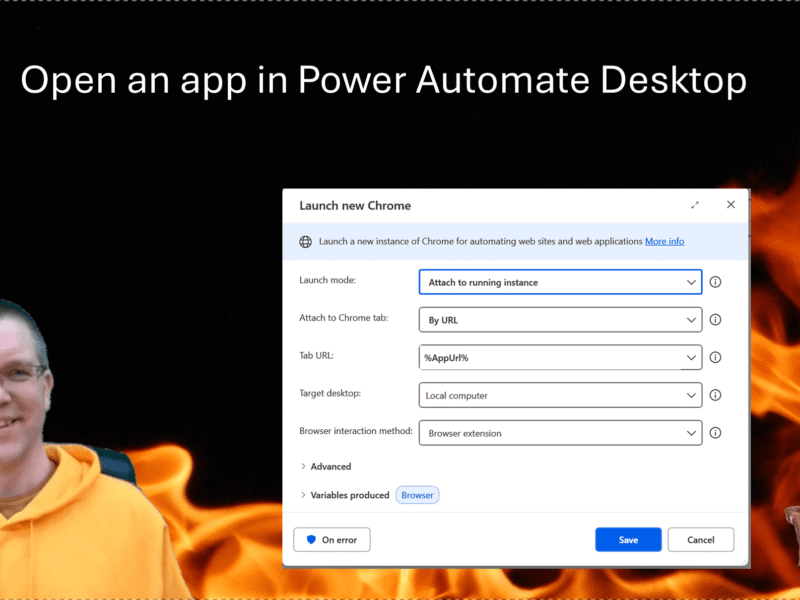
When you open an app in Power Automate Desktop, and you need to run this Power Automate Desktop flow multiple times it becomes important to handle the multiple instances of your browser. In this post the steps to make this work for you.