
In this post I’m reviewing the different approaches for error handling with the well known Try / Catch patterns and error handling for small flows.
Introduction to error handling in Power Automate
In my series of error handling posts I’ve looked at
- Common Error Message in the SharePoint Connector
- Handle trigger failures
- Finding failed flow actions – Part 2
- Finding failed flow actions – Part 1
- Advanced Error Handling
- Throws in flows
- Try/Catch
In this post I will look at error handling in small flows. Huh, is that any different?
Not, really but when you have small flows with only very few actions that could fail then you could consider a different approach. Something like the following setup could work:
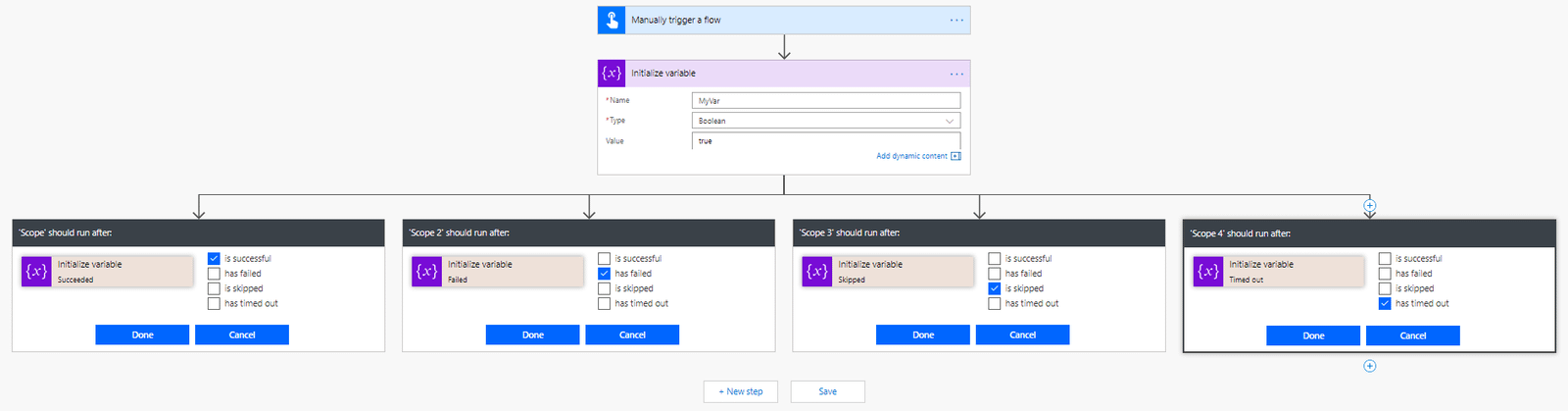
Flow runs using parallel branches
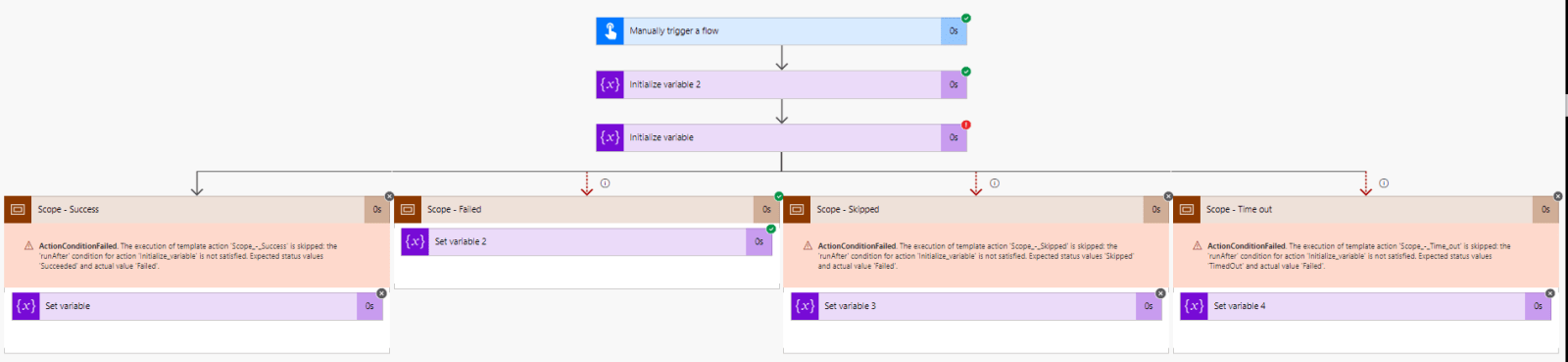
When an action fails you will see the flow going into the failed section of your flow.
And when an action is successful the flow will continue in the Success branch.
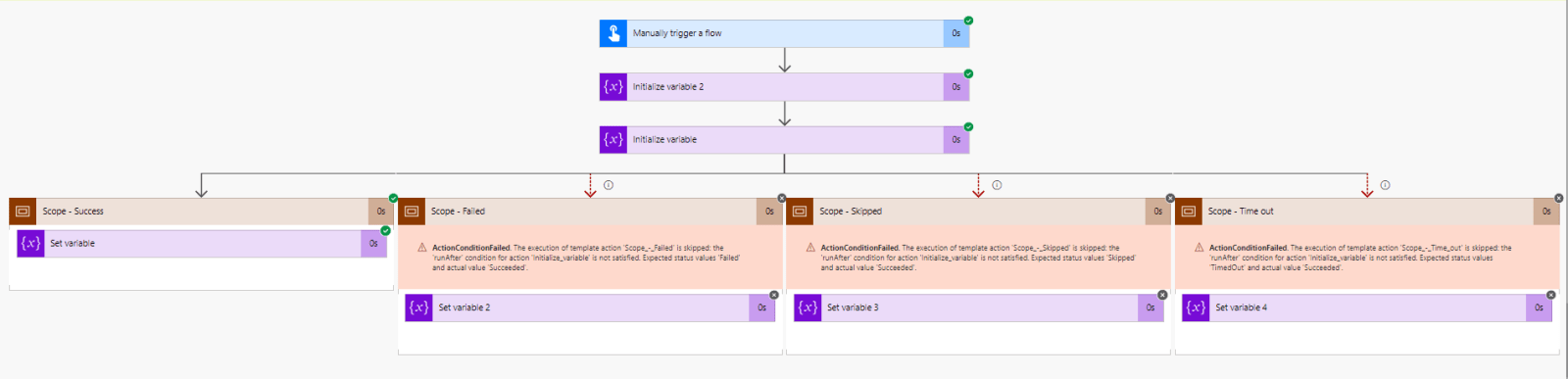
All of this can be done with parallel actions. You will find however that adding 4 branches after every action is less practical than the try / catch approach but for smaller flows this could be a good pattern to follow.
Potentially you could even simplify the pattern by merging the Failed, Skipped and Timeout into one branch. That way there is a did run and a did not run branch. And having two branches after each potentially failing action you might find that this pattern becomes more manageable.
Pieter Veenstra

Is your business still running on paper trails, sprawling Excel files, or ageing Access databases? There's a better way — and I can show you exactly what it looks like. I'm the Technical Director of Vantage 365, a Microsoft solutions consultancy working with clients across the UK, the Netherlands, and worldwide. For over 30 years I've been turning messy, manual business processes into clean, automated systems that save time, reduce errors, and give teams the visibility they need to make better decisions. SharePains is not just any blog run by a Microsoft MVP. Have you ever used Try-Catch in Power Automate? The original post about Try-Catch in Power Automate can still be found on this site, https://sharepains.com/2018/02/07/try-catch-finally-in-power-automate-flow/ Or have you ever used the Pieter’s method to avoid variables and speed up your flows? https://sharepains.com/2020/03/11/pieters-method-for-advanced-in-flows/ You can contact me using contact@sharepains.com