

Do you find that your queries in filters become complicated? In this post a way to simplify your queries using Dataverse views.
Simplifying queries
When you develop more complicated apps and you filter data coming from your data source, then you might find that those queries become very long.
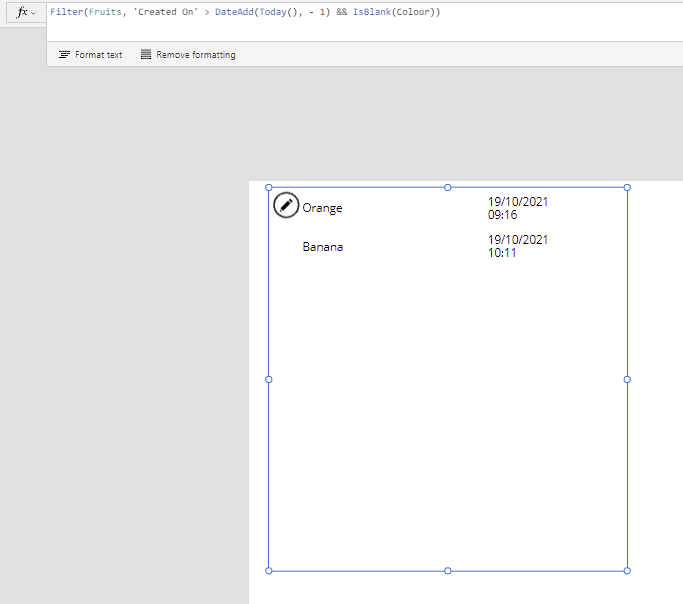
In this post I will build up my queries on my fruit table. This table keeps track of my fruit and the colours of each fruit. As shown in the app below, I have 4 fruits lists in s gallery. All I need to do is reference my table (yes Dataverse adds an ‘s’ to the singular fruit).

Now, if i wanted to get all the records added today and that don’t have a colour field set then I could create a query like this
filter(Fruits, 'Created On' > DateAdd(Today(), -1) && IsBlank(Colour)Ok, in this case my query isn’t too complicated. But with a bit of imagination the query could become complicated without much effort.
Using Dataverse Views
One way to simplify the expression is by using a view that I created in Dataverse, called Today’s Fruit. I set the filter ion the view like this:
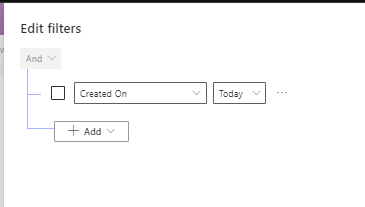
And now i can use this view in my filter.
Filter(Fruits, 'Fruits (Views)'.'Today''s fruit, Colour = Blank())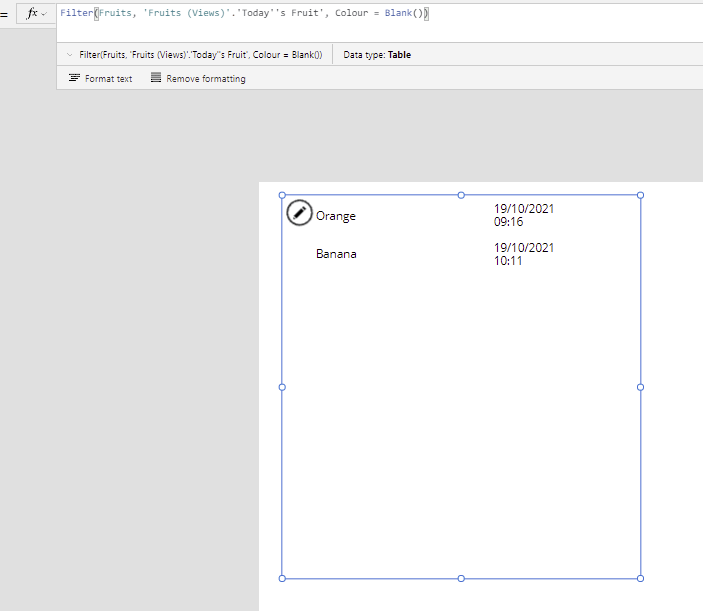
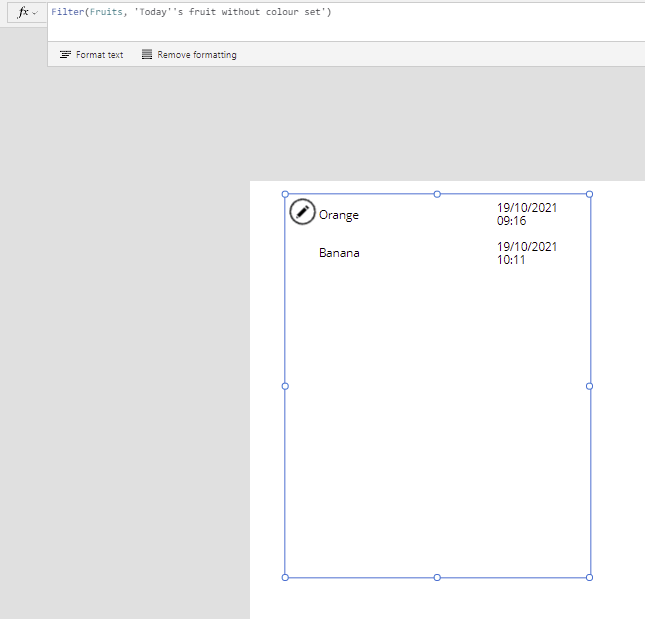
And of course you could also create a view that includes the colour filter, making the filter query in the app really simple.
Considerations
There are however a few things that should be considered. Should we replace every query in a filter with a view? Well, you could try, but there are a few limitation that you might hit.
For example there isn’t a way to pass parameters from the app to a view. And creating a separate view for each possible option might also not be something that you want to do, however if you have a table that keeps track of a status, or a limited number of categories or anything that your would filter on on a regular basis, such as the logged in user then you could consider using Dataverse views.
Sometimes using views may help with delegation issues, and sort out delegation warnings, however the simplification of complicated filter expressions could already be worth it. . Adding the complexity to the database rather than the end user app.
In this post I have only looked at filtering items, but this same method can also be used to sort the items that are returned by a query.
Pieter Veenstra

Is your business still running on paper trails, sprawling Excel files, or ageing Access databases? There's a better way — and I can show you exactly what it looks like. I'm the Technical Director of Vantage 365, a Microsoft solutions consultancy working with clients across the UK, the Netherlands, and worldwide. For over 30 years I've been turning messy, manual business processes into clean, automated systems that save time, reduce errors, and give teams the visibility they need to make better decisions. SharePains is not just any blog run by a Microsoft MVP. Have you ever used Try-Catch in Power Automate? The original post about Try-Catch in Power Automate can still be found on this site, https://sharepains.com/2018/02/07/try-catch-finally-in-power-automate-flow/ Or have you ever used the Pieter’s method to avoid variables and speed up your flows? https://sharepains.com/2020/03/11/pieters-method-for-advanced-in-flows/ You can contact me using contact@sharepains.com


It seems the only “date/time” columns that can be used in filters are “created” and “modified”. I have a table with two date/time columns (CheckOutFrom and CheckOutTo), but when I add a filter, they don’t appear in the drop-down. This is a table to reservations, so I’d love to create basic views of “upcoming”, “ongoing” and “past” for use in a canvas app, but all would need to filter using comparisons to those two columns.
In your view have you included these two fields as displayed within the view?
The most important part of this is showing the odd syntax: Filter(myTable, ‘myTable (Views)’. viewname, …….