
In this post I will look at actions and triggers available in the Common Data Service connector.
The Triggers
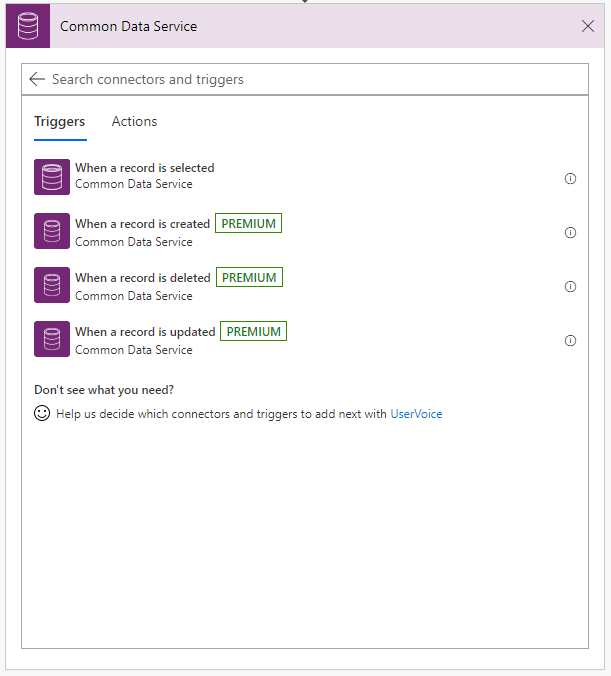
As part of my Common Data Services series I’m looking at the Common Data Service connector in Microsoft Flow. As with many connectors there are triggers and actions available within the CDS connector. The 4 triggers and 5 actions give you basic CRUD operations and the option to start your flows when basic CUDS (Create, Update, Delete and Select) operations happen.
3 of the 4 triggers are marked as premium hence you will need to ensure that you have the right licences in place. The 4 triggers are:
- When a record is selected
- When a record is created
- When a record is deleted
- When a record is updated
The Actions
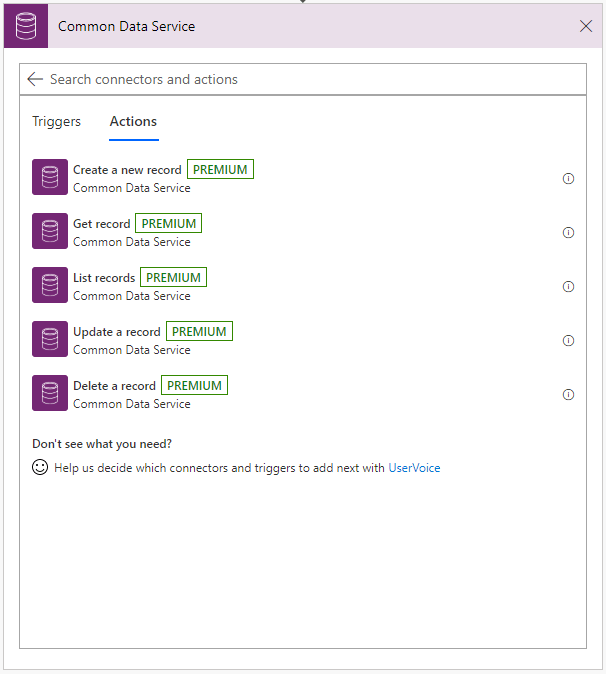
All 5 action are marked as premium hence you will need to ensure that you have the right licences in place if you use these actions. The 5 actions available are:
- Create a new record
- Get record
- List records
- Update a record
- Delete record
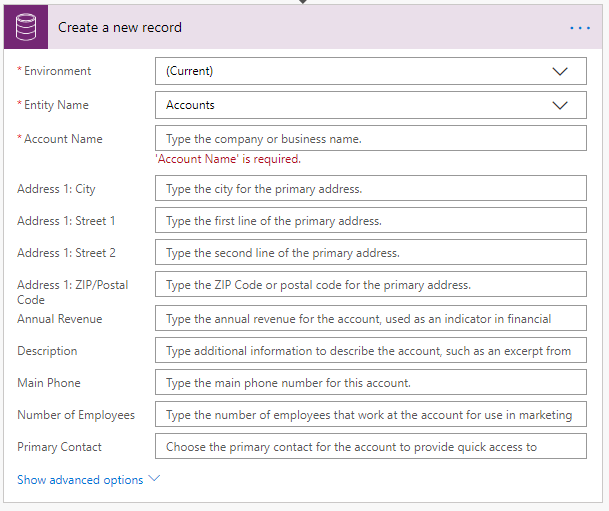
The 5 actions available all are easy to use. It is for example quite easy to create a new account simply by selecting the environment and the entity in the Create a new record action. Once you have selected the environment and the entity you can supply the field values that want to use. When you copy your flows between environment however you will need to make sure that you custom entities are matching in both environments.
The List records action helps you get to all your records that match a query.

For more information on querying records see Microsoft Flow – Filter queries in the List records action in the Common Data Services connector
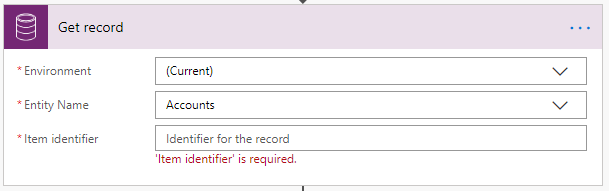
The Get record action is used if you know which item you want and you have the unique identifier of the record available to query the CDS.
More information about CDS
Common Data Service – a complete overview
Discover more from SharePains
Subscribe to get the latest posts sent to your email.
Pieter Veenstra

Is your business still running on paper trails, sprawling Excel files, or ageing Access databases? There's a better way — and I can show you exactly what it looks like. I'm the Technical Director of Vantage 365, a Microsoft solutions consultancy working with clients across the UK, the Netherlands, and worldwide. For over 30 years I've been turning messy, manual business processes into clean, automated systems that save time, reduce errors, and give teams the visibility they need to make better decisions. SharePains is not just any blog run by a Microsoft MVP. Have you ever used Try-Catch in Power Automate? The original post about Try-Catch in Power Automate can still be found on this site, https://sharepains.com/2018/02/07/try-catch-finally-in-power-automate-flow/ Or have you ever used the Pieter’s method to avoid variables and speed up your flows? https://sharepains.com/2020/03/11/pieters-method-for-advanced-in-flows/ You can contact me using contact@sharepains.com
Hi Pieter,
Thanks for the write-up on the CDS connectors. Quick question – if I’m using the “when a record is updated” connector and use the Filter Attribute advanced option, the flow should only run when those specific attributes in the entity are edited right?
I’ve been playing around with it and even with attributes set, the flow is running when any attributes in the entity are updated…
Any thoughts would be appreciated.
Thanks!
I haven’t used that option and it seems to be a bit unclear how it works. I will try to find out what we’re doing wrong.